Chapter 6. Character Print
6-28
(3) Operation
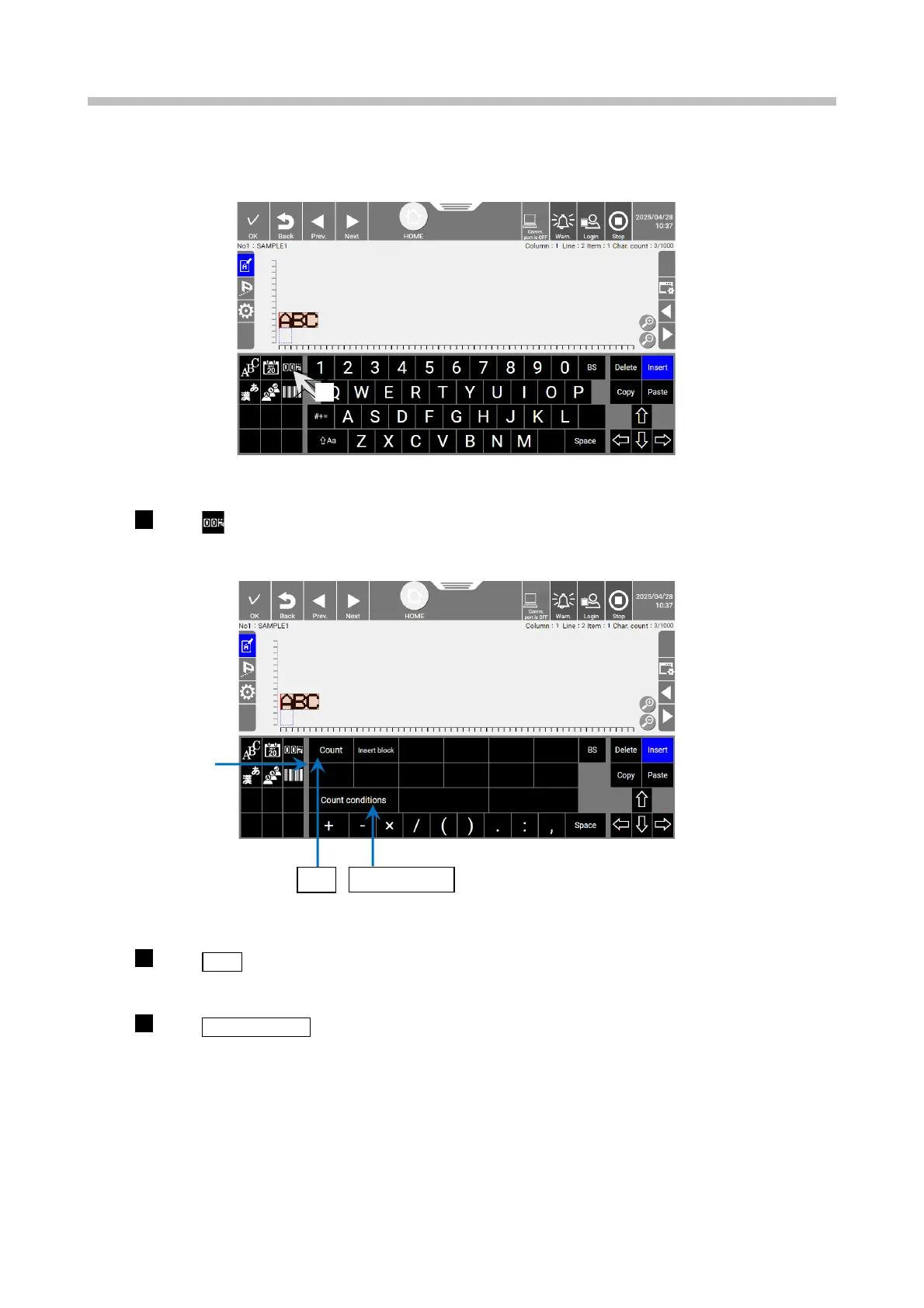
The print description edit screen is displayed.
Print description edit screen (printing count characters)
Press
.
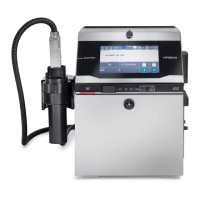
The keyboard is changed to the count keyboard.
Count keyboard display screen (printing count characters)
Input Count.
The print description edit area displays "C", which indicates a count character.
Press Count conditions.
The [Count conditions] screen appears.


 To Next Page