Chapter 4. Basic Operation
4-22
4.2.4. Specifying Login User
This section describes the procedure to specify a user to be logged in.
(1) Functions
● Specify the user to be logged in at power-on.
● Select the user and input the password when logging in.
● The administrator defines the user name, password, and password protection setting in advance.
Different password protection can be set for each user. A user name can contain up to 12 characters.
● Set whether or not to select a user to be logged in at power-on. See the Technical Manual "3.3 Selecting
login user when power is turned on".
(2) Operation
The administrator sets beforehand to ask the user to log in at power-on.
Turn on the power.
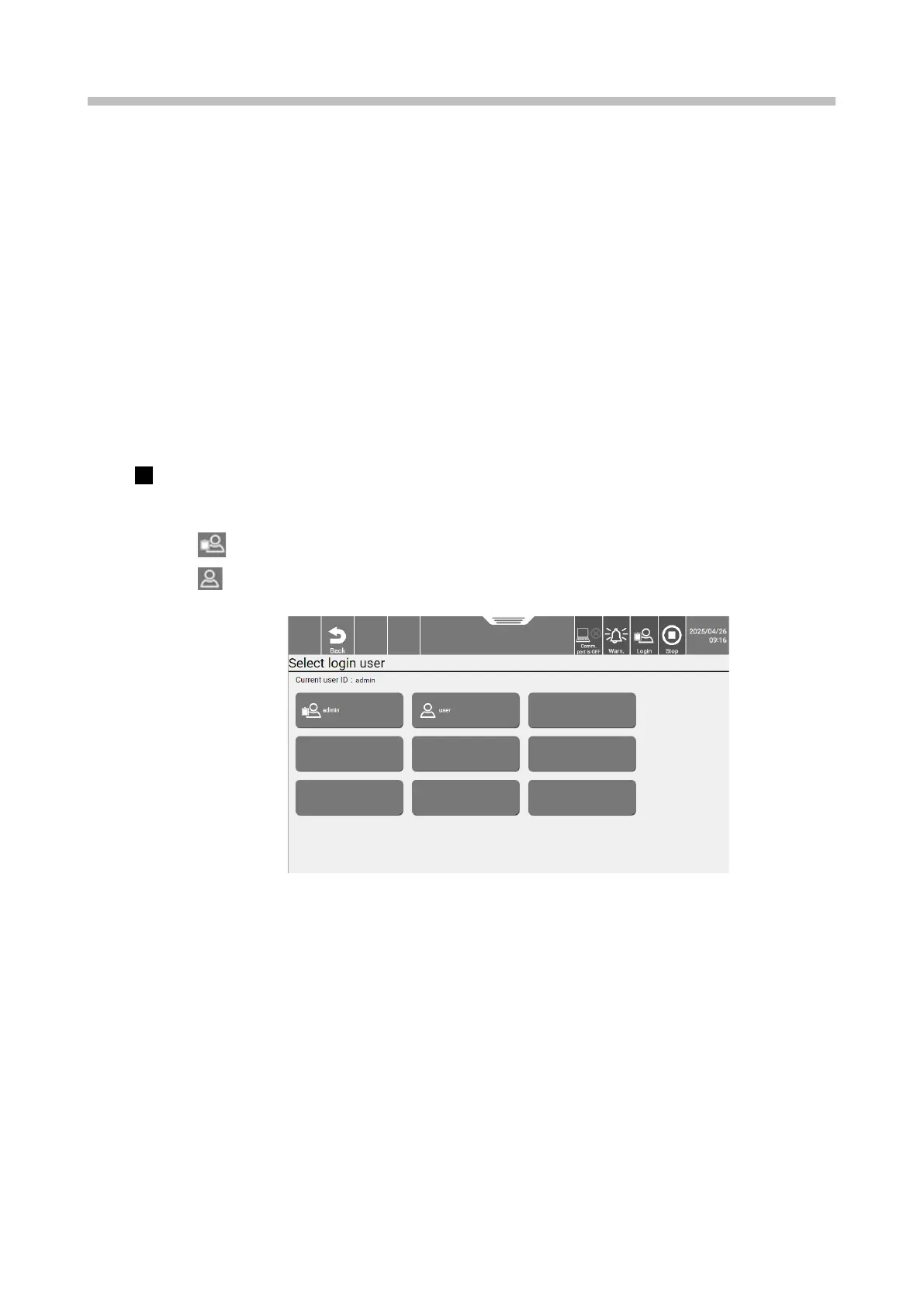
The [Select login user] screen appears.
This icon indicates an administrator.
This icon indicates a general user.
[Select login user] screen


 To Next Page