Selenia User Guide
Chapter 6—The User Interface
MAN-03270 Revision 003 99
6.4.3.12 Exposure Index
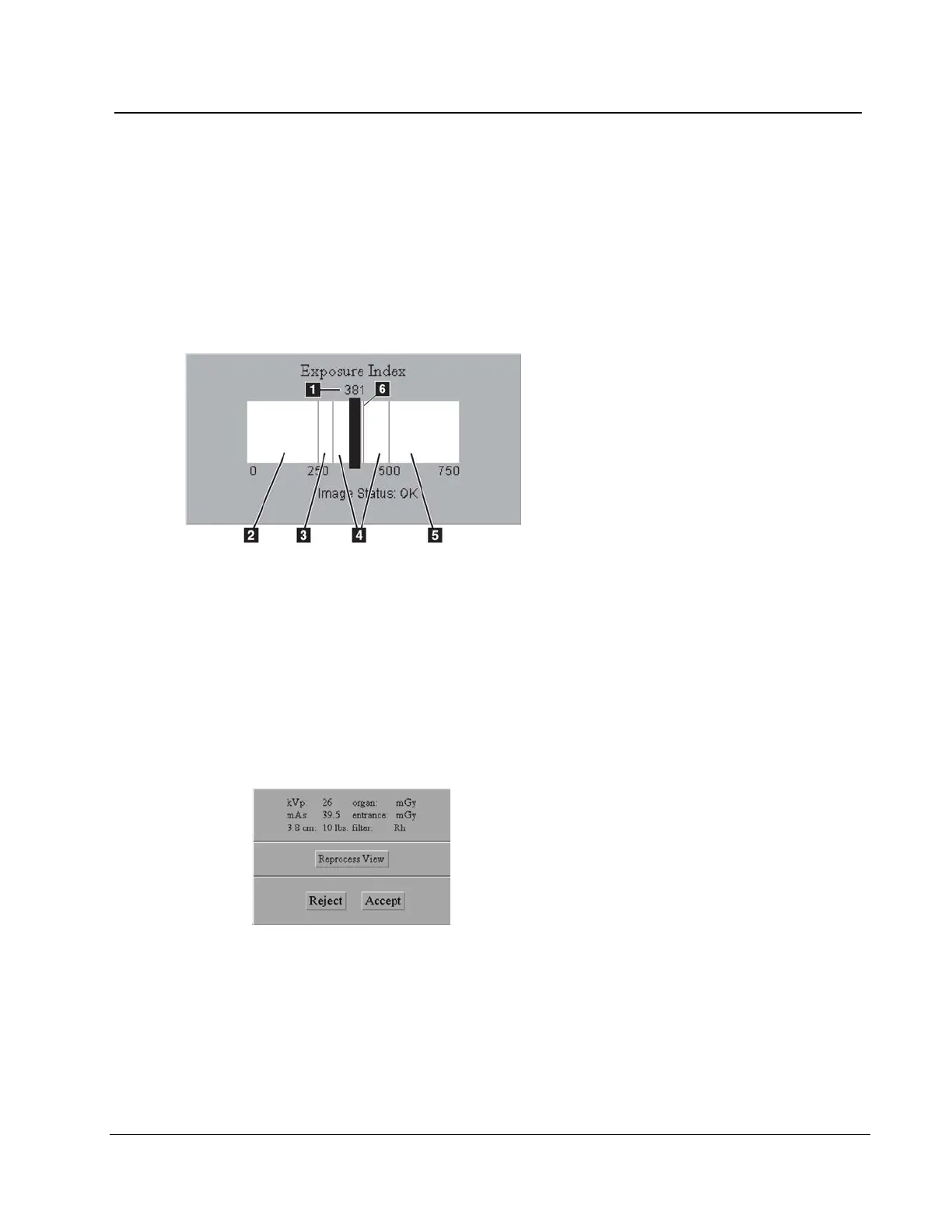
Use the Exposure Index as a general guide to compare the selected Exposure Techniques
to the quality of the acquired image.
• "Image Status: OK" shows that the image processing was applied.
• "Image Status: Raw" shows that image processing was not applied.
• A number after the image status shows a problem with the image processing. Reject
the image. Contact Service Support.
Figure 74: Exposure Information
Figure Legend
1. Exposure Index-pixel count
2. Low exposure area—evaluate the
image for excess noise. Re-acquire,
if necessary.
3. Satisfactory, but below ideal
exposure area
4. Ideal exposure area
5. High exposure area—the image is
more than sufficient. You can
reduce the radiographic technique
for the next exposures.
6. The Exposure Index line related to
imaging of the ACR phantom
• For Manual and TEC modes, the Exposure Index calculates an area approximately
one centimeter from the chest wall on the centerline of the image.
• For all AEC modes, the Exposure Index calculates for the AEC areas used.
6.4.3.13 Exposure and Dose/Entrance Surface Exposure Information
Figure 75: Exposure Information
The exposure information is displayed in the Tools area. An estimate of the average
glandular organ dose and the entrance surface exposure are displayed.












 To Next Page