HEATING SYSTEM CONTROL
24 4 213 563 / 03
3
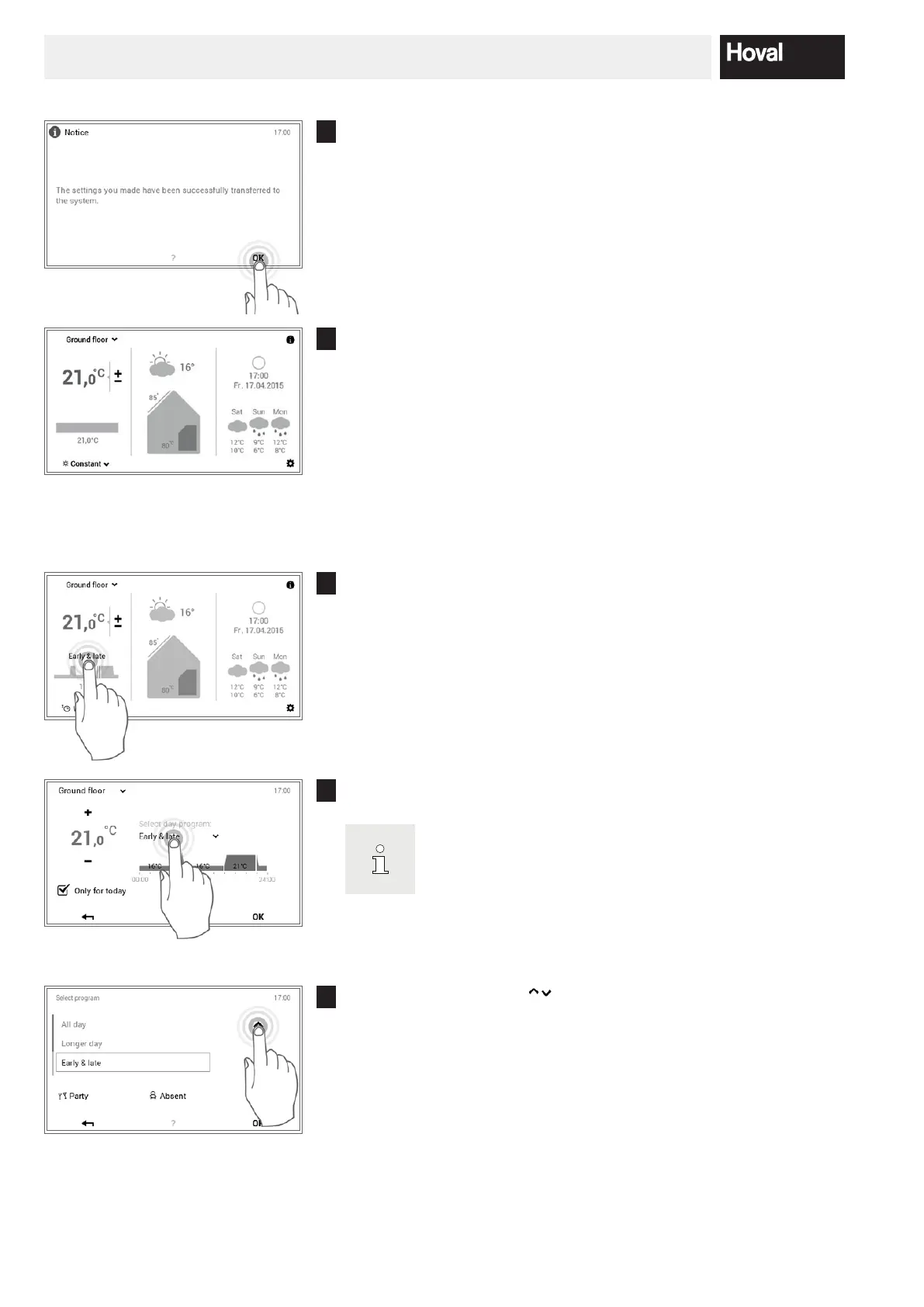
A change message is displayed. Conrm this with OK.
4
The new active basic program is displayed on the start screen.
5.7.5 Change active day program (heating circuit)
1
Touch the displayed day program to select it (example: early & late).
2
Touch the active day program to select it.
The adaptation to the day program is only accepted in the ac
tive week program for the current day. Deactivate the check
box for “Only for today”
to store the change in the week
program.
3
Use the vertical arrows ( ) to select the required day program and
conrm with OK.




 To Next Page