HEATING SYSTEM CONTROL
68 4 213 563 / 03
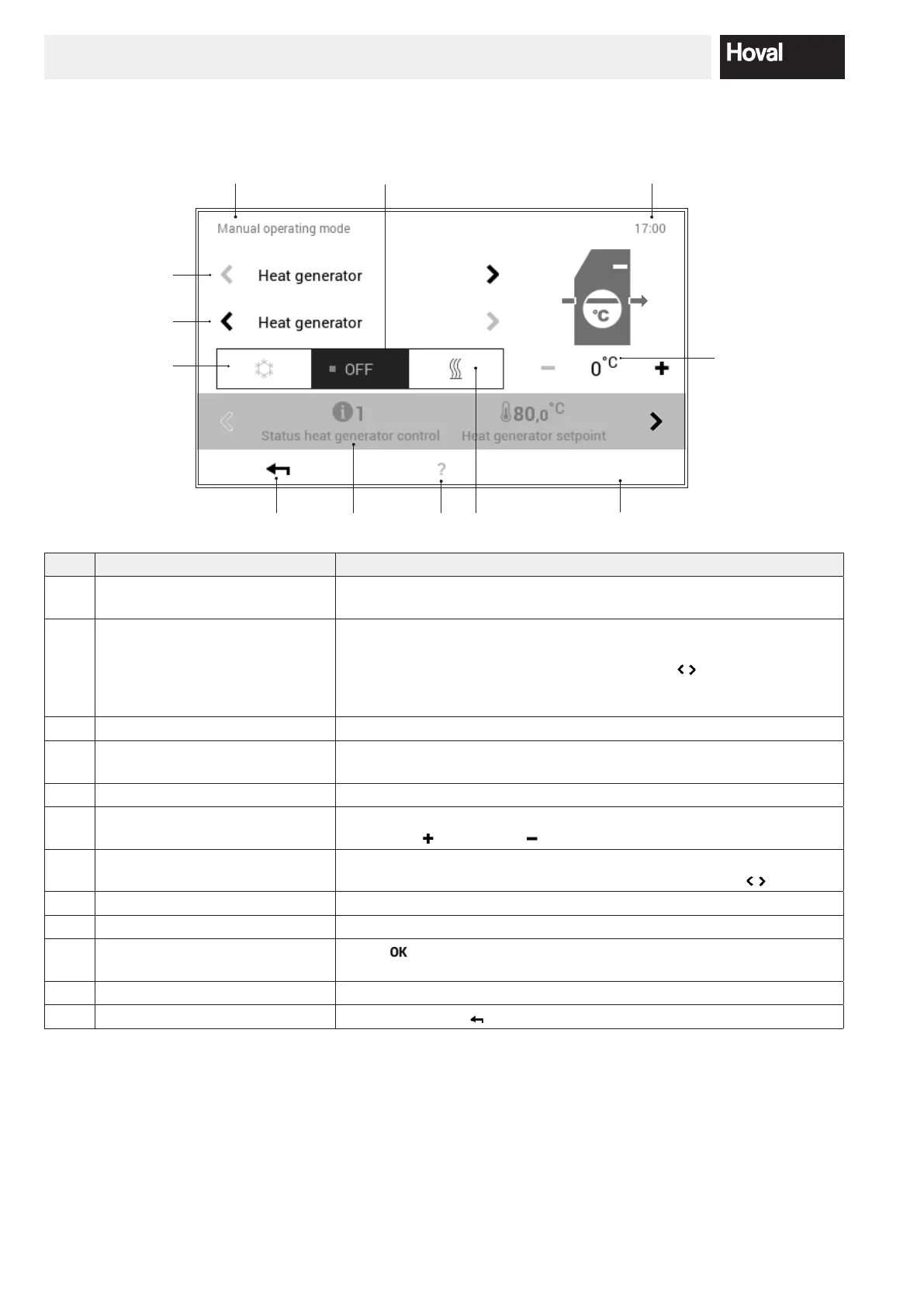
5.12.11 Manual operation
(Main menu / Manual operating mode)
8
9
1
2
3
12
11
7
5
6
10
4
No. Designation Function
1 Heat generator / heating cir-
cuits
The control permits individual manual operation, i.e. manual operation
can be activated on any heat generator and heating circuit that is present.
2 Detailed selection Selection of the desired heat generator or heating circuit. The system can
include several heat generators and heating circuits. If there is more than
one heat generator/circuit, the horizontal arrows (
) are shown in white.
If there is only one heating or hot water circuit available for selection, the
arrows are greyed out and cannot be selected.
3 Cooling Activation of cooling operation (if possible in the system)
4 OFF Switch o active manual operation. The system switches over to automa-
tic operation.
5 Heating Activate “Heating” manual operation
6 Temperature Display of the desired temperature. The temperature can be changed
using plus (
) and minus ( ).
7 Information Information about the selected manual operation. Additional information
can be displayed on the screen with the horizontal arrows (
).
8 Position in the menu Name of the currently selected menu item
9 Time of day Displays the current time.
10 OK Save (
) the changes in the selected heating circuit and return to the
previous screen
11 Help No function is available at present
12 Back Used as a button (
) for returning to the main menu.




 To Next Page