HEATING SYSTEM CONTROL
634 213 563 / 03
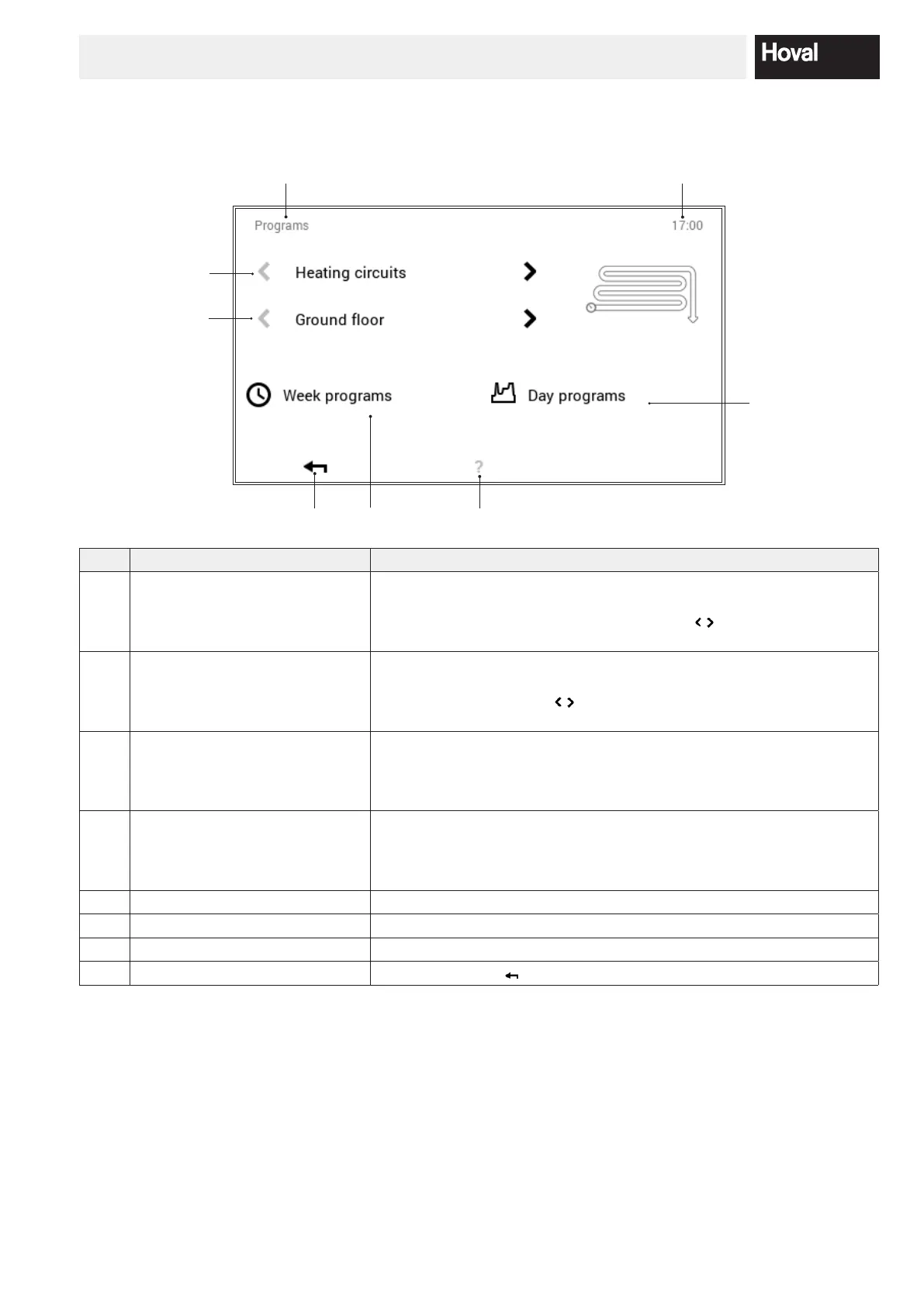
5.12.6 Programs
(Main menu / Programs)
4
5
6
1
2
3
8
7
No. Designation Function
1 Heating or hot water circuits Selection of the heating or hot water circuit to be edited. The room tem-
perature is set in the “Heating circuit” menu, the water temperature is set
in the hot water circuit. The horizontal arrows (
) are used for selecting
between the heating or hot water circuit.
2 Circuit selection There can be several circuits in the selected heating or hot water circuit.
If the system contains more than one circuit, this is indicated by the white,
active horizontal arrows (
). If there is only one heating or hot water
circuit, the arrows are greyed out.
3 Week programs Editing the week programs in the selected heating or hot water circuit. In
the week program, a day program can be assigned to the dierent days
of the week, and thus an individual week sequence can be dened (5.9
page 31).
4 Day programs Day programs can be dened by max. six switching cycles per day.
Editing the day programs in the selected heating or hot water circuit. The
desired room temperature is set in the heating circuit, the desired hot
water temperature is set in the hot water circuit (5.10 page 40).
5 Position in the menu Name of the currently selected menu item
6 Time of day Displays the current time.
7 Help No function is available at present
8 Back Used as a button (
) for returning to the main menu.





 To Next Page