HEATING SYSTEM CONTROL
38 4 213 563 / 03
9
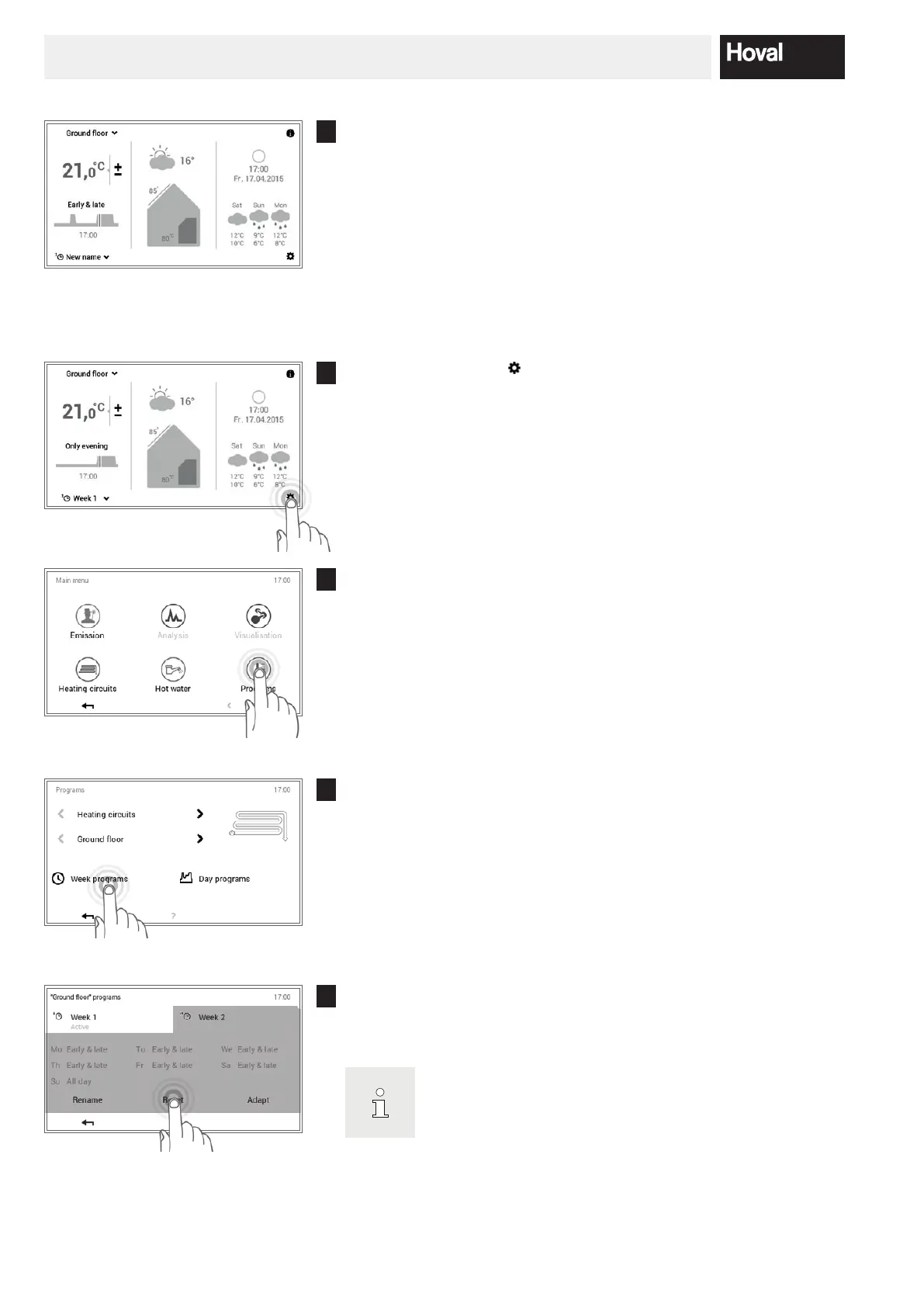
If the newly named week program is active as the basic program, the
new name is displayed on the start screen.
5.9.6 Reset week program
1
Touch the Main menu ( ) button to select it.
2
Touch the Programs button to select it.
3
The overview for the heating circuit and the program selection appears.
Select the required heating circuit and then Week programs.
4
Select the required week program (example: Week 2). Touch the Reset
button to reset the settings in the selected week program to their default
values.
The names of the week programs (Week 1 and Week 2) may
be dierent if they have already been changed.




 To Next Page