ALARM MESSAGES
76 4 213 563 / 03
7. Alarm messages
7.1 Display alarm message
1
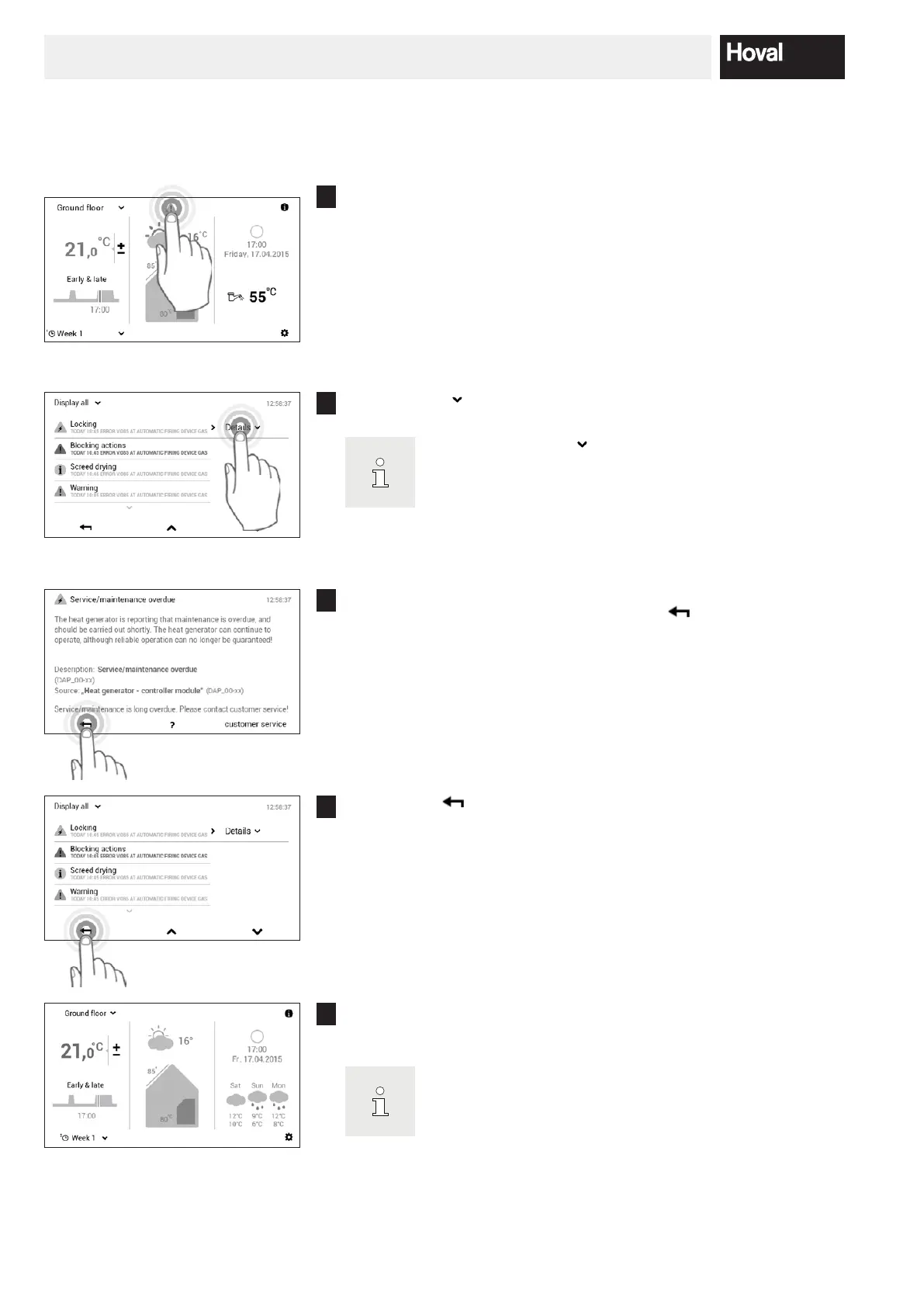
Touch the displayed alarm message icon to select it.
2
Touch Details ( ) to select it.
Use the Display All (
) button at the top left of the screen
to select all prior alarm messages by category (information,
warning, etc.).
3
A detailed alarm message appears. The message contains detailed in-
formation about the malfunction. Use Back ( ) to close the alarm
message view.
4
Select Back ( ) again to close the alarm message overview.
5
Once the malfunction has been rectied, the alarm message icon is no
longer displayed in the start screen.
If alarm messages cannot be rectied using the information
displayed on the control module, contact Hoval customer ser
vice.




 To Next Page