HEATING SYSTEM CONTROL
26 4 213 563 / 03
3
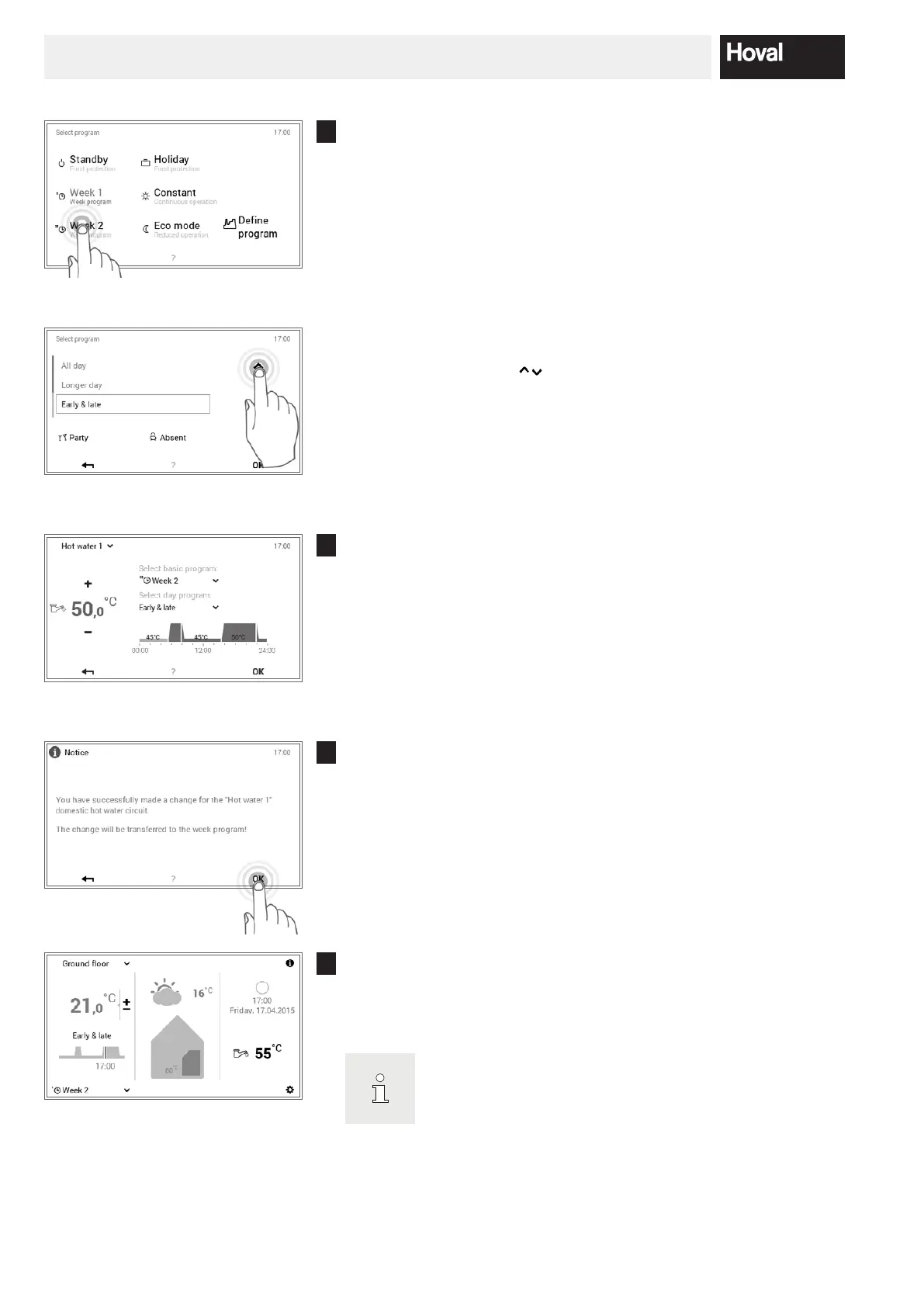
Select basic program:
Select the desired hot water basic program.
Select day program:
Use the vertical arrows ( ) to select the required hot water day pro-
gram and conrm with OK.
4
The selected basic or day program for water heating is displayed on the
menu. Press OK to return to the start screen.
5
A change message is displayed. Conrm this with OK.
6
The current hot water temperature is displayed on the start screen and
goes up or down until the water temperature of the selected basic or day
program is reached.
With heat pumps:
Under certain circumstances, at very low outside temperatu
-
res, it will not be possible to reach the required domestic hot
water temperature or room temperature.





 To Next Page