HEATING SYSTEM CONTROL
354 213 563 / 03
6
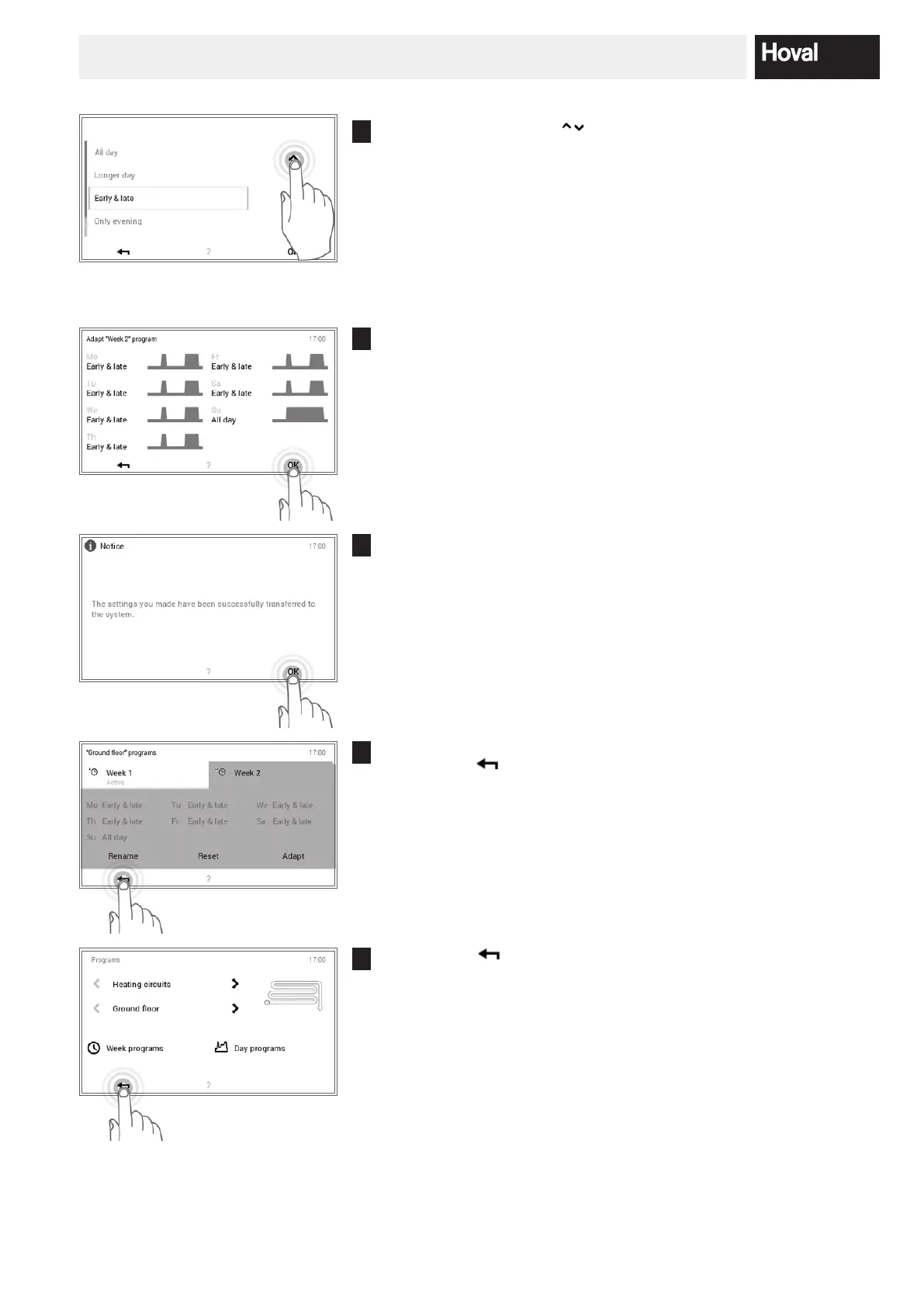
Use the vertical arrows ( ) to select the new day program and con-
rm with OK.
7
The overview of the selected week program opens again. Press OK to
accept the adaptation.
8
A change message is displayed. Conrm this with OK.
9
The adaptations are displayed in the selected week program.
Press Back ( ) to return to the menu item.
10
Touch Back ( ) to close the Programs menu item.




 To Next Page