HEATING SYSTEM CONTROL
434 213 563 / 03
4
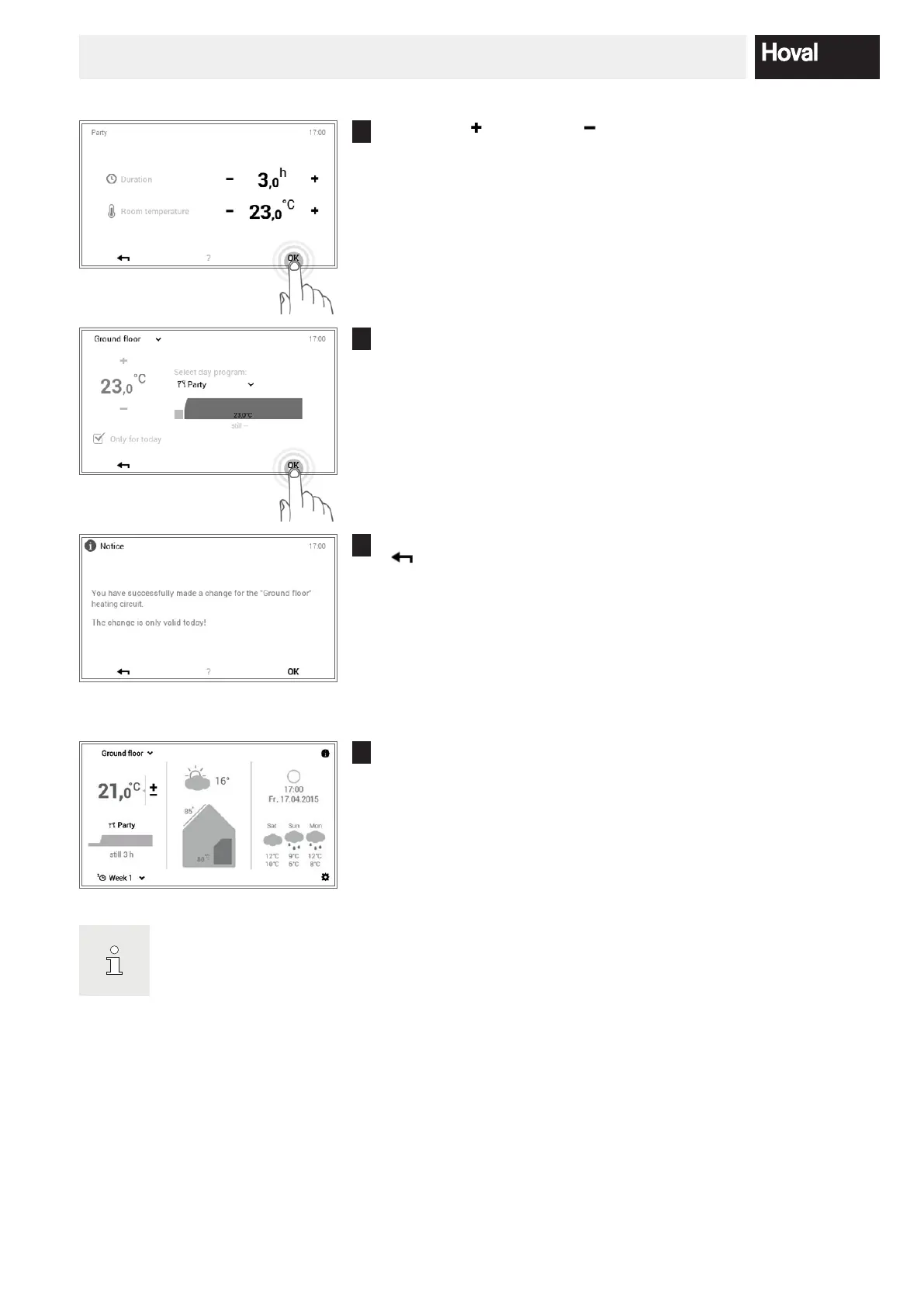
Press plus ( ) and minus ( ) to set the required duration and room
temperature and conrm with OK.
5
The active day program and the set room temperature can be seen on
the screen. Accept the setting with OK.
6
A change message is displayed. Conrm this with OK. Touch the Back
( ) button if you want to edit the settings again.
7
The new selected day program (Party) is displayed on the start screen.
“Party” and “Absent” are special day programs
and cannot be included in week programs.





 To Next Page