HEATING SYSTEM CONTROL
46 4 213 563 / 03
6
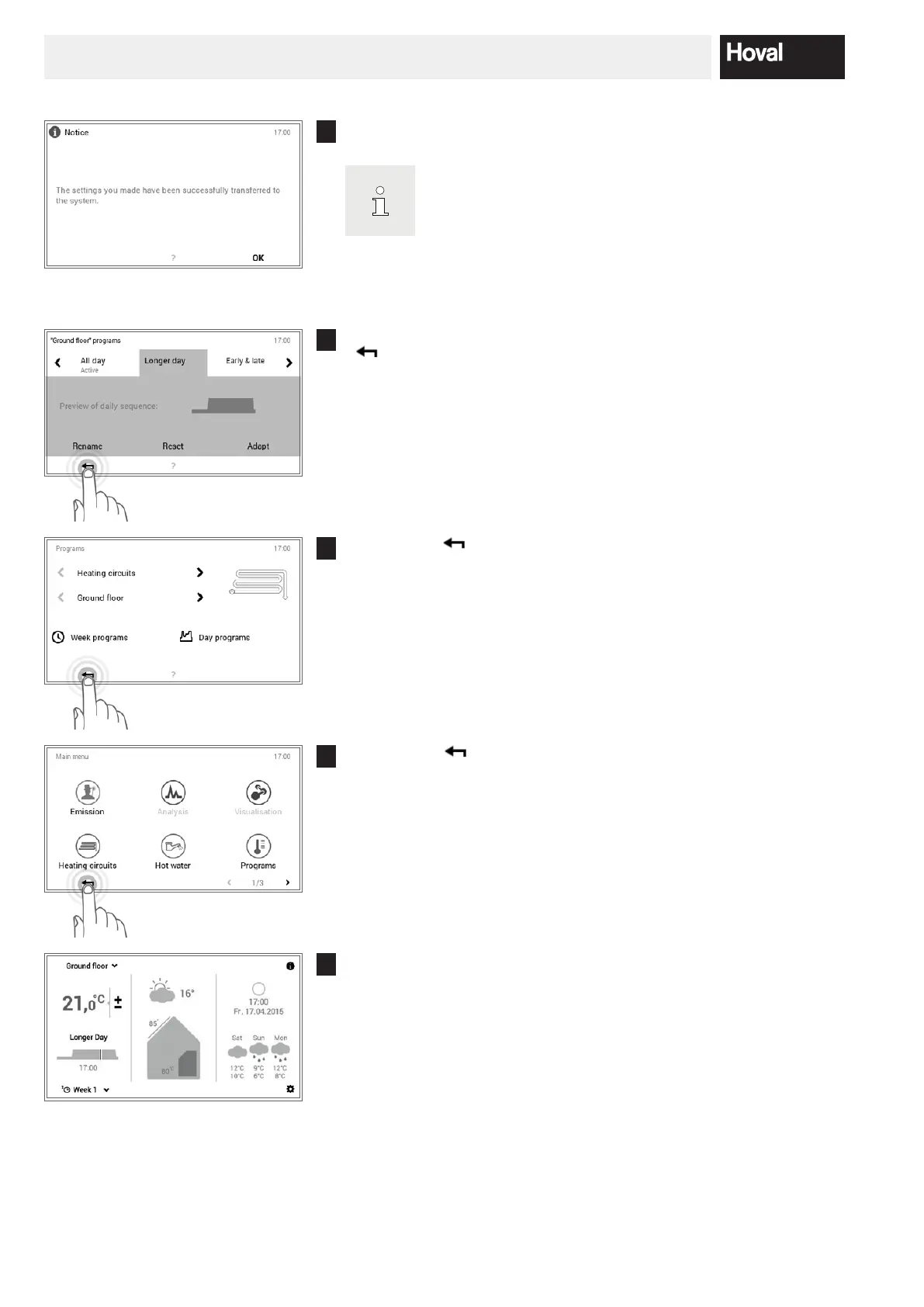
A change message is displayed. Conrm this with OK.
The change now acts both in week program 1 and in week
program 2 (on all days of the week to which the changed day
program is assigned).
7
The adaptations are displayed in the selected day program. Press Back
( ) to return to the menu item.
8
Touch Back ( ) to close the Programs menu item.
9
Select Back ( ) again to close the main menu.
10
If the edited day program is active, the settings are displayed on the start
screen.






 To Next Page