HEATING SYSTEM CONTROL
574 213 563 / 03
4
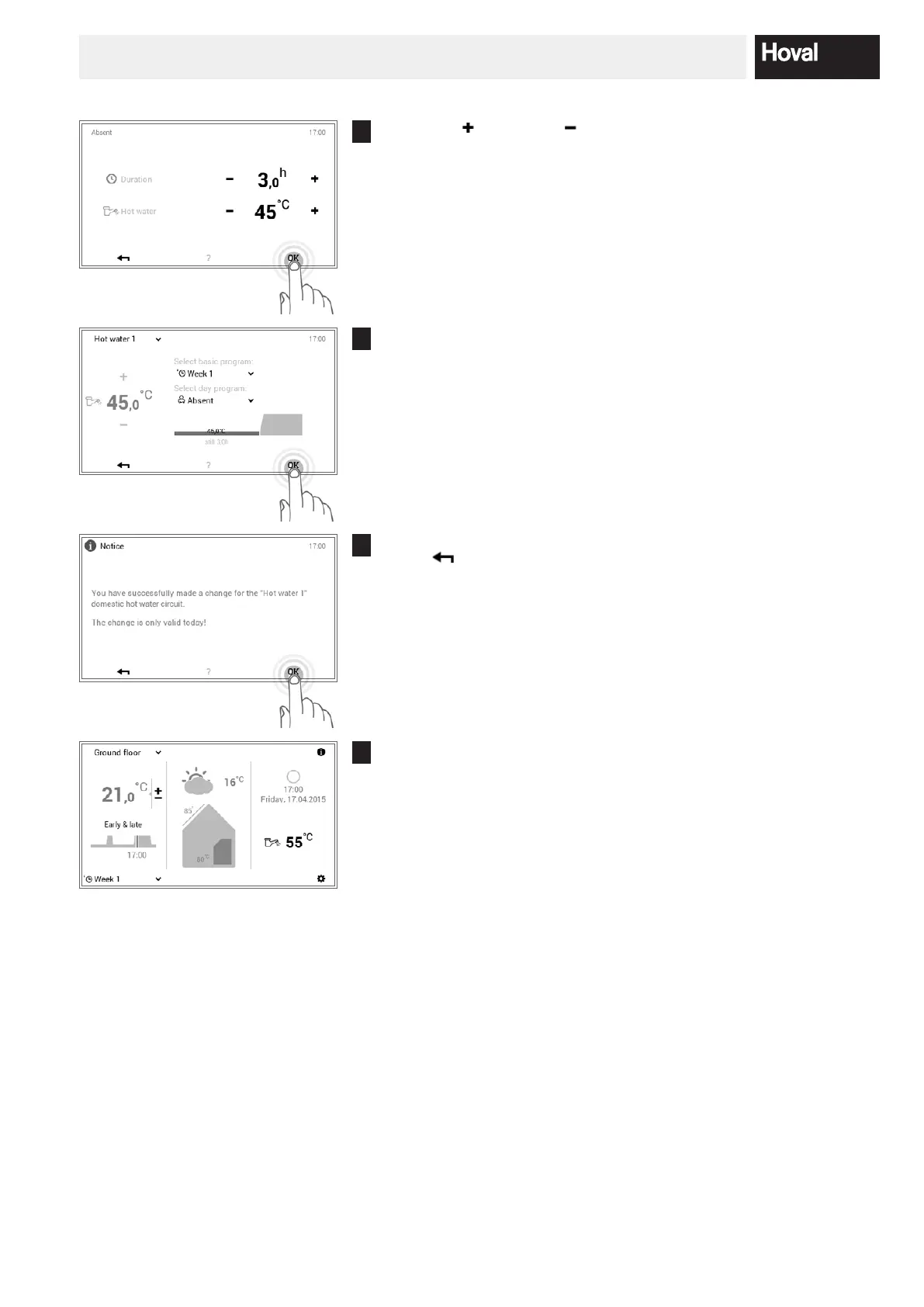
Press plus ( ) and minus ( ) to set the required duration of the absence
as well as the desired water temperature. Press OK to accept the set-
tings.
5
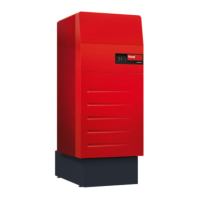
Absent is shown in the menu. Conrm the entries with OK.
6
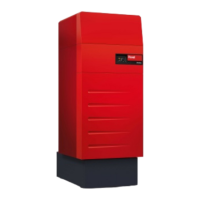
A conrmation message is displayed. Conrm this with OK. Touch the
Back ( ) button if you want to edit the settings again.
7
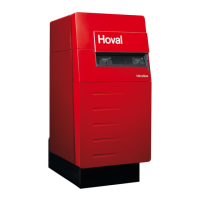
The current hot water temperature is displayed on the start screen and
goes up or down until the desired water temperature for the absence is
reached.




 To Next Page