134
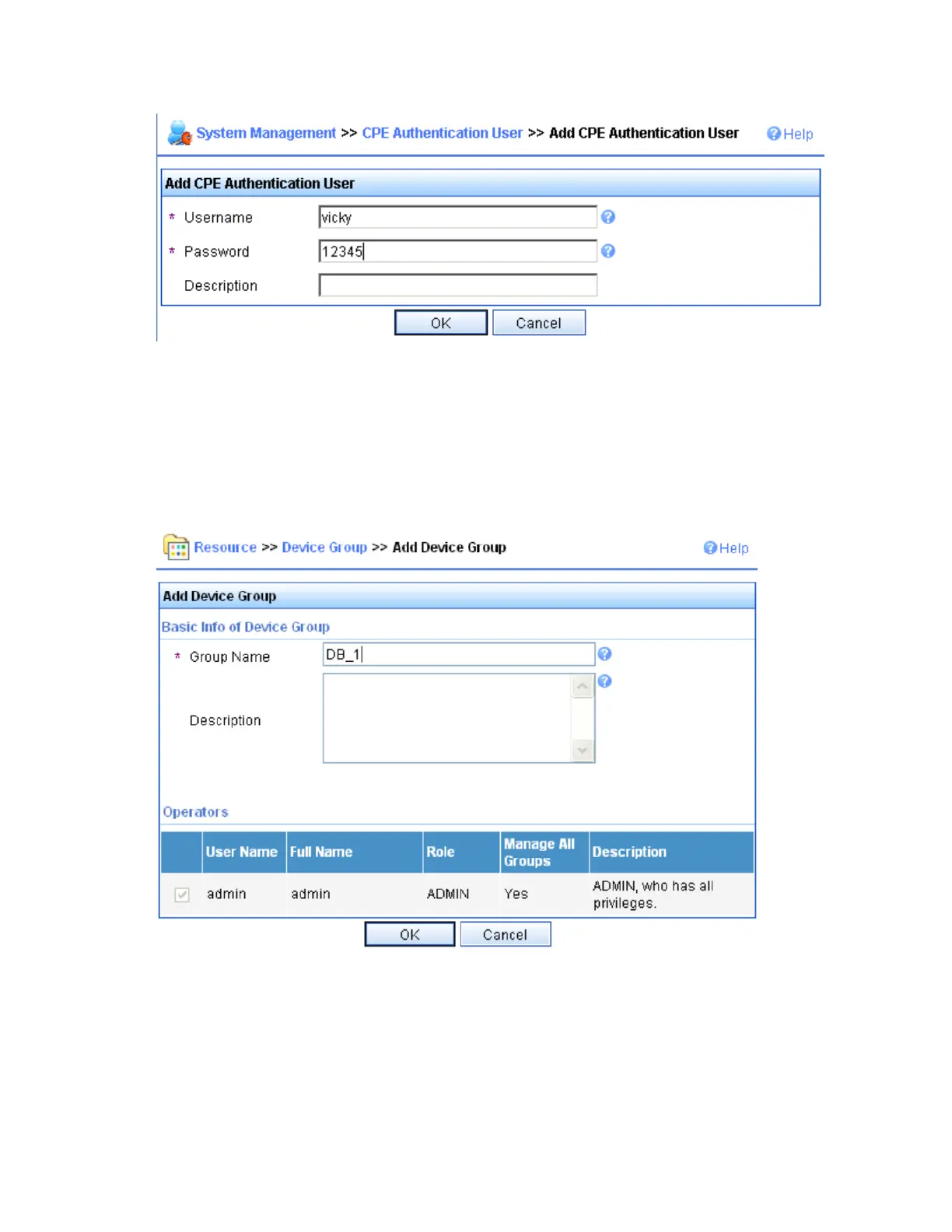
Figure 49 Add CPE authentication user page
Set the username, password, and description, and then click OK.
# Add a device group and a device class. In this example, add 5800-1 to the 5800_A class of the DB_1
group.
Click the Resource tab, and select Group Management > Device Group from the navigation tree to enter
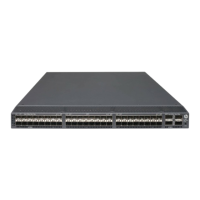
the device group page. Click Add to enter the page for adding a device group.
Figure 50 Add device group page
Set the group name and click OK.
# Select Device Class from the navigation tree. On the device class page, click Add to enter the page for
adding a device class.


 To Next Page