210
OUTPUT
OStimulus;"*IDN?"
220 ENTER
OStimulus;Id$
230 PRINT Id$
240
PRINT
250 !
260 PRINT "Counter Used
II
. . .
270
OUTPUT
OResponse;"*IDN?"
280
ENTER
QResponse;Id$
290 PRINT Id$
300
PRINT
310 !
320
OUTPUT
OStimulus;":OUTPUT
ON"
330 !
340
PRINT
350
PRINT "INPUT
[mvI","OUTPUT
[kHz]"
360
PRINT
II
_-__--__-_
II
,I1
____________
II
370
PRINT
380 !
390
FOR Testpoint=First TO Last
400
OUTPUT
OStimulus;":SOURCE:VOLT
";VAL$(Testpoint/lOOO);";*OPC?"
410
ENTER
OStimulus;Dummy
420
OUTPUT
QResponse;":MEAS:FREQ?"
430
ENTER
OResponse;Reading
440 PRINT Testpoint,Reading/lOOO
450
NEXT Testpoint
460 !
470
OUTPUT
QSource;":OUTPUT
OFF"
480
END
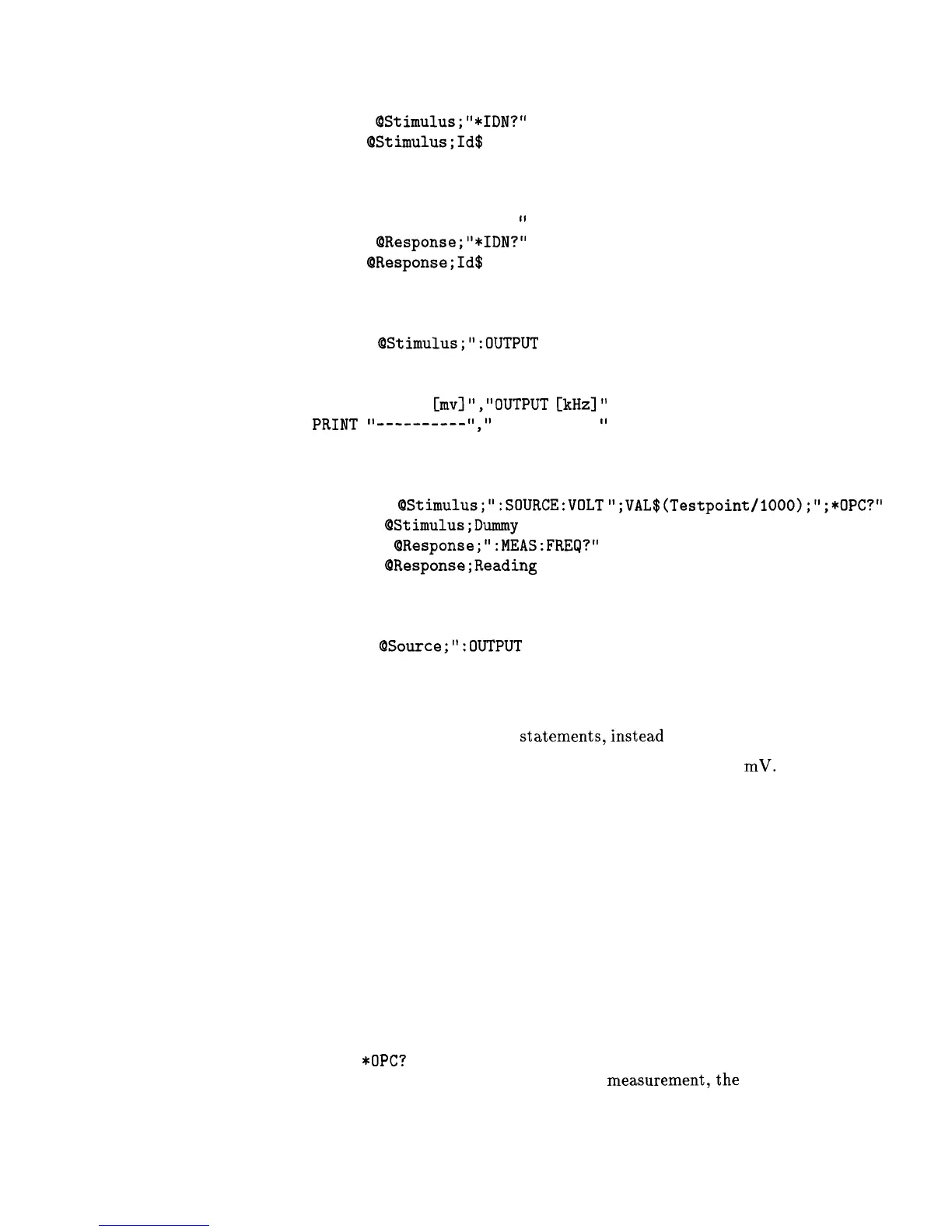
Program Comments. Lines 20 to 70: Declare variables and I/O paths
for instruments. I/O paths let you use a name for an instrument in
OUTPUT and ENTER
statements,instead
of a numeric address.
80 to 100: Assign values to the input test limits in
mV.
110 to 130: Clear the instrument HP-IB interfaces.
140 to 160: Reset each instrument to a known measurement state.
170 to 190: Print the test report title.
200 to 310: Query measurement instruments’ identifications for test
traceability.
320 to 330: Connect the source output signal to the output
terminals.
340 to 380: Print results table header.
390 to 460: This is the main measurement loop. Line 400 contains
two commands.
:SOURce:VOLT sets the output level of the source.
*OPC?
is used to signal that the preceding command has finished
executing. To make an accurate
measurement,the
source output
must be allowed to settle. When the output has settled, *OPC? places
Getting Started Programming 1-77



 To Next Page