160: The source has now completed processing the commands.
The RF frequency, power, and markers are at their programmed
values. Turn on the RF output of the source.
170: Select a continuously initiated sweep instead of the default
mode of non-continuous that was selected with
“RST.
180: Clear the computer’s display.
190 to 220: Print a message on the computer’s display.
Queries, Example
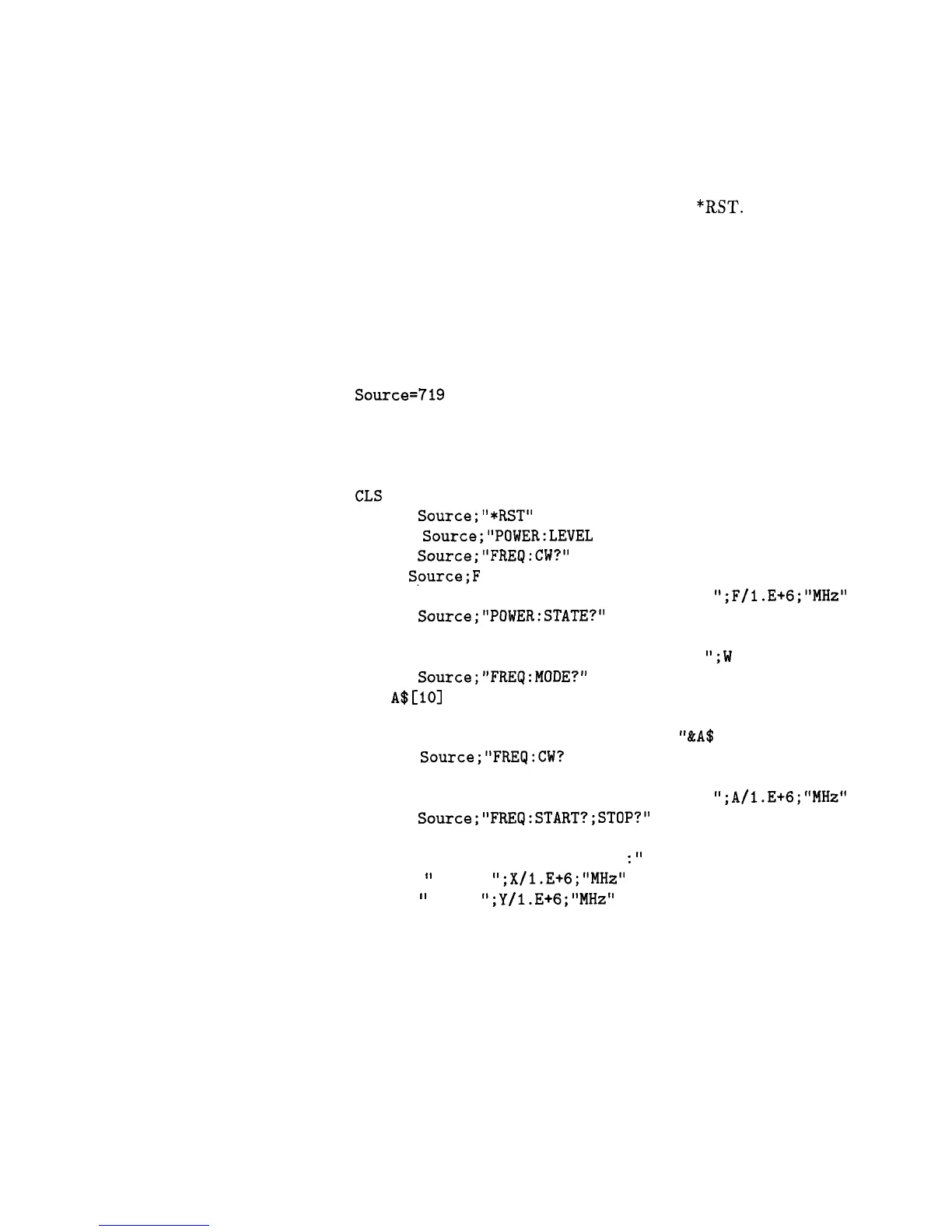
The following example demonstrates the use of query commands and
Program 4
response data formats. Clear and reset the controller and type in the
following program:
10
20
30
40
50
60
70
80
90
100
110
120
130
140
150
160
170
180
190
200
210
220
230
240
250
260
270
Source=719
ABORT 7
LOCAL 7
CLEAR Source
REMOTE Source
CLS
OUTPUT
Source;"*RST"
OUTPUT Source;"POWER:LEVEL -5 dBm;STATE ON"
OUTPUT
Source;"FREQ:CW?"
ENTER
Spurce;F
PRINT "Present source CW frequency is :
";F/l.E+6;"MHz"
OUTPUT
Source;"POWER:STATE?"
ENTER Source;W
PRINT "Present power ON/OFF state is :
";W
OUTPUT
Source;"FREQ:MODE?"
DIM A$[101
ENTER Source;A$
PRINT "Source's frequency mode is :
"&A$
OUTPUT
Source;"FREq:CW?
MIN"
ENTER Source;A
PRINT "Minimum source CW frequency is :
";A/l.E+G;"MHz"
OUTPUT
Source;"FREQ:START?;STOP?"
ENTER Source;X,Y
PRINT "Swept frequency limits
:"
PRINT
"
Start
";X/l.E+6;"MHz"
PRINT
'
Stop
";Y/l.E+6;"MHz"
END
Run the program.
Program Comments
10: Assign the source’s HP-IB address to a variable.
20 to 50: Abort any HP-IB activity and initialize the HP-IB
interface.
60: Clear the computer’s display.
1-92 Getting Started Programming



 To Next Page