Function Group
MENU SELECT
Menu Map
NONE
Description
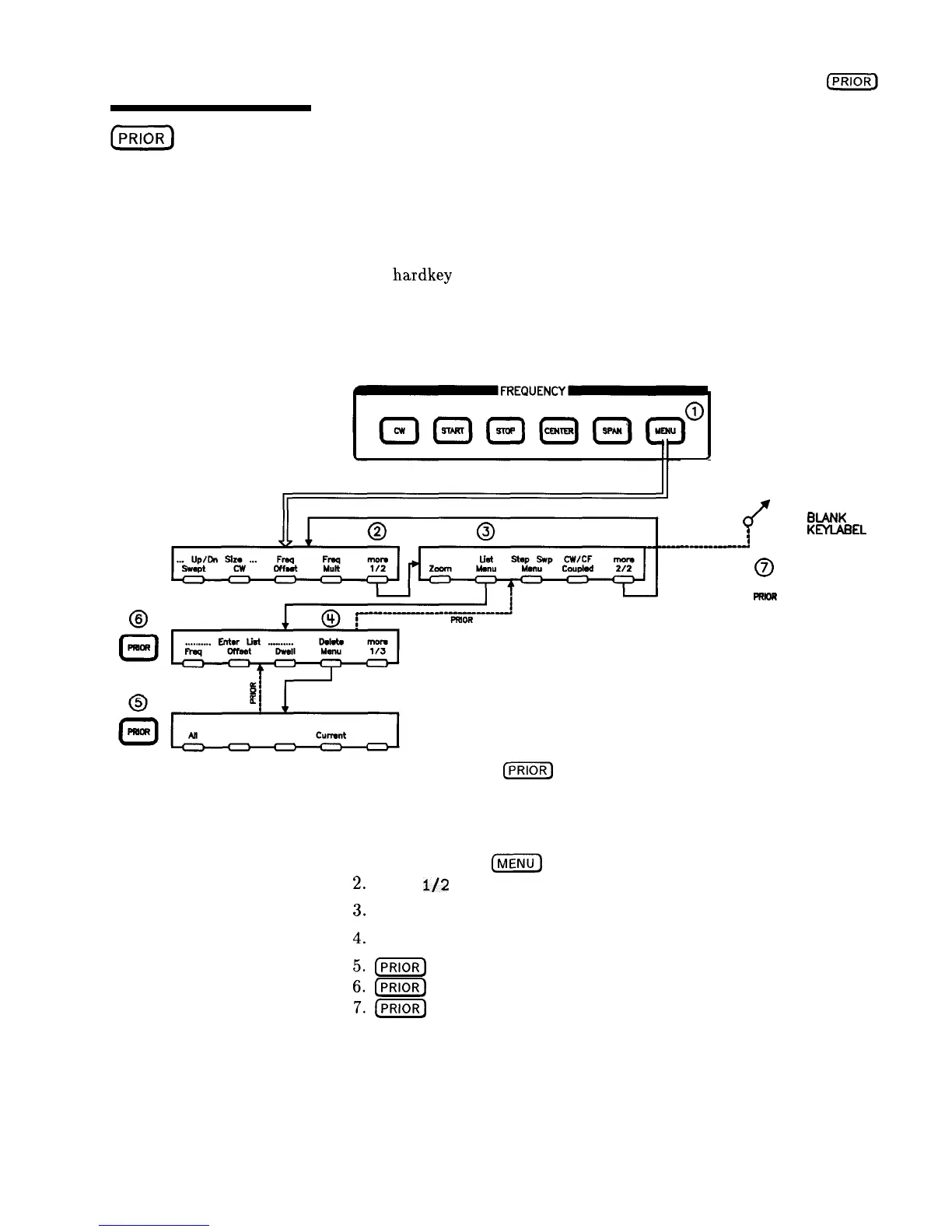
This
hardkey
lets you view previous menus. All menus visited
from the last preset are remembered and displayed in a
“last-visited-first-seen” order. Refer to Figure P-l, and follow the
arrow paths as indicated.
I
SOME OTHER
PREVIOUS MENU
0
8
0
BANK
:
KEYlABEL
-w-w-m!
AREA
0
0
moR
Figure P-l. How
[PRIOR)
Works
The sequence of keystrokes that created the movement shown in
Figure P-l is:
1.
FREQUENCY
[%Kj’--
2.
mare
l/2
3.
List Menu
4.
Delete Menu
5.(PRIOR)
64-j
7.(-)
HP 8360
User’s Handbook
Operating and Programming Reference
P-l 1



 To Next Page