Step Control Master
SCRLAR
NRSTER
SLRVE
NETUORK
RNRLYZER
SYNTHESIZER
SYNTHESIZER
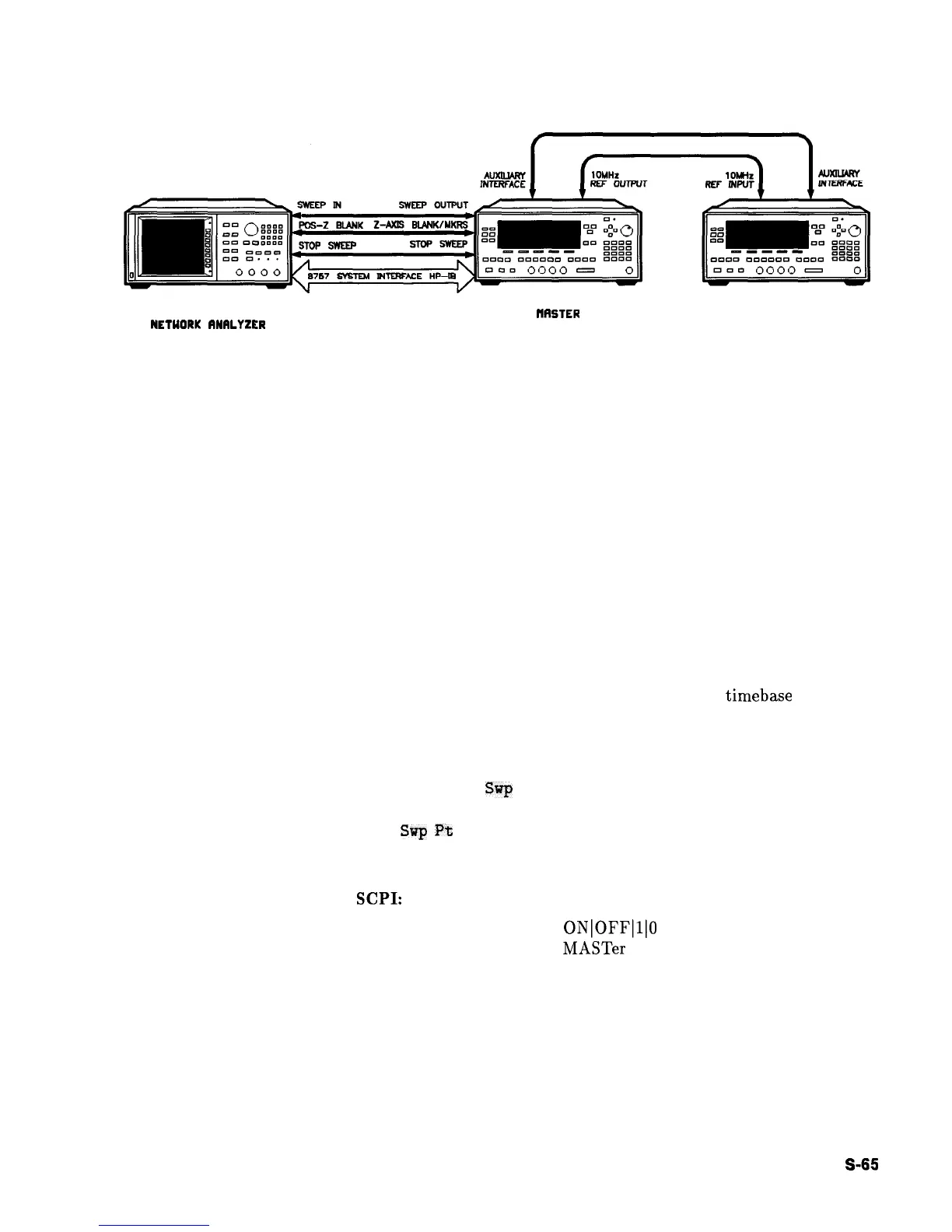
Figure S-l. Connections Required for a Two-Tone Scalar Network Analyzer Measurement System
1. Designate one synthesizer as the master, the other as the slave.
2. Make the connections.
3. To avoid synchronization problems, always set up the slave
(frequency and power) before setting up the master.
4. Set up the master (frequency, power, and sweep time).
5. Set the sweep time on the slave.
6. Configure the synthesizers for step sweep, or ramp sweep.
7. Select the appropriate triggering scheme.
8. Activate the slave mode on the slave synthesizer.
9. Activate the master mode on the master synthesizer.
By connecting the master’s 10 MHz reference standard to the slave’s
10 MHz reference input, the master synthesizer’s
timebase
supplies
the frequency reference for both synthesizers.
In step sweep measurements, if the master synthesizer is not
connected to an external controller, it must automatically trigger
the steps. Set
Step
Sq
Pt Trig Auto on the master.
When
a the scalar network analyzer is the step sweep controller, set
Step
Sup
P%
Trig Bus on the master synthesizer so that the
analyzer can trigger the steps.
Programming Codes
SCPI:
SWEep:CONTrol:STATe
ONlOFFlllO
SWEep:CONTrol:TYPE MASTer
Analyzer: NONE
See Also
Step Control Slave, Step Swp
Menu
HP 8360
User’s Handbook
Operating and Programming Reference
S-65



 To Next Page