50 REMOTE Source
60 OUTPUT
Source;"*RST"
70
OUTPUT
Source;"FREQuency:MODE
SWEep"
80
OUTPUT
Source;"FREQuency:STARt
4
GHZ"
90
OUTPUT
Source;"FREQuency:STOP
7
GHz"
100
OUTPUT
Source;"POWer:LEVel
-5
DBM"
110
OUTPUT
Source;"SWEep:TIME
500MS"
120
OUTPUT Source;"
:MARKerl:STATe
0N;FREQuency
4.5GHZ"
130
OUTPUT Source;"MARKer2:STATe
0N;FREQuency
611lE6"
140
OUTPUT
Source;"*OPC?"
150
ENTER
Source;X
160
OUTPUT
Source;"POWer:STATe
ON"
170
OUTPUT
Source;"INITIate:CONTinuous
ON"
180
CLS
190
PRINT "Source setup complete."
200
PRINT "Verify that the source is sweeping from"
210
PRINT "4
GHz
to 7
GHz
at a power of -5
dBm,"
220
PRINT "with a sweeptime of 0.5 seconds."
230
END
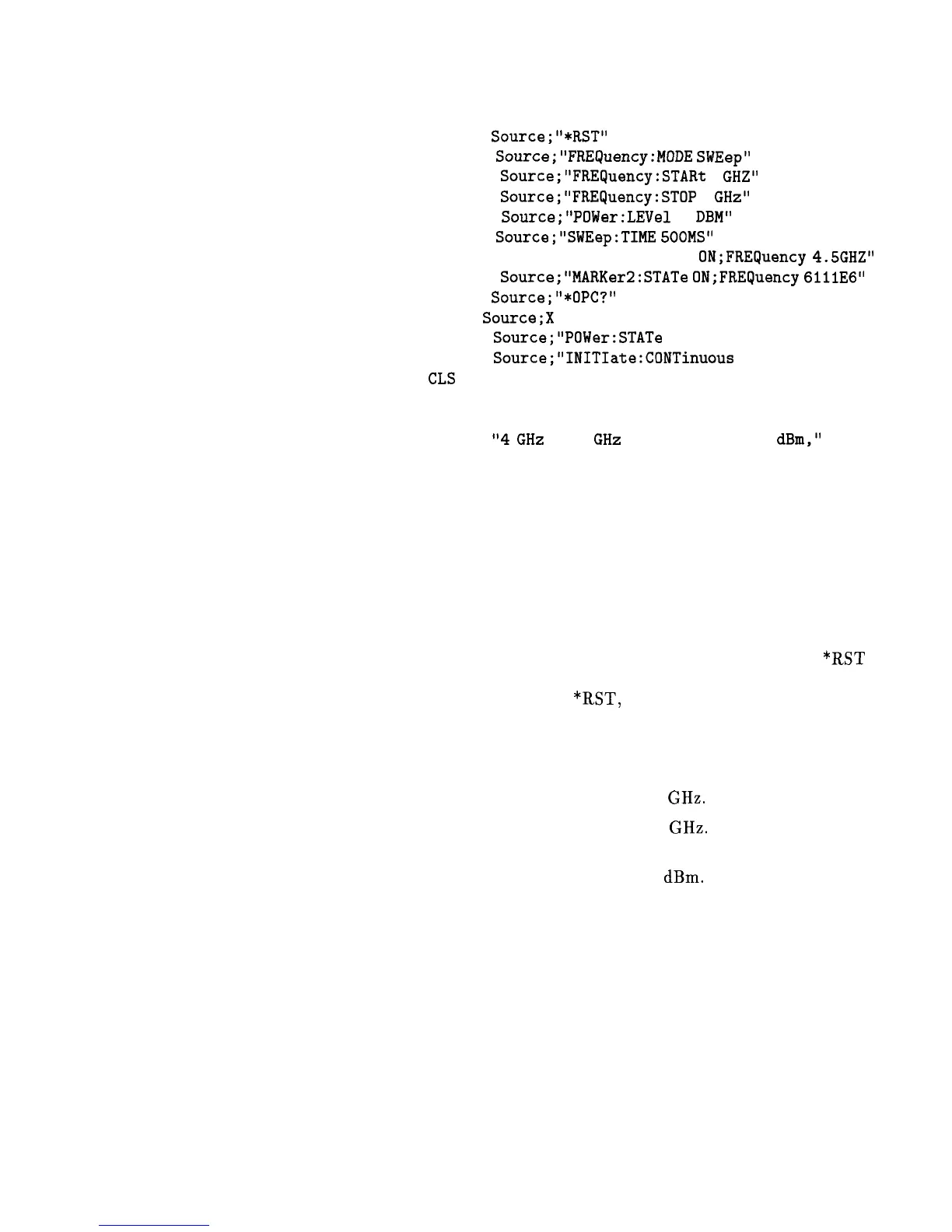
Run the program.
Program Comments
10: Assign the source’s HP-IB address to a variable.
20 to 50: Abort any HP-IB activity and initialize the HP-IB
interface.
60: Set the source to its initial state for programming. The *RST
state is not the same as the PRESET state. For complete details
of the instrument state at
*RST,
see “SCPI Command Summary,"
in Chapter 2.
70: Select the frequency mode to be SWEEP instead of the default
sweep mode of “CW” that was selected with *RST.
80: Set the source start frequency to 4 GHz.
90: Set the source stop frequency to 7 GHz. Note the optional
usage of the short-form mnemonic, “FREQ”.
100: Set the source’s power level to -5
dBm.
110: Set the sweeptime to 500 ms. Notice that upper/lower case in
commands does not matter. Also spaces before the suffix (“MS”)
are not required in SCPI.
120 and 130: Set markers 1 and 2 to a fixed value. Notice that the
value for marker 2 does not end with a frequency suffix. Hertz is a
default terminator and is understood.
140: Wait until the source has completed setting up the commands
that have been sent so far before turning on the output.
150: The ENTER statement causes the program to wait here until
the source responds to the previous *OPC? with a ‘1’.
Getting Started Programming 1-91



 To Next Page