70
80
90
100
110
120
130
140
150
160
170
180
190
200
210
220
230
OUTPUT
Source;"*RST;FREQ:MODE
SWE;STAR
4GHZ
;STOP
5GHZ;:INIT:CONT
ON"
OUTPUT
Source;"*SAV
1"
CLS
PRINT "A
sweeping state
has been saved in REGISTER 1."
OUTPUT
Source;"*RST;FREQ:CW
1.23456GHZ;:POW:LEV
-1DBM"
OUTPUT
Source;"*SAV
2"
PRINT "A CW state has been saved in REGISTER
2."
PRINT
'I.....
Press Continue"
PAUSE
OUTPUT
Source;"*RCL
1"
PRINT "Register 1 recalled. Verify
source is sweeping.”
PRINT "Press Continue."
PAUSE
OUTPUT
Source;"*RCL
2"
PRINT "Register 2 recalled."
PRINT "Verify source is in CW mode.'
END
Run the program.
Program Comments
10: Assign the source’s HP-IB address to a variable.
20 to 50: Abort any HP-IB activity and
initialize
the HP-IB
interface.
60: Clear the computer’s display.
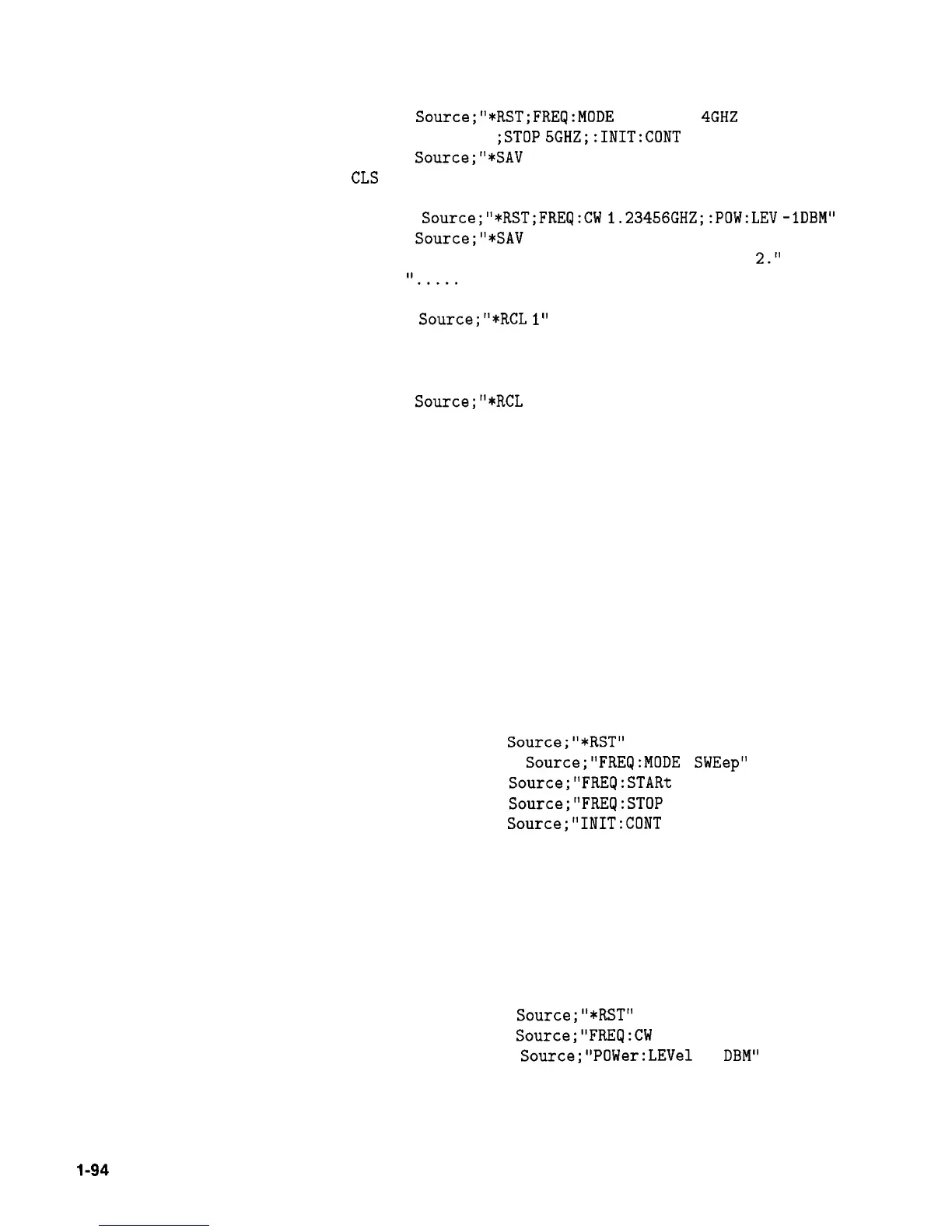
70: Setup the source for a sweeping state. Note the combination
of several commands into a single message. This single line is
equivalent to the following lines:
OUTPUT
Source;"*RST"
OUTPUT
Source;"FREQ:MODE
SWEep"
OUTPUT
Source;"FREQ:STARt
4 GHZ'
OUTPUT
Source;"FREQ:STOP
5 GHZ"
OUTPUT
Source;"INIT:CONT
ON"
80: Save this state into storage register 1.
90: Clear the computer display.
100: Print a message on the computer display.
110: Setup the source for a CW state. Note the combination
of several commands into a single message. This single line is
equivalent to the following lines:
OUTPUT
Source;"*RST"
OUTPUT
Source;"FREQ:CW
1.23456 GHZ"
OUTPUT
Source;"POWer:LEVel
-1
DBM"
120: Save this state into storage register 2.
130 to 150: Print a message on the computer display and pause.
l-94
Getting Started Programming



 To Next Page