Creating
SYNTHESIZER
HP 4378
POUER
flETER
SYNTHFSIZER
HP
‘l37B
POULR
NFTFR
HICROURVE
RNPLIFIER
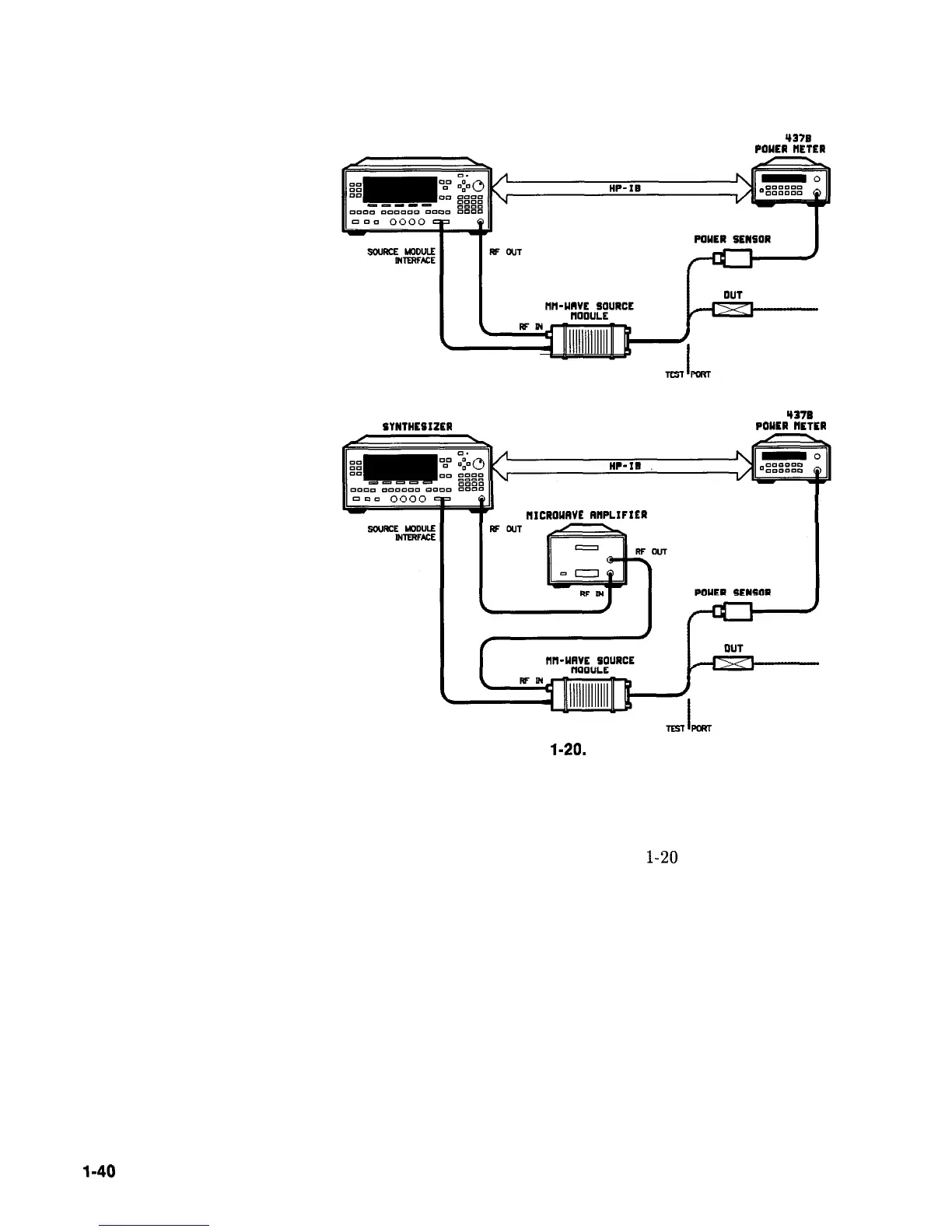
Figure
l-20.
Arbitrarily Spaced Frequency-Correction Pairs in a Swept mm-wave
Environment
For this example, refer to menu map 5, POWER.
1. The equipment setup shown in Figure
l-20
assumes that
you have followed the steps necessary to correctly level the
configuration. If you have questions about external leveling
refer to earlier paragraphs titled, “Externally Leveling the
Synthesizer.”
Setup Power Meter
2. Zero and calibrate the power meter/sensor.
3. Connect the power sensor to test port.
4. Enter and store in the power meter, the power sensor’s cal factors
for correction frequencies to be used.
l-40
Getting Started Advanced



 To Next Page