19
Names and Functions of Parts
Chapter 1 Installation and Preparation
* The indicator is lit while the system is starting up. If abnormal temperature
is detected, the indicator flashes and power turns off.
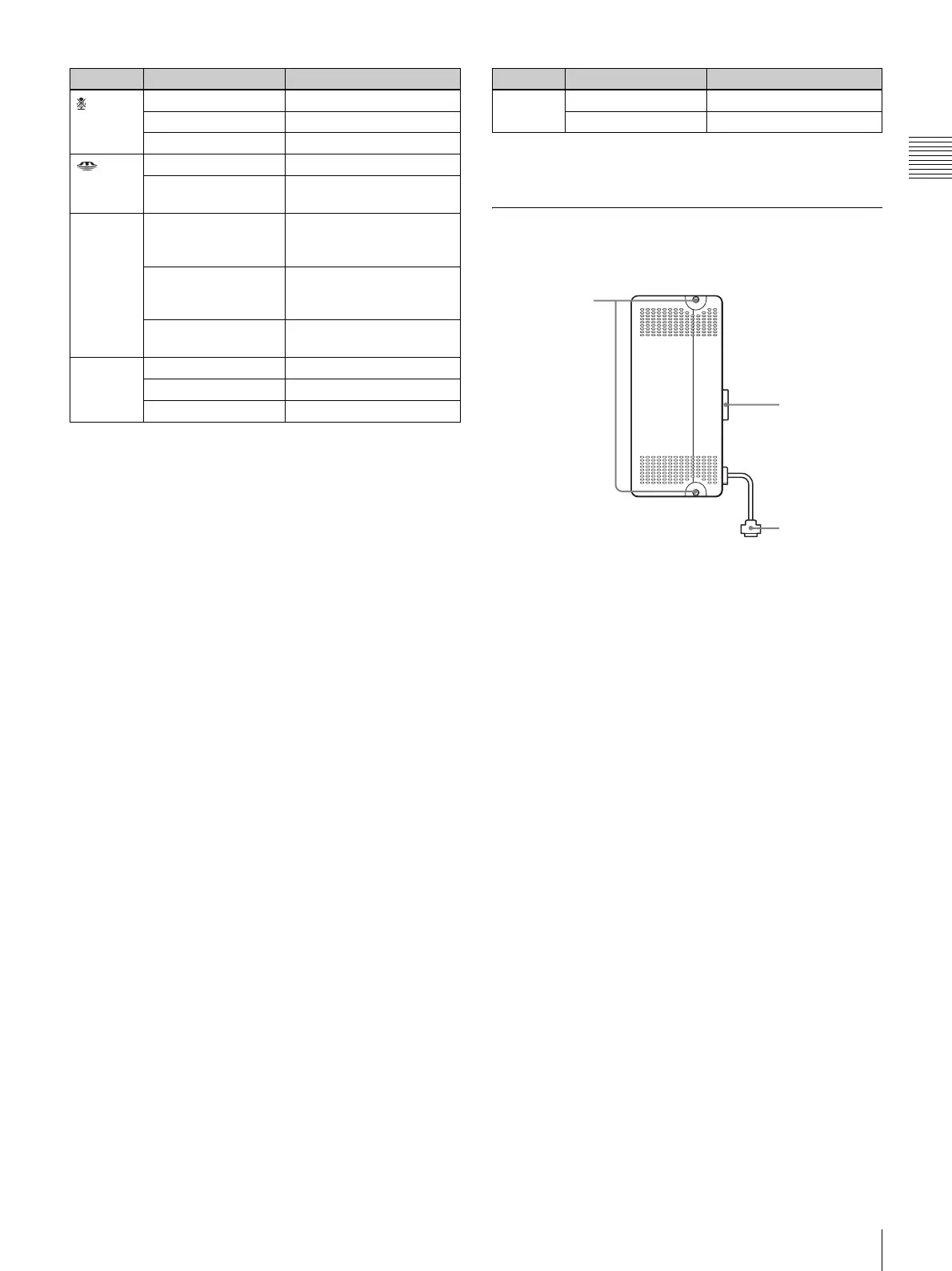
ViewPoint 8050-DSB Dual Stream
Box (Optional)
a Fastening screws
Used to secure the unit to the ViewPoint 8050.
b Monitor connector
Used to connect the unit to the ViewPoint 8050.
c RGB Output connector
Used to connect the unit to an external device, such as a
projector.
A commercially available RGB cable is required to use
this connector.
For information about installation in the ViewPoint 8050,
see “Installing the Dual Stream Box” on page 76.
(Mic off) *
Lit orange Mic off
Lit white Mic on
Out Standby
(“Memory
Stick”)
Lit orange
Accessing “Memory Stick”
Out Not accessing “Memory
Stick”
Tally lamp Lit orange Camera image being sent
to remote party (lens
cover open)
Flashing orange
(5-second cycle)
Closed image being sent
to remote party (lens
cover close)
Out Camera image not being
sent
Link/Data Lit green Link is established
Flashing green Data is transferring
Out Link is offline
Indicator Status Meaning
100/
10 Mbps
Lit orange 100 Mbps
Out 10 Mbps
Indicator Status Meaning
2
3



 To Next Page