86
Adjusting the Picture Quality on the Display
Chapter 6
Use as Computer Display
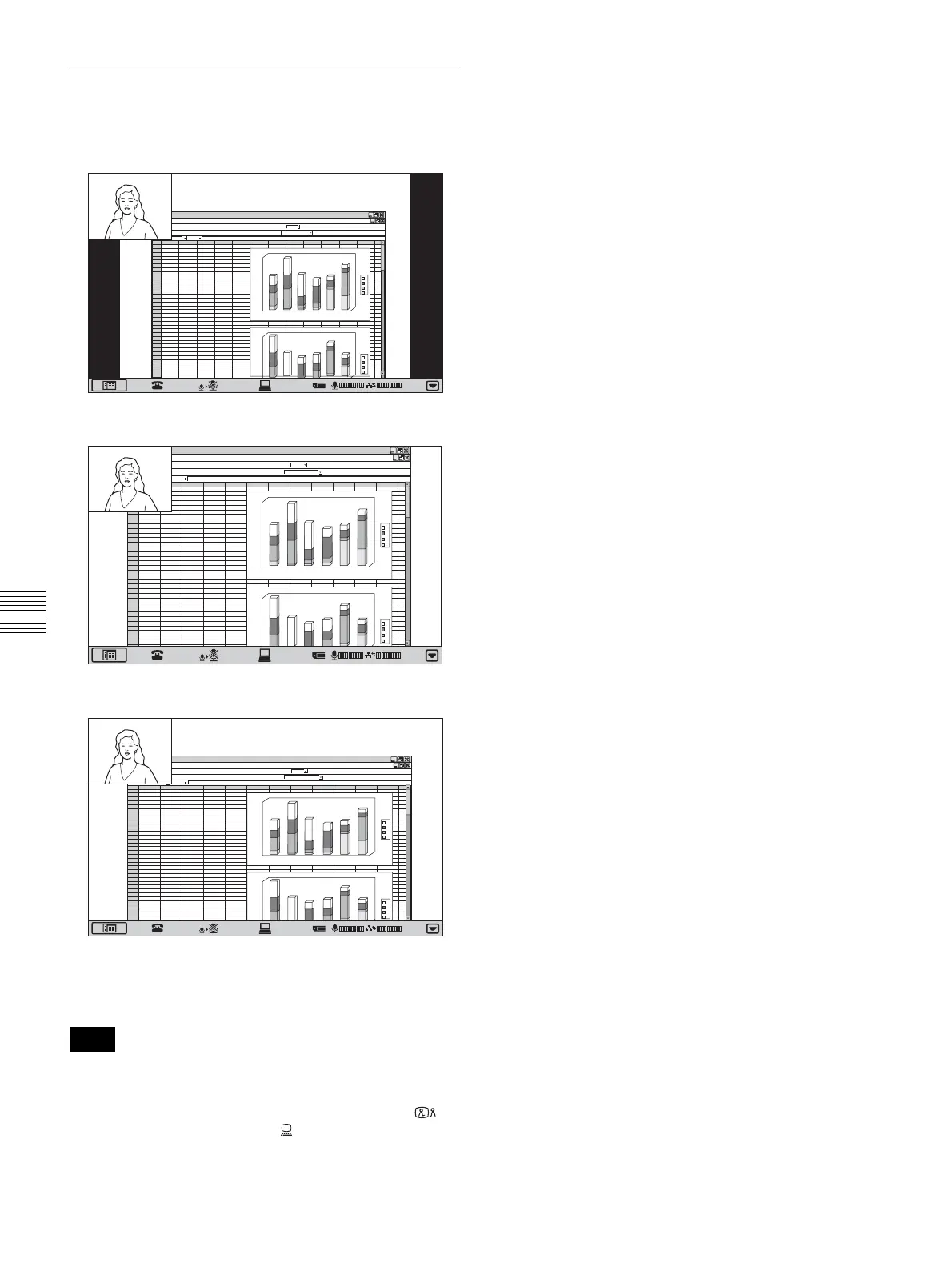
Differences in Wide Mode Settings
The “Wide Mode” item in the Display Setup menu
changes the display as follows.
To reset to the default picture quality
Click “Reset” button in the Display Setup menu.
• The setting items are different in videoconference mode
and PC (computer display) mode.
• When the display screen is switched by pressing
(Videoconference) button or (PC) button on the
Videoconferencing Terminal, the Display Setup menu
disappears.
Notes
1
2
3
4
5
6
7
8
9
10
11
12
13
14
15
16
17
18
19
20
21
22
23
24
25
26
27
28
29
30
31
32
33
34
12
4
5
6
69
44
46
67
12
16
7
76
23
45
26
57
23
15
34
56
76
38
13
12
ABCD EF GH I J KLMN
d
c
b
a
1
0
2
0
4
0
5
0
6
0
1
0
0
1
2
0
1
4
0
1
6
0
1
8
0
2
3
4
5
6
d
c
b
a
5
0
6
0
1
0
0
1
2
0
1
4
0
1
6
0
1
8
0
ab c d
4
5
6
12
46
69
67
12
16
45
78
7
45
26
57
23
15
23
56
76
23
34
12
13
ab c d
01:25
1
2
3
4
5
6
7
8
9
10
11
12
13
14
15
16
17
18
19
20
21
22
23
24
25
26
27
28
29
30
31
32
33
34
12
4
5
6
69
44
46
67
12
16
7
76
23
45
26
57
23
15
34
56
76
38
13
12
ABCD EF GHI J KLMN
d
c
b
a
1
0
2
0
4
0
5
0
60
1
00
1
20
14
0
1
60
180
2
3
4
5
6
d
c
b
a
40
5
0
6
0
1
0
0
12
0
14
0
16
0
180
ab c d
4
5
6
12
46
69
67
12
16
45
78
7
45
26
57
23
15
23
56
76
23
34
12
13
ab c d
01:25
1
2
3
4
5
6
7
8
9
10
11
12
13
14
15
16
17
18
19
20
21
22
23
24
25
26
27
28
29
30
31
32
33
34
12
4
5
6
69
44
46
67
12
16
7
76
23
45
26
57
23
15
34
56
76
38
13
12
ABCD EF GH I J KLMN
d
c
b
a
1
0
2
0
4
0
5
0
6
0
1
0
0
1
2
0
1
4
0
1
6
0
1
8
0
2
3
4
5
6
d
c
b
a
4
0
5
0
6
0
1
0
0
1
2
0
1
4
0
1
6
0
1
8
0
ab c d
4
5
6
12
46
69
67
12
16
45
78
7
45
26
57
23
15
23
56
76
23
34
12
13
ab c d
01:25
Normal
Zoom
Wide



 To Next Page