20
System Connections
Chapter 1 Installation and Preparation
System Connections
This section describes the typical system connections.
About the Connectors
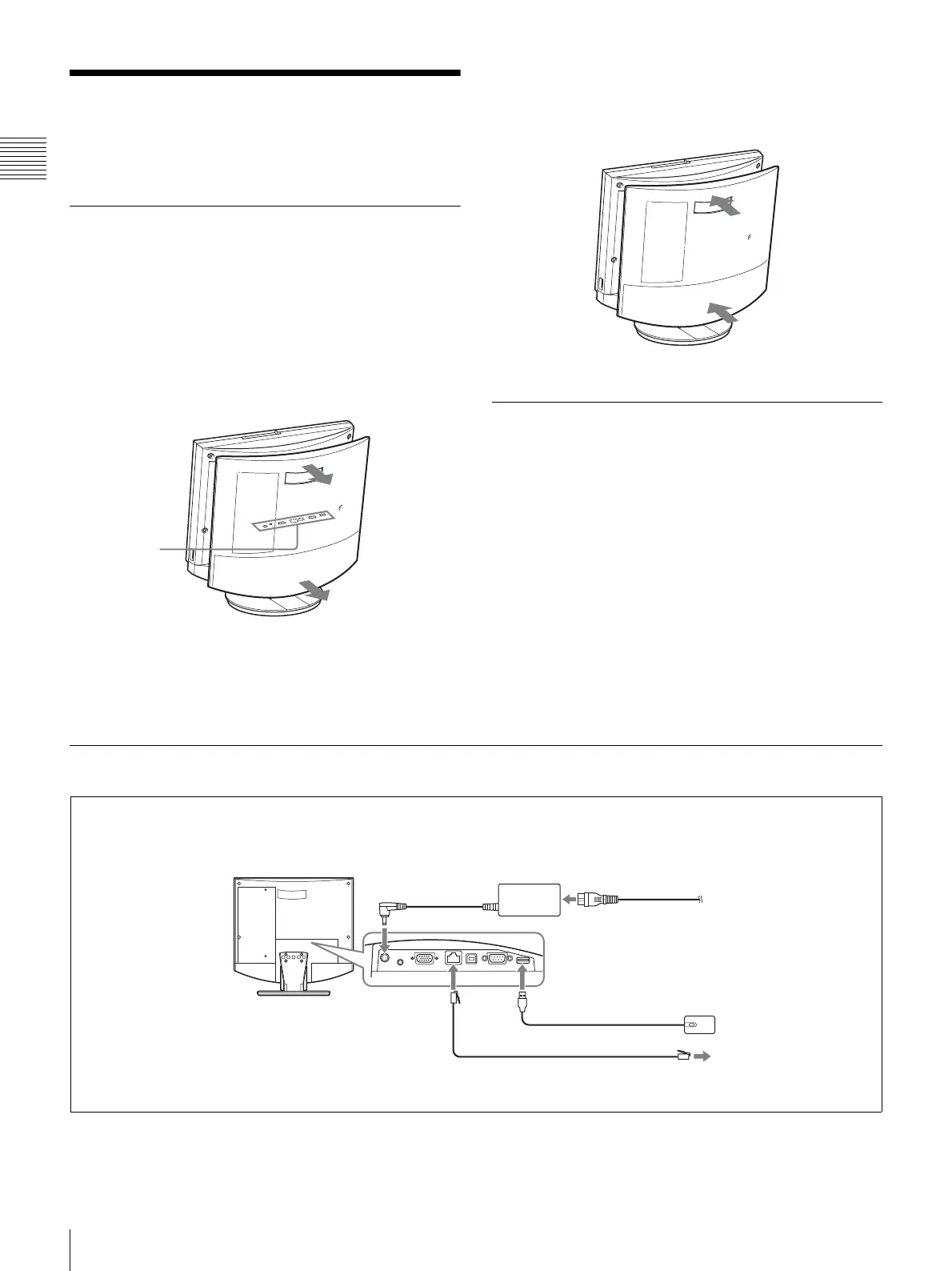
The connectors of the system are located under the rear
cover. Remove the cover to make connections, and then
replace the cover again.
To remove the rear cover
Pull the rear cover toward you.
To attach the rear cover
Push the cover in while aligning the four stubs.
Connection Precautions
Warning
• Use only the supplied AC adapter and power cord.
• When connecting the power cord of the AC adapter and
the DC cable, insert the plugs fully and securely.
• For safety, do not connect the 100BASE-TX/10BASE-T
connector to a network where excessive voltages may
occur.
Caution
• Before making any connections, be sure to turn power to
all components off.
• To prevent damage to the unit, do not plug in or
disconnect any cable while power to the unit is turned
on.
System Connection via a LAN
Connector
panel (under
rear cover)
3 To DC19.5V
connector
Videoconferencing
Terminal ViewPoint 8050
AC adapter SQ2N120W19P-01
(supplied)
4 Power cord (supplied)
5 To AC outlet
(120 V AC)
Optical mouse ViewPoint
8050-MS (supplied)
To LAN
UTP cable Category 5 (straight cable, commercially available)
1 To mouse port
To 100BASE-TX/ 2
10BASE-T port
Make connections in the order 1 - 5.



 To Next Page