EasyManua.ls Logo

Huawei ViewPoint 8050 - Separate Mouse; Shared Mouse

Huawei ViewPoint 8050
128 pages
Print Icon
To Next Page IconTo Next Page
To Previous Page IconTo Previous Page
Loading...
81
Using as Computer Display
Chapter 6
Use as Computer Display
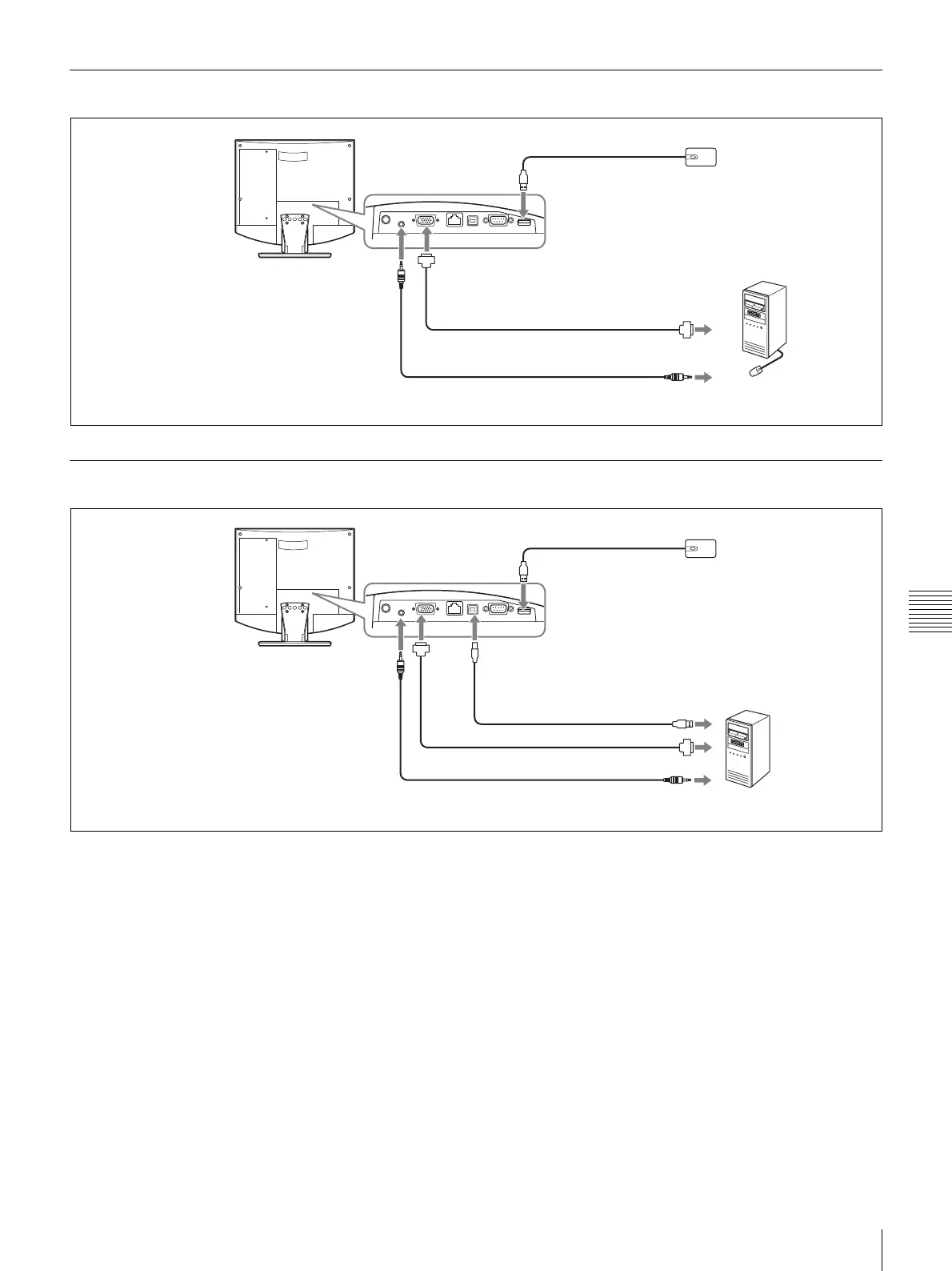
Separate Mouse
Shared Mouse
Videoconferencing
Terminal ViewPoint 8050
To mouse port
Optical mouse
ViewPoint 8050-MS
(supplied)
Audio cable with stereo mini plug
(commercially available)
To RGB output
Cable with 15-pin mini
D-sub connector
(commercially available)
To RGB IN connector
To AUDIO IN jack
Computer
To audio output
Videoconferencing
Terminal ViewPoint 8050
To mouse port
Optical mouse
ViewPoint 8050-MS
(supplied)
Audio cable with stereo mini plug
(commercially available)
To RGB output
Cable with 15-pin mini D-sub
connector (commercially available)
To RGB
IN
connector
To AUDIO
IN jack
Computer
To PC port
USB cable (commercially
available) *
To USB port
To audio output
* Use a USB cable that is 3 m
(10 ft.) or shorter.

Table of Contents

Related product manuals