22
Turning the System On/Off
Chapter 1 Installation and Preparation
Turning the System On/
Off
This section describes how to turn the Videoconferencing
Terminal on and off.
Before turning the system on, make sure that system
connections have been completed correctly.
For information on connecting the system, see the section
“System Connections” on page 20.
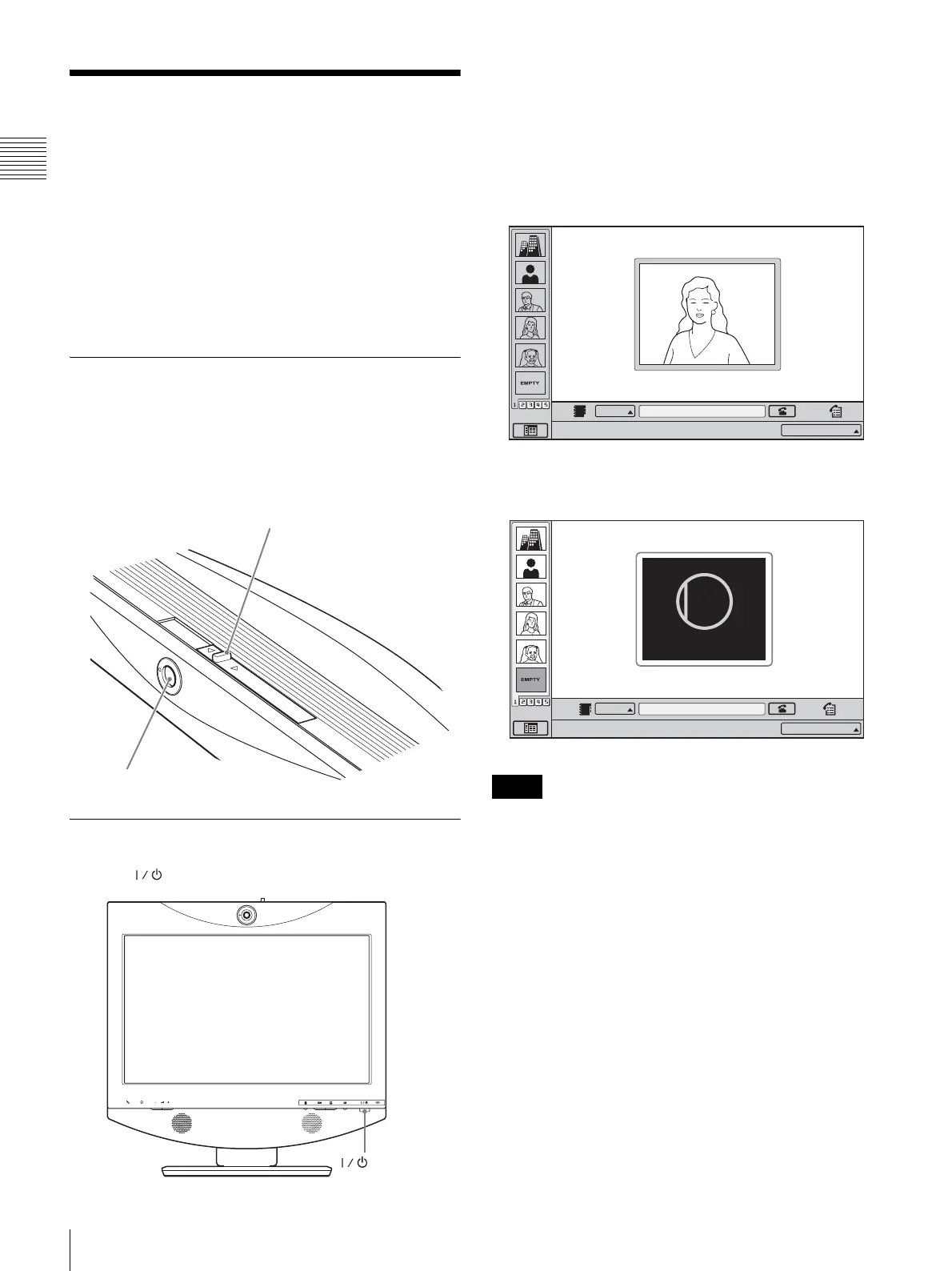
Opening the Lens Cover
The system is equipped with a lens cover to hide the
camera. Before starting a videoconference, open the lens
cover by sliding the lever for lens cover on the top of the
system to the right. If the lens cover is closed, the picture
on the local site will not be seen on the remote site.
Turning the System On
Press the (Power) switch on the ViewPoint 8050.
The indicator of the switch lights up in orange and power
to the Videoconferencing Terminal comes on. When
powering on is complete, the indicator lights up in green.
The launcher menu appears on the display and the picture
of the local camera is also shown.
Launcher menu
When the lens cover is closed, the launcher menu appears
as follows.
• The first time the power switch is pressed after the power
cord is plugged into a wall outlet, it may take as long as ten
seconds for the indicator on the switch to light up.
• When you turn on power to the Videoconferencing
Terminal for the first time after installation, the setup
wizard will appear. Set up your system following the
wizard.
For information on the setup procedure using the
wizard, see “Setting Up the System for the First Time —
Initial Setup Wizard” on page 24.
• When an optional device especially designed for use with
this system, such as the Dual Stream Box, is connected for
the first time, the Videoconferencing Terminal may
automatically upgrade the software of the connected device.
While the upgrading message is displayed, be sure not to
turn off the Videoconferencing Terminal. Doing so may
cause malfunction of the system. System malfunction may
Lever for lens cover
Camera
(Power) switch
Notes
Click Icon to go into the function.
IP:
012.345.678.912
IP
CLOSED
Closed
Click Icon to go into the function.
IP:
012.345.678.912
IP



 To Next Page