67
Using Still Images Stored in a “Memory Stick” for a Videoconference
Chapter
Chapter 4 Videoconference With Optional Equipment
4
Videoconference With
Optional Equipment
This chapter describes the various videoconferences using
the optional equipment in addition to the components
contained in the ViewPoint 8050 Videoconferencing
Terminal.
For information on conducting a data conference using the
optional ViewPoint 8050-DSB Dual Stream Box, see
Chapter 5.
Using Still Images Stored
in a “Memory Stick” for a
Videoconference
You can display the still images stored in the optional
“Memory Stick” or transmit them to a remote party.
Displaying a Still Image Stored on a
“Memory Stick”
1
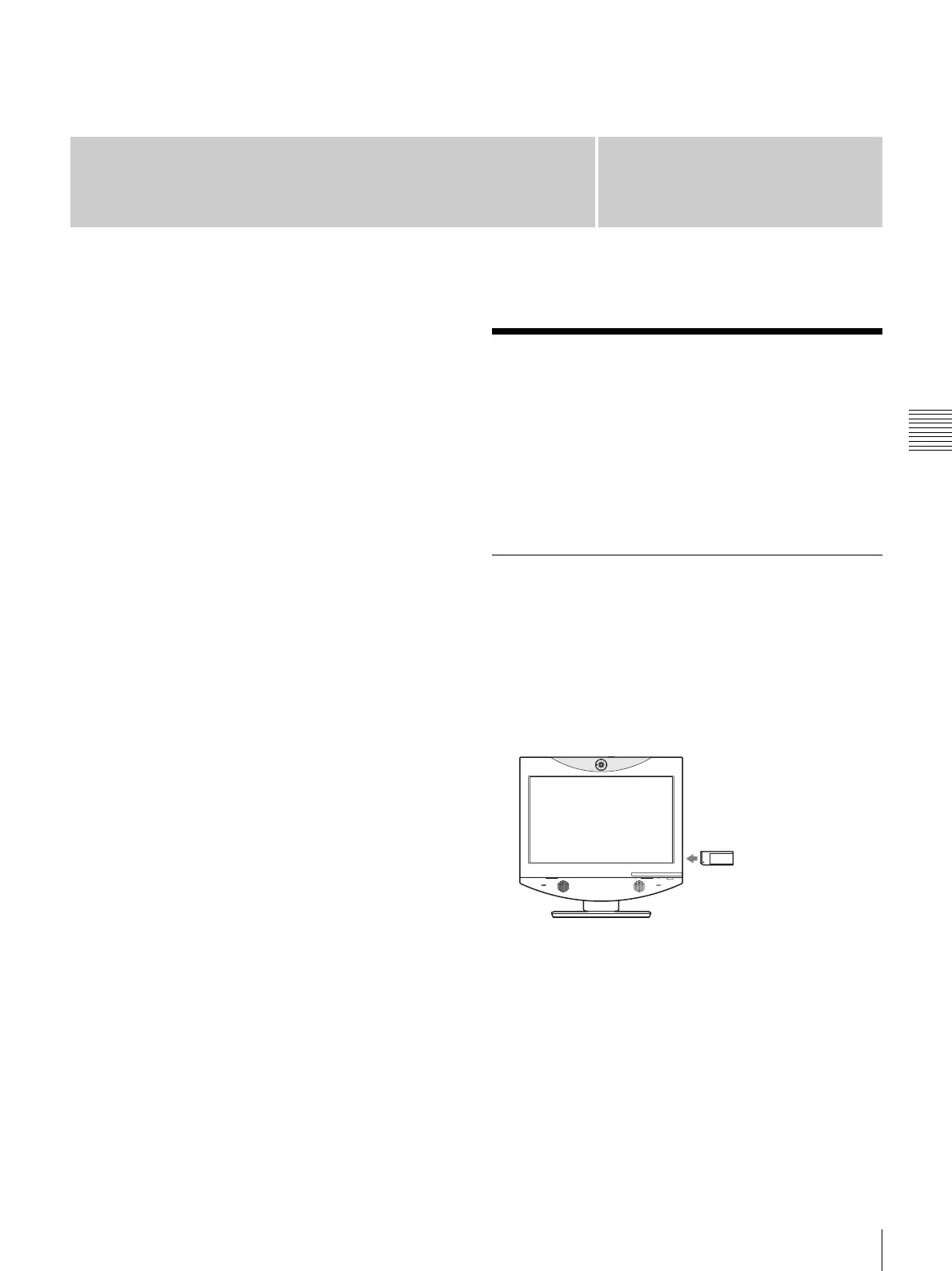
Insert the “Memory Stick” containing the still images
into the Memory Stick slot on the Videoconferencing
Terminal.
Insert the “Memory Stick” with the front facing you
and in the direction of the arrow on it.
2
Display the Image viewer menu.
Click the menu bar display button to bring up the menu
selection screen. Then click “Image viewer”.



 To Next Page