73
Using External Microphone and Headphones /
Controlling the Remote System With Tone Signals - DTMF Transmission
Chapter 4 Videoconference With Optional Equipment
Using External
Microphone and
Headphones
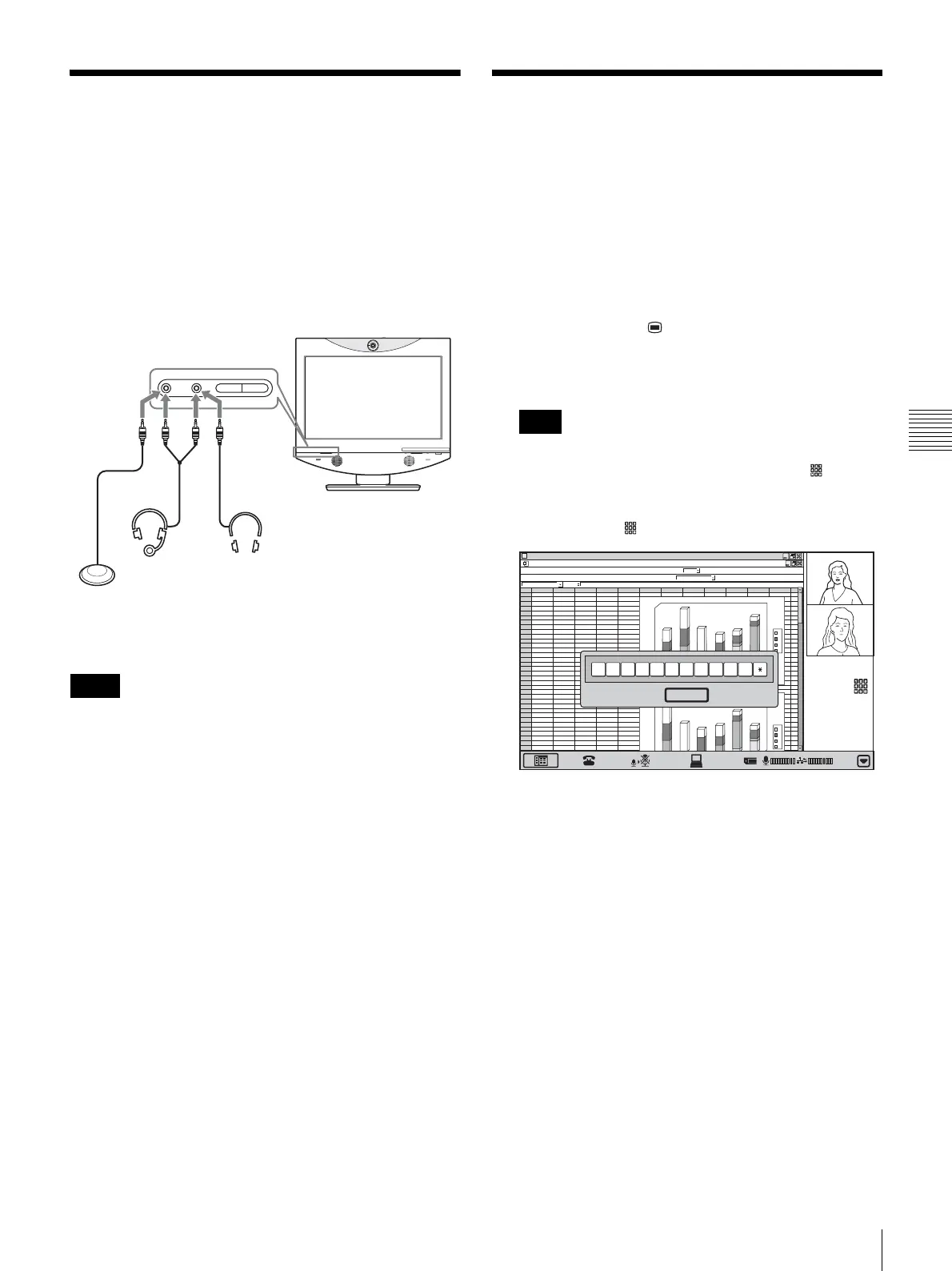
The built-in microphone of the ViewPoint 8050 is
designed for individual use. The commercially available
external microphones can also be connected.
A pair of headphones or a headset can also be used.
• The built-in microphone is disabled when an external
microphone is connected.
• The built-in speakers are disconnected when headphones
are connected.
Notes on installation of the microphones
• Install an external microphone more than 1 m (3.3 feet)
away from this system.
• Keep the microphone about 50 cm (19 3/4 inches) away
from the participants.
• Place the microphone in a quiet, echo-free location.
• Install the microphone away from equipment that may
cause noise.
• Avoid covering a microphone with paper, etc., or
moving it. If you do either, extreme noise and echo may
be heard temporarily by the remote party.
Controlling the Remote
System With Tone Signals -
DTMF Transmission
When dialing, tone signals (DTMF: Dual Tone Multi
Frequency) assigned to the numbers for (0-9,#,*) can also
be sent. Some systems are designed to allow remote
control using these tones.
1
Press and hold the (Menu) button for 3 seconds
during a communication session.
The DTMF soft keyboard appears on the display.
When “Display DTMF button” is set to “On” on Page
10/11 of the Administrator Setup menu, the (DTMF
button) appears on the right side of the communication
screen. You can also display the DTMF soft keyboard
by clicking the (DTMF button).
2
Click the numbers buttons that you want to send (0-
9,#,*).
When you click a button, the corresponding tone
signal is transmitted to the remote party.
3
To stop transmitting tone signals, click “Close”.
The DTMF soft keyboard disappears.
Notes
Microphone
(commercially
available)
to m
Headset
(commercially
available)
Headphones
(commercially
available)
to i
to m to i
Note
1
2
3
4
5
6
7
8
9
10
11
12
13
14
15
16
17
18
19
20
21
22
23
24
25
26
27
28
29
30
31
32
33
34
12
4
5
6
69
44
46
67
12
16
7
76
23
45
26
57
23
15
34
56
76
38
13
12
ABCD EF GHI J KLMN
d
c
b
a
1
0
2
0
4
0
5
0
6
0
1
0
0
1
2
0
1
4
0
1
6
0
180
2
3
4
5
6
d
c
b
a
4
0
5
0
6
0
1
00
1
20
14
0
16
0
180
ab c d
4
5
6
12
46
69
67
12
16
45
78
7
45
26
57
23
15
23
56
76
23
34
12
13
ab c d
1234567890
#
Close
01:25



 To Next Page