47
Setting Up the Network Configurations
Chapter 2
Registration and Setup
Setting Up the Network
Configurations
This section describes how to set up the network
configurations for use with various networks.
For details on the Network Setup menu, see “Network
Setup Menu” on page 32.
For details on configurations, consult with the system
administrator.
LAN (Connecting via DHCP)
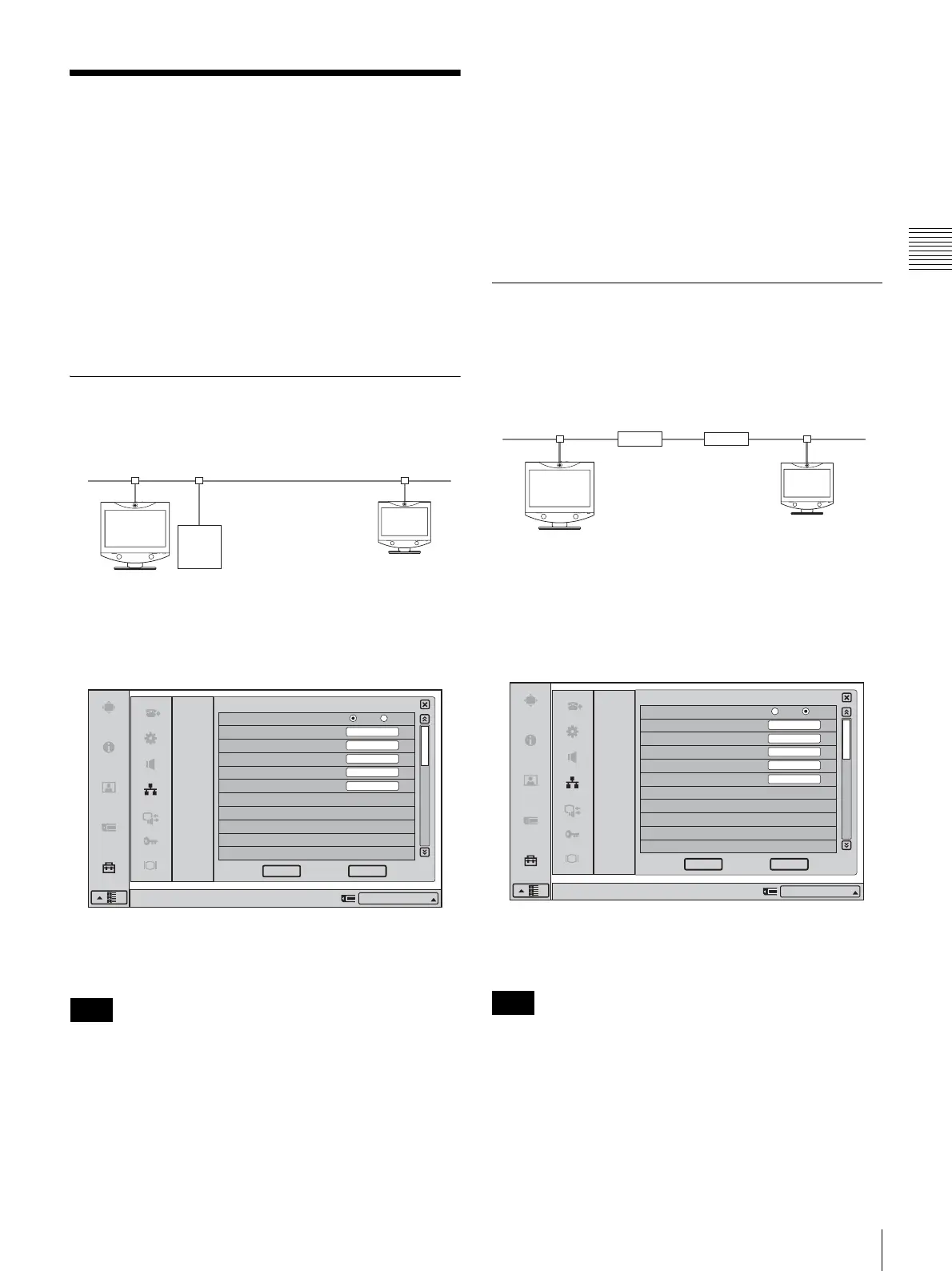
Configuration example
Set the “DHCP Mode” to “Auto” under Page 1/3 of the
LAN Setup menu.
The setting has been configured properly if the IP address
appears in the launcher menu.
The information that appears in the launcher menu may
differ depending on the “Number Display” setting in the
Device Setup menu. You can also click the Number
Display portion and select the information to display from
a list.
To conduct a video conference
Select “IP” for the line interface, enter the remote party’s
IP address in the text box, and dial.
You can set “IP” as the default line interface selection for
the launcher menu by setting “Line I/F” to “IP” in the Dial
settings of the Communication Mode menu.
For details on the setting, see “Communication Mode
Menu” on page 33.
LAN (Connecting Through a Router)
Configuration example
Enter a name in “Host Name” under Page 1/3 of the LAN
Setup menu, set the “DHCP Mode” to “Off“, and enter the
appropriate values for “IP Address”, “Network Mask”, and
“Gateway Address”.
The setting has been configured properly if the correct IP
address appears in the launcher menu.
The information that appears in the launcher menu may
differ depending on the “Number Display” setting in the
Device Setup menu. You can also click the Number
Display portion and select the information to display from
a list.
Note
LAN1 LAN2
DHCP Server 1
LAN
LAN
Right-click the mouse to display a help message.
CancelOK
Auto
DHCP Mode
Host Name
IP Address
Network Mask
Gateway Address
DNS Address
Off
IP:012.345.678.912
1/3
Note
LAN1
LAN2
Virtual Private
Network (VPN)
192.100.20.1
Router Router
192.100.10.10
192.100.20.20
192.100.10.1
LAN
LAN
Right-click the mouse to display a help message.
CancelOK
Auto
DHCP Mode
Host Name
IP Address
Network Mask
Gateway Address
DNS Address
Off
VCT1
192.100.10.10
255.255.255.0
192.100.10.1
IP:192.100.10.10
1/3



 To Next Page