21
Adjusting the Height of the Display
Chapter 1 Installation and Preparation
Adjusting the Height of
the Display
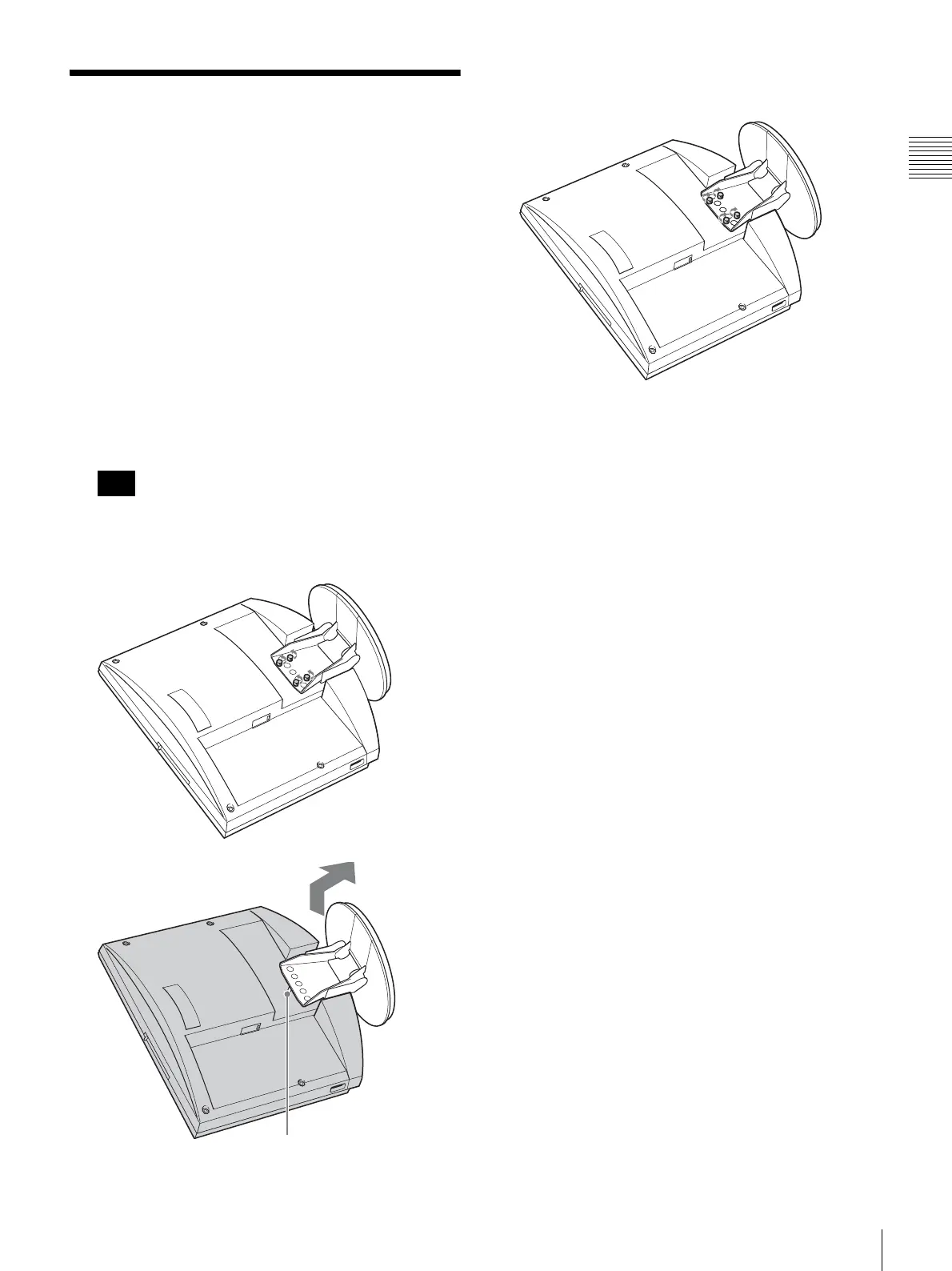
The stand and the display section of the ViewPoint 8050
are joined by fastening screws. There are three sets of
screw holes, spaced 25 mm apart. In the factory default
condition, the display is fixed in the lowest position. By
choosing a different set of screw holes, you can change the
height of the display.
1
Remove the rear cover of the unit.
For information on how to do this, see page 20.
2
Remove the 4 screws using a coin or similar object, lift
up the stand, and insert the positioning pin in the hole
for the new stand position.
Before changing the height of the display as described
above, be sure to turn the power off. Place the display
face down on a soft cloth or similar.
3
Tighten the 4 screws using a coin or a similar object to
secure the stand.
4
Attach the rear cover again.
Note
Positioning pin



 To Next Page