41
Registering a Remote Party in the Phone Book
Chapter 2
Registration and Setup
Screen Resolution/Refresh Rate
Displays the screen resolution and refresh rate.
The adjustment range of the H Shift and V Shift may differ
depending on the specifications of the RGB signal input.
Registering a Remote
Party in the Phone Book
You can register the IP address and other information for a
remote party in the Phone Book, allowing you to dial the
party very easily.
Up to 500 remote parties can be registered in the Phone
Book. You can also store a still image such as a
participant’s portrait in the index list.
In addition to the regular Phone Book of the
Videoconferencing Terminal, you can create a Private
Phone Book on a “Memory Stick”.
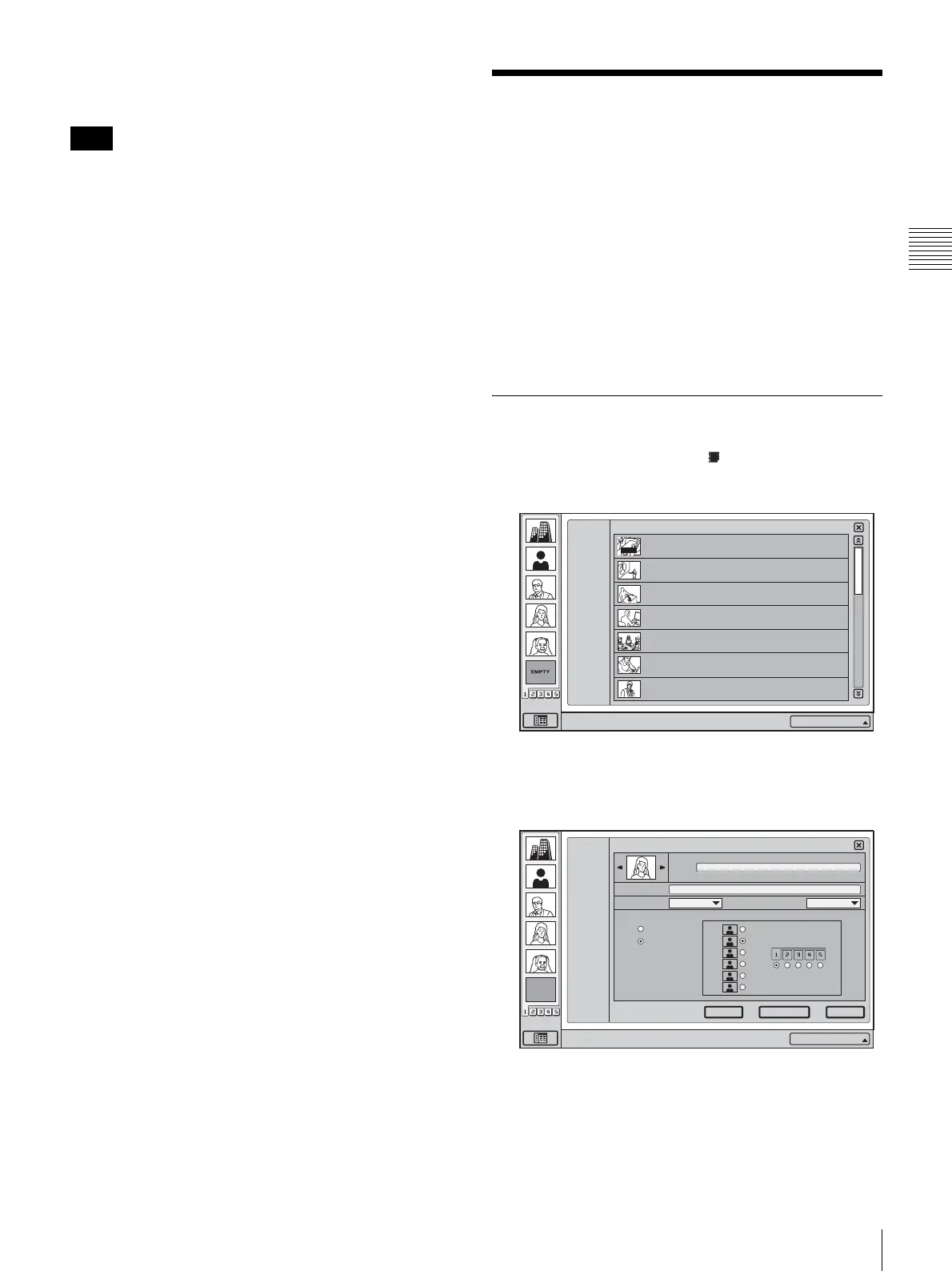
Registering a New Remote Party
1
In the launcher menu, click (Phone Book).
The Phone Book menu opens.
2
Click “New”.
The List Edit menu appears.
3
Enter the name of a remote party in the Index text box.
For information on character input, see “Entering
Characters” on page 28.
Note
Right-click the mouse to display a help message.
Phone Book
1/3
ALL
A--I
J--S
T-- Z
0--9
New
HQ4Room5
HQ5Room6
05032105678
Takanawa
0657896709
XXXXXXXXXX
HQ5Room6
XXXXXXXXXX
HQ5Room6
XXXXXXXXXX
HQ5Room6
XXXXXXXXXX
HQ5Room6
XXXXXXXXXX
AUTO
IP:012.345.678.912
EMPTY
Right-click the mouse to display a help message.
1/3
IP 1024
Duplicate Save
Cancel
List Edit
Phone Book
Line I/F
LAN Bandwidth
One Touch Dial
Off
On
Index
ALL
A
-
I
J
-
S
T
-
Z
0
-
9
New
IP:012.345.678.912



 To Next Page