90
How To Use “Controller”
Chapter 7 Web Control Function
How To Use “Controller”
To control the ViewPoint 8050 from the on-screen
controller
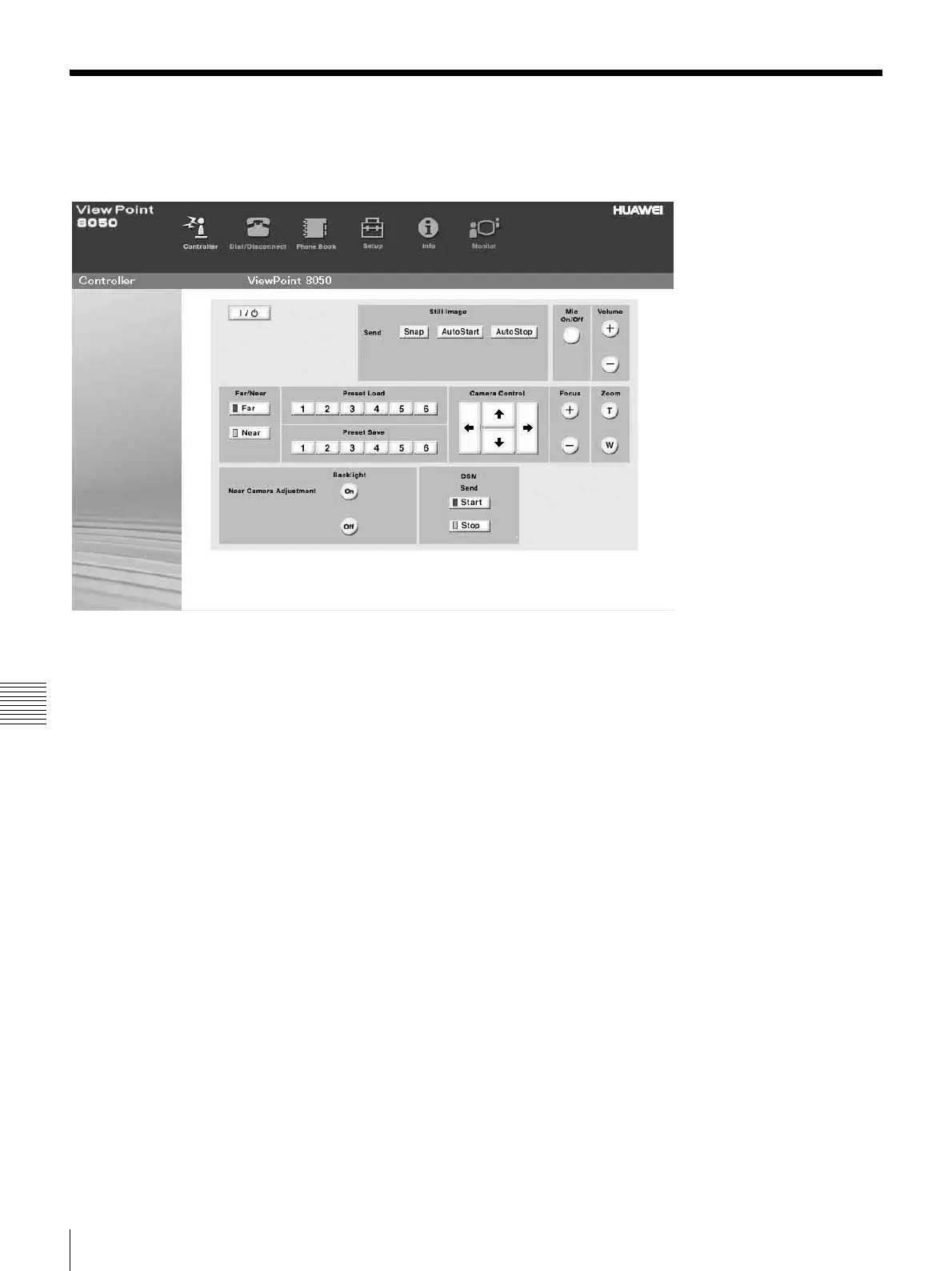
When you click the [Controller] button, the on-screen
control panel appears. By clicking the buttons on this
control panel, you can control the ViewPoint 8050,
sending still images, operating the camera, registering
preset camera settings, and so on.
For example, in order to preset and load a camera setting:
a Set the camera at the desired position using the
Camera Control buttons.
b Click one of the “Preset Save” 1 to 6 buttons on the
image.
c The preset is done.
d Click one of the “Preset Load” 1 to 6 buttons on the
image to load it.



 To Next Page