91
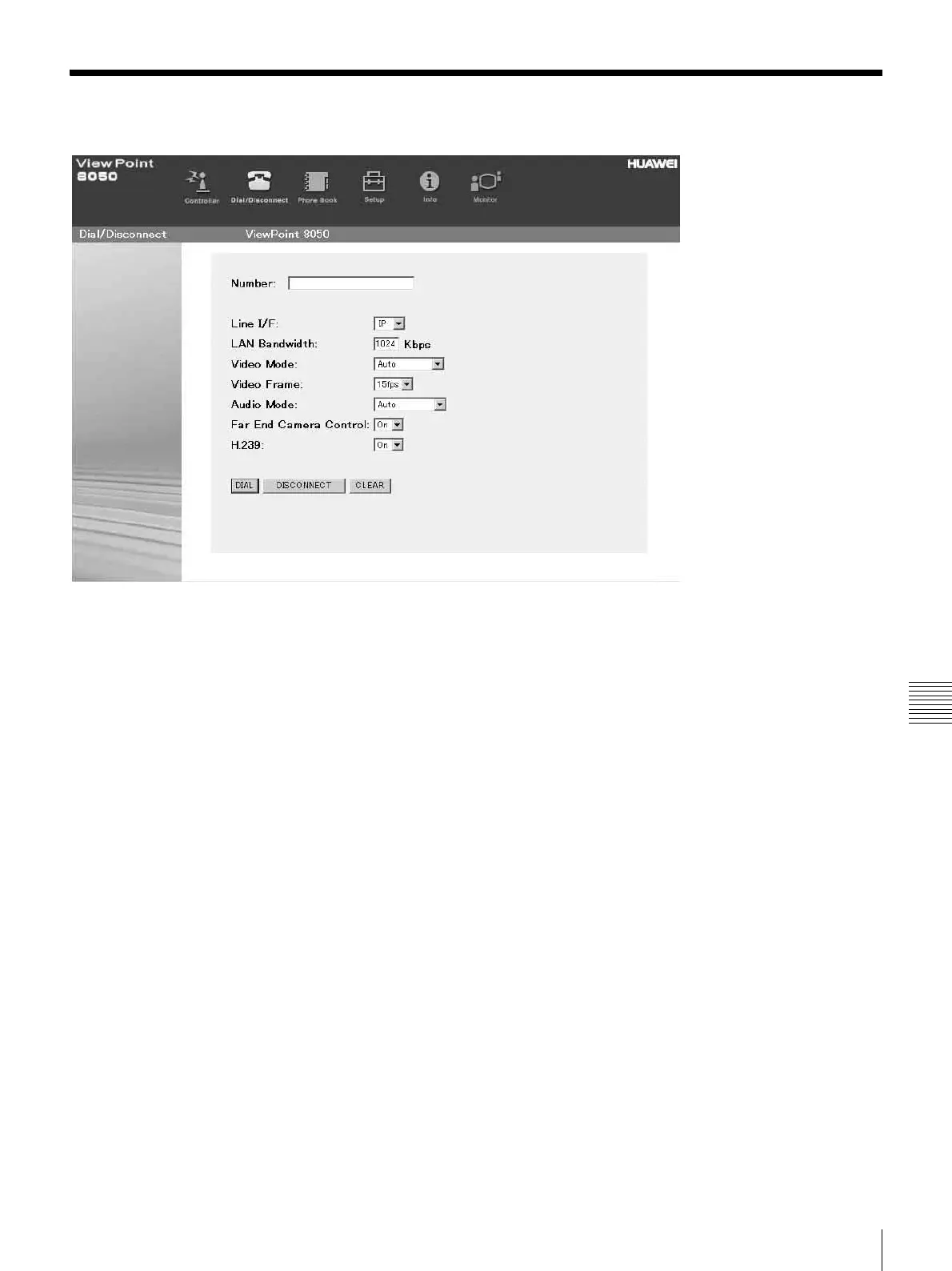
How To Use “Dial/Disconnect”
Chapter 7 Web Control Function
How To Use “Dial/Disconnect”
By clicking the [Dial/Disconnect] button, you can jump to
the “Dial/Disconnect” page.
To connect:
a Enter the telephone number(s) of a remote party
into the box(es): A1 (to C2) (When using a LAN,
enter an IP address or a DNS name.)
b Select the Line I/F, and configure any other
necessary setting items.
c Click the [DIAL] button.
d The message, “Now dialing...” appears.
e After the connection is made, the message,
“Connect OK.” will appear, and the screen will
return to the “Dial/Disconnect” page.
To disconnect:
a Click the [DISCONNECT] button.
b The message, “Now disconnecting...” appears.
c After the disconnection is completed, the message
“Disconnect OK.” will appear, and the screen will
return to the “Dial/Disconnect” page.
To clear the dial number:
a Click the [CLEAR] button.
b The number(s) entered on this menu will be cleared
and the screen will return to the “Dial/Disconnect”
page.



 To Next Page