Powermax30 XP Service Manual 808150 Revision 0 157
6 – Power Supply Component Replacement
3. Remove the retaining screw from the bottom of the rear panel.
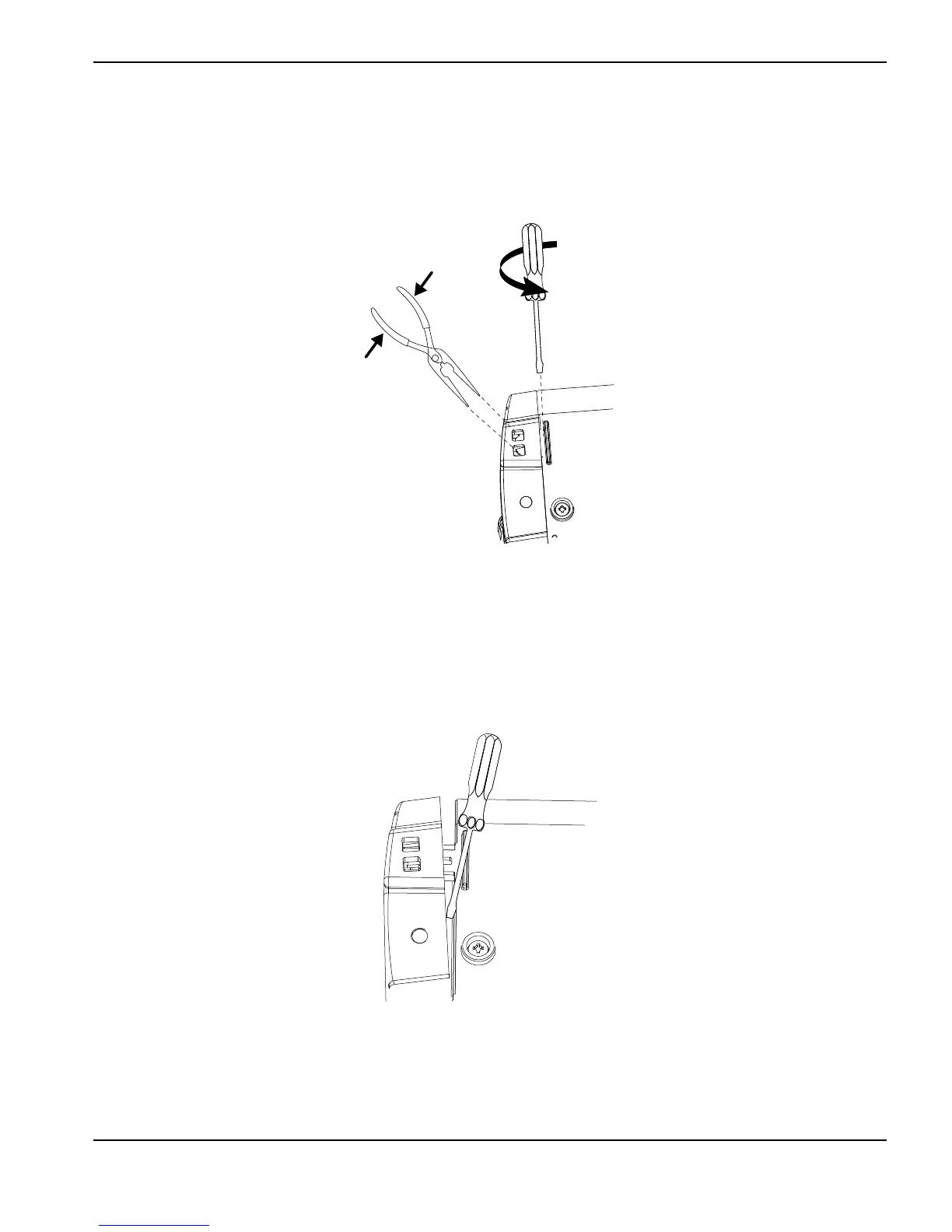
4. Insert needle nose pliers into the opening for one of the snaps and use the pliers to squeeze it together.
Figure 88
5. Place a blade screwdriver against the raised rib next to the snap and gently turn the screwdriver to push the panel
away from the base.
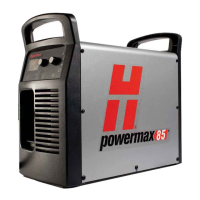
6. Place another screwdriver or similar object into the opening between the panel and the base to keep the first corner
of the panel from re-engaging the snaps when you release the other corner.
Figure 89
7. Repeat step 4 and step 5 on the other corner of the panel.












 To Next Page