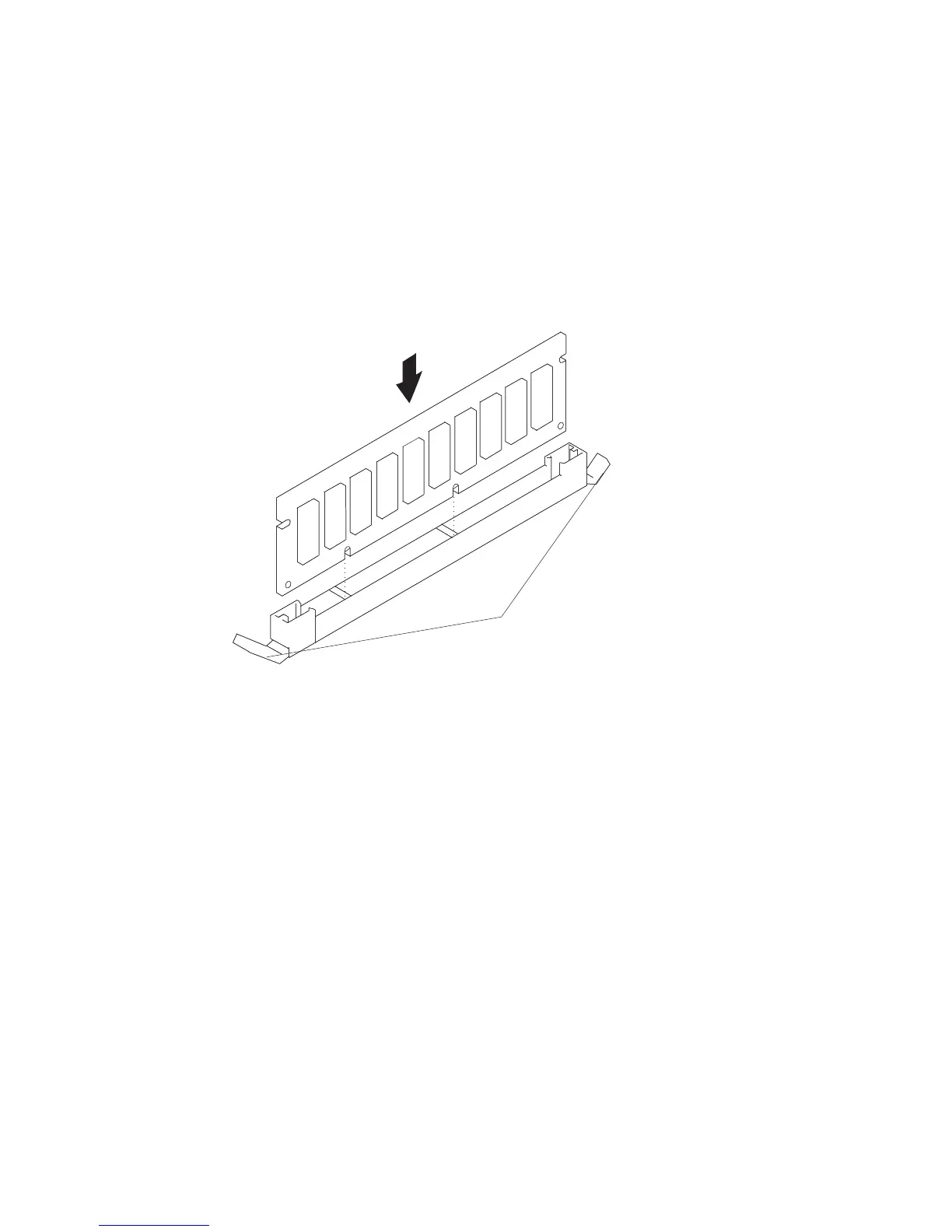
Memory DIMM Replacement
1. With one hand, touch any metal surface of the chassis to minimize static electrical
charges, and then pick up the memory DIMM.
2. Locate the memory DIMM connector on the memory card.
Note: Memory DIMMs must be installed in pairs in the correct slots. (Slots J1 and
J2, J3 and J4, J5 and J6, and so on.)
3. Insert the memory DIMM firmly into the connector.
Locking Tabs
4. Secure the memory DIMM with the locking tabs located at each end of the
connector.
5. Replace the memory card into the system.
270 Service Guide




 To Next Page