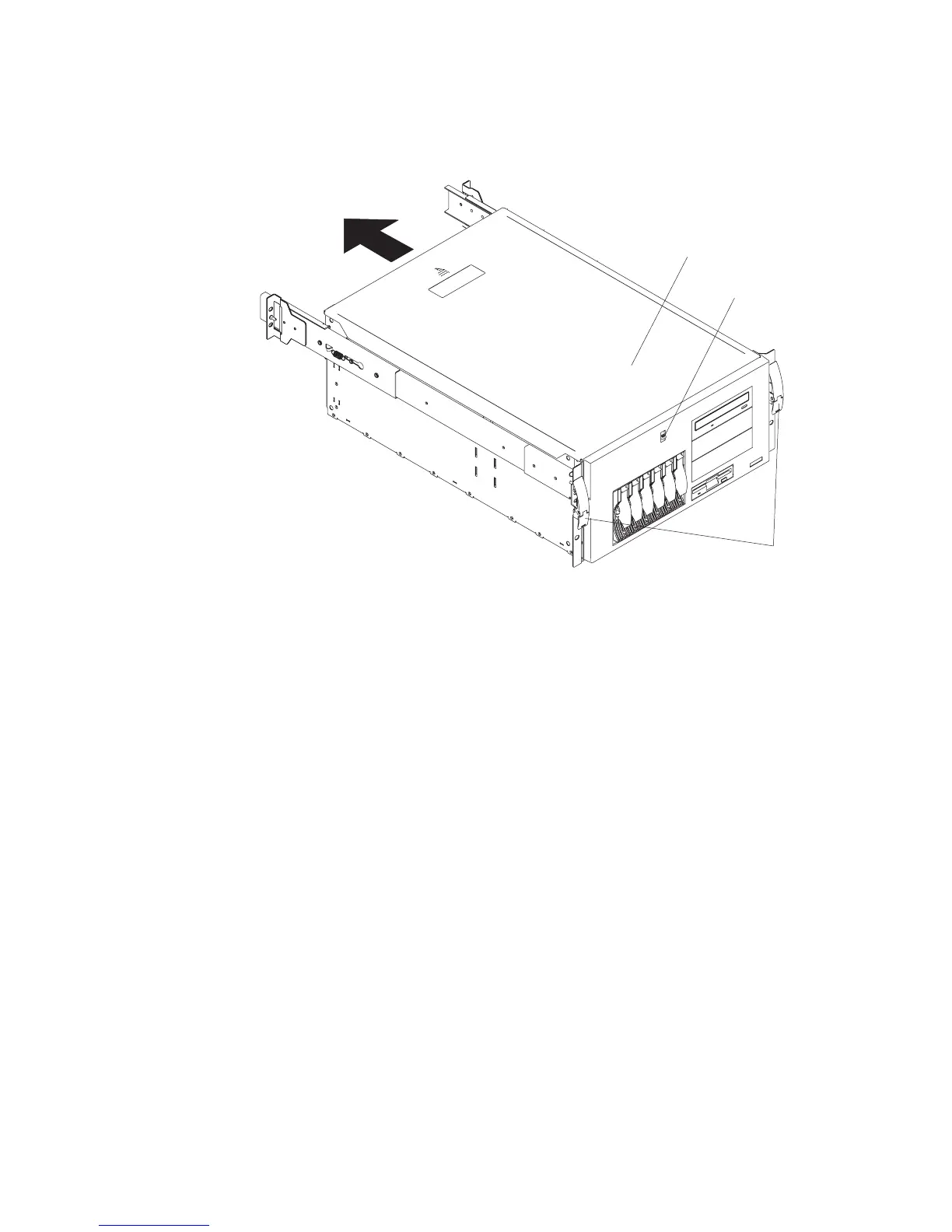
Service Access Cover (Model 6C1)
1
2
3
1 Top cover
2 Cover-release latch
3 Side latches
Removal
1. If you are planning to install or remove any part other than a hot-swap hard disk
drive, hot-swap power supply, or hot-swap fan, turn off the system and all attached
devices and disconnect all external cables and power cords.
2. Release the left and right side latches (3), and pull the system out of the rack
enclosure until both slide rails lock.
Note: When the system is in the locked position, you can easily reach the cables
on the back of the system.
3. Move the cover-release latch (2) down while sliding the top cover (1) toward the
rear of the system about 25 mm (1 inch). Lift the cover off the system, and set the
cover aside.
Attention: For proper cooling and airflow, replace the cover before turning on the
system. Operating the system for extended periods of time (over 30 minutes) with the
cover removed might damage system components.
260 Service Guide




 To Next Page