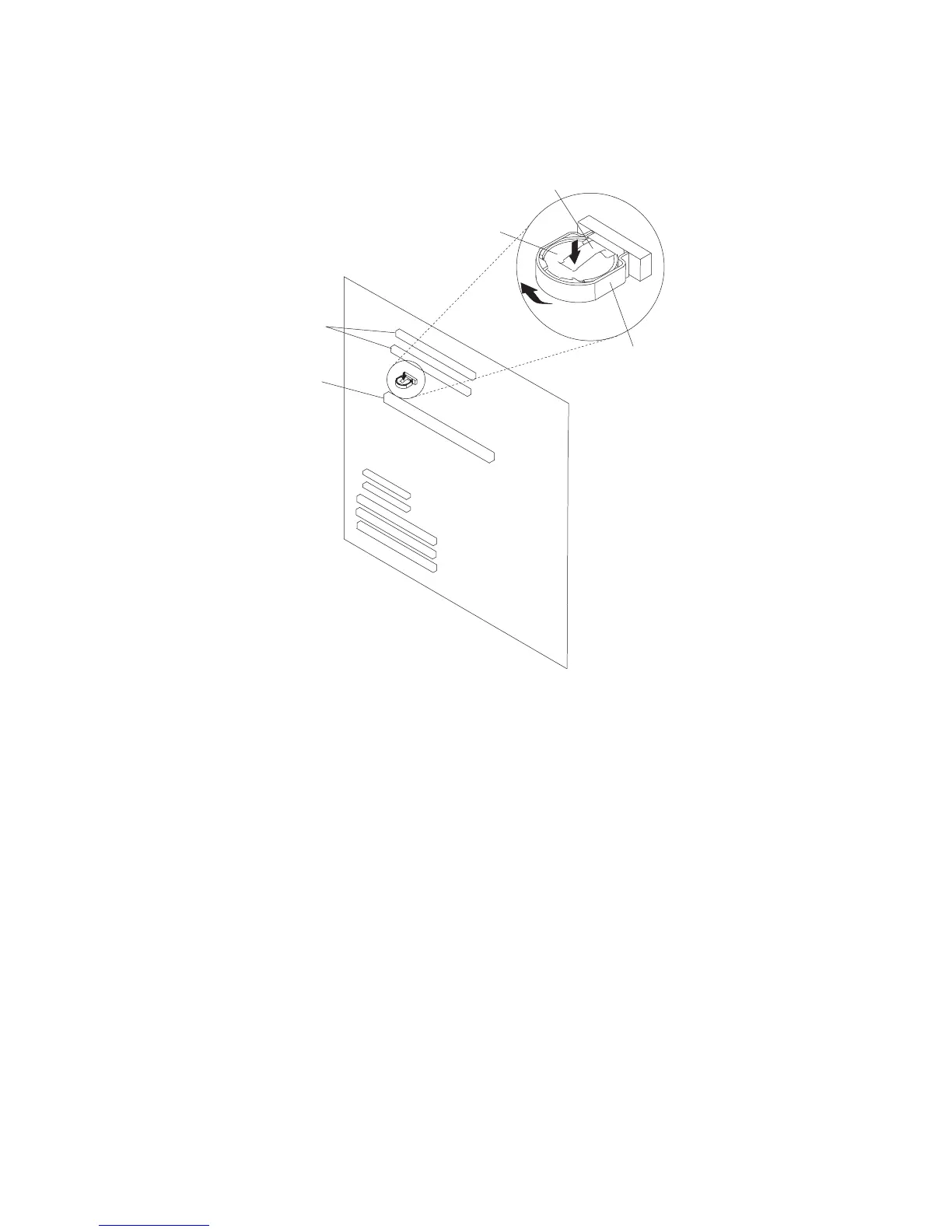
8. Locate the battery on the system board.
Rear Battery Clip
Battery P/N
15F8409
Plastic Battery Mount
Battery
Memory Card
Connector
Processor Card
Connectors
9. Pry the battery out of its mount using your fingernail. After the top of the battery has
cleared the plastic mount, pull it up and out of the system board.
Replacement
1. Ensure that the battery polarity is correct. (Plus (+) side away from plastic battery
mount.)
2. Using your thumb, gently press the battery into the battery mount. Use your index
finger to support the back of the battery mount during this operation.
3. Replace any removed processors or memory cards.
4. Replace the processor and memory card cover as described in “Processor and
Memory Card Cover” on page 264.
5. Replace the covers as described in “Covers” on page 258.
296 Service Guide




 To Next Page