4
1
2
3
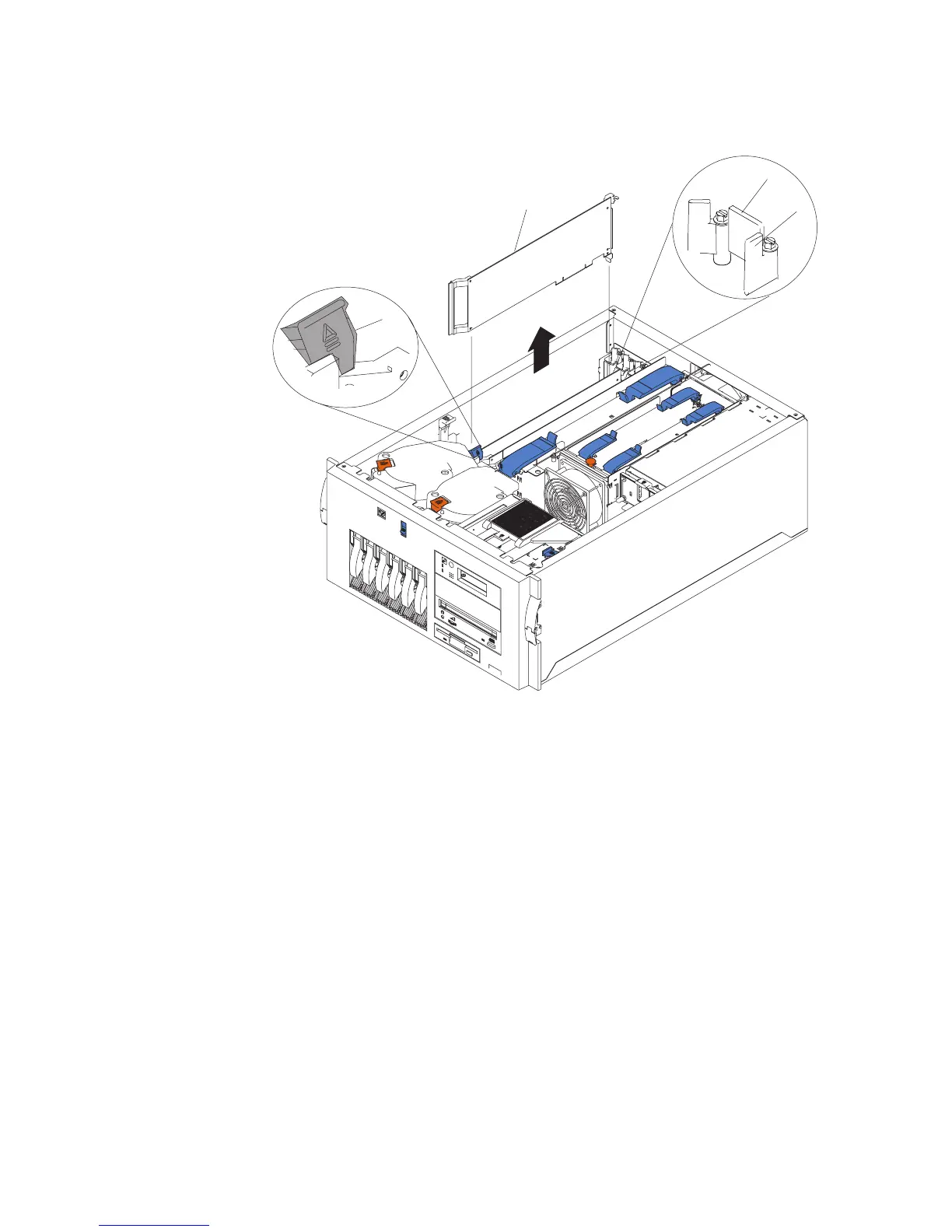
1 Adapter retainer flap
2 Tab
3 Adapter retention latch
4 Adapter
7. If you are removing a long adapter, press on the touchpoint on the adapter retainer
flap (1) at the end of the slot nearest the front of the system, and rotate the
adapter retainer flap upward.
8. Rotate the adapter retention latch (3) counterclockwise.
9. Raise the tab (2) on the adapter guide over the tab on the top corner of the
adapter.
10. Carefully grasp the adapter (4) by its top edge or upper corners, and remove it
from the system board.
Replacement
1. Remove the adapter from the antistatic package.
Attention: Avoid touching the components and gold-edge connectors on the
adapter.
Chapter 9. Removal and Replacement Procedures 277




 To Next Page