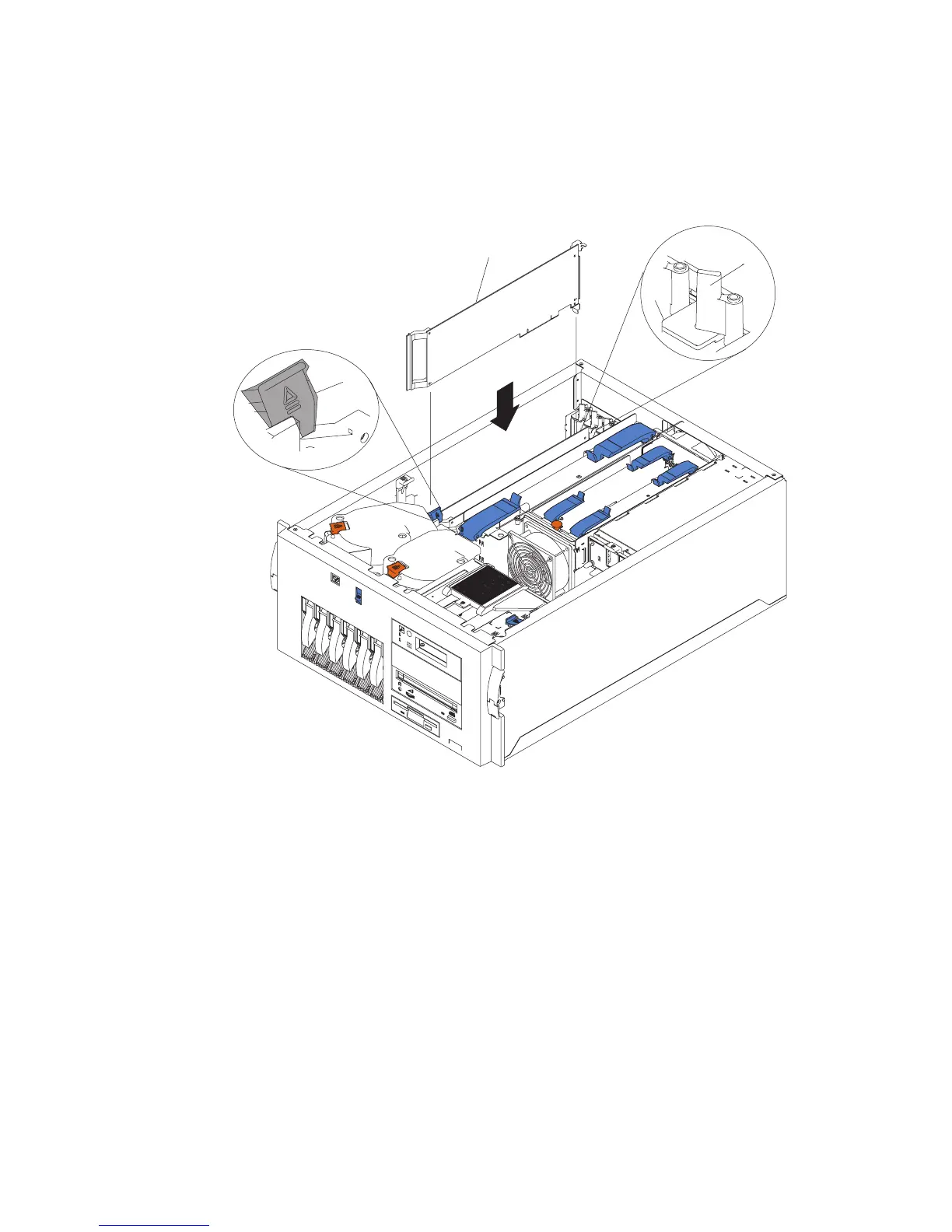
2. Place the adapter, component-side up, on a flat, static-protective surface.
3. Set any jumpers or switches as described by the adapter manufacturer.
4. Install the adapter.
2
4
1
3
1 Tab
2 Adapter retention latch
3 Adapter retainer flap
4 Adapter
a. Carefully grasp the adapter (5) by its top edge or upper corners, and align it with
the expansion slot on the system board.
b. Press the adapter
firmly
into the expansion slot.
Attention: When you install an adapter in the system, be sure that it is
completely and correctly seated in the system-board connector.
Incomplete insertion might cause damage to the system board or the
adapter.
c. Lower the tab (2) on the adapter guide over the tab on the top corner of adapter.
Rotate the adapter retention latch (3) clockwise until it snaps into place.
278 Service Guide




 To Next Page