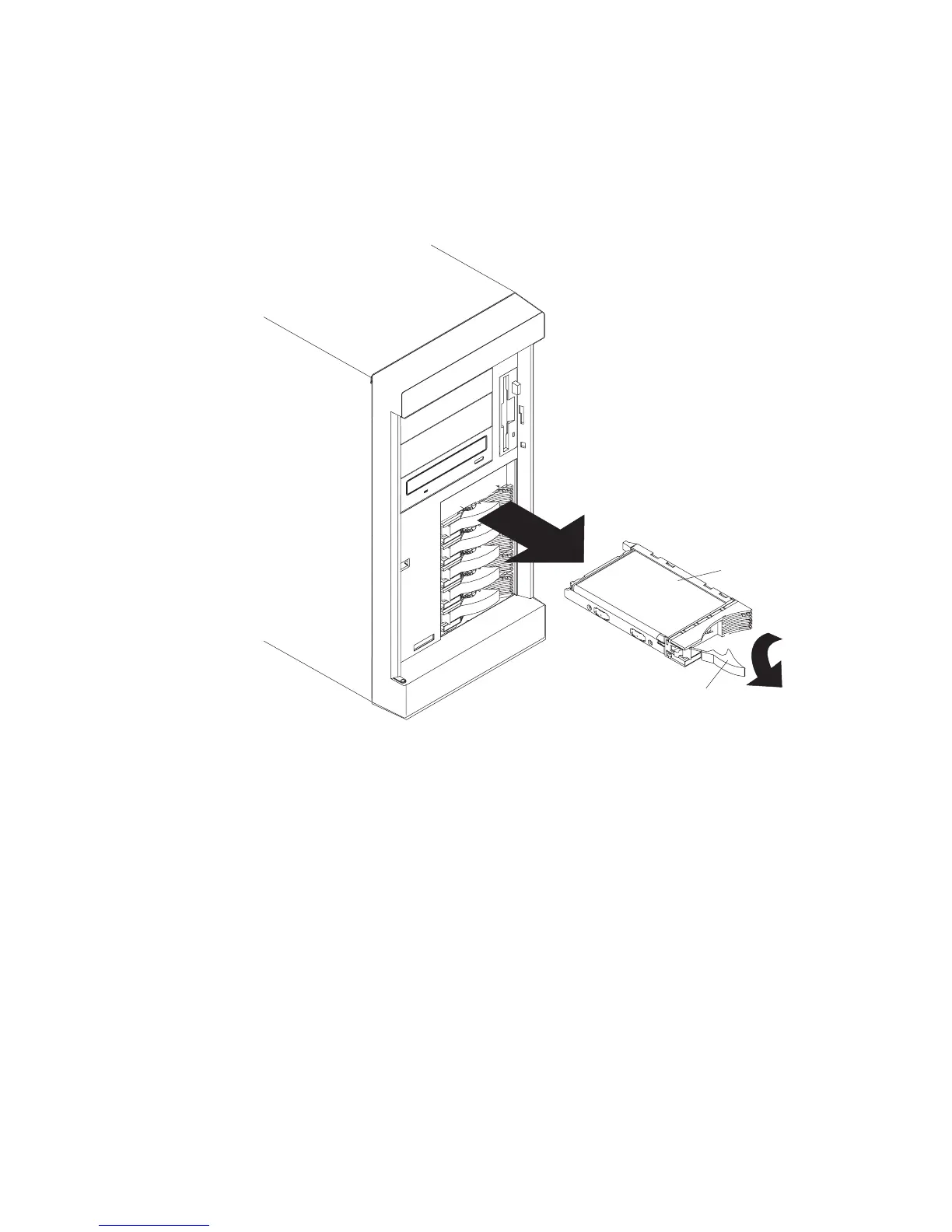
Removal
1. If the system is a Model 6E1, unlock and open the system door.
Attention: To maintain proper system cooling, do not operate the system for more
than two minutes without either a drive or a filler panel installed for each bay.
2
3
2. Remove the disk drive (1) by placing the handle (2) on the drive to the open
position (perpendicular to the drive) and pulling the hot-swap tray from the bay.
Note: Do not remove the drive from the tray assembly.
Chapter 9. Removal and Replacement Procedures 299




 To Next Page