2-1
2
INSTALLATION AND CONNECTIONS
Attaching the controller
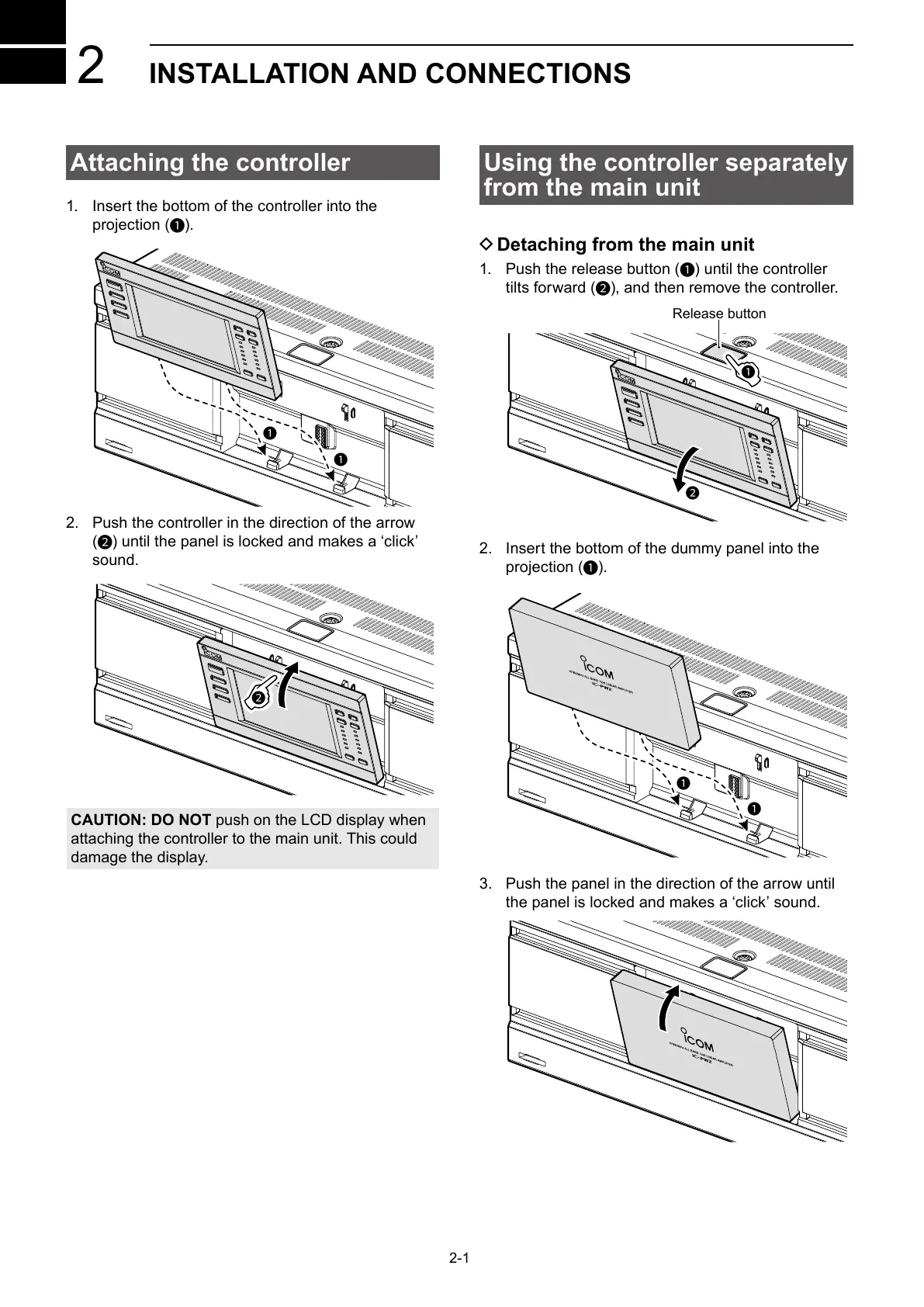
1. Insert the bottom of the controller into the
projection (
1
).
1
1
2. Push the controller in the direction of the arrow
(
2
) until the panel is locked and makes a ‘click’
sound.
2
CAUTION: DO NOT push on the LCD display when
attaching the controller to the main unit. This could
damage the display.
Using the controller separately
from the main unit
D Detaching from the main unit
1. Push the release button (
1
) until the controller
tilts forward (
2
), and then remove the controller.
2
1
Release button
2. Insert the bottom of the dummy panel into the
projection (
1
).
1
1
3. Push the panel in the direction of the arrow until
the panel is locked and makes a ‘click’ sound.



 To Next Page