EasyManua.ls Logo

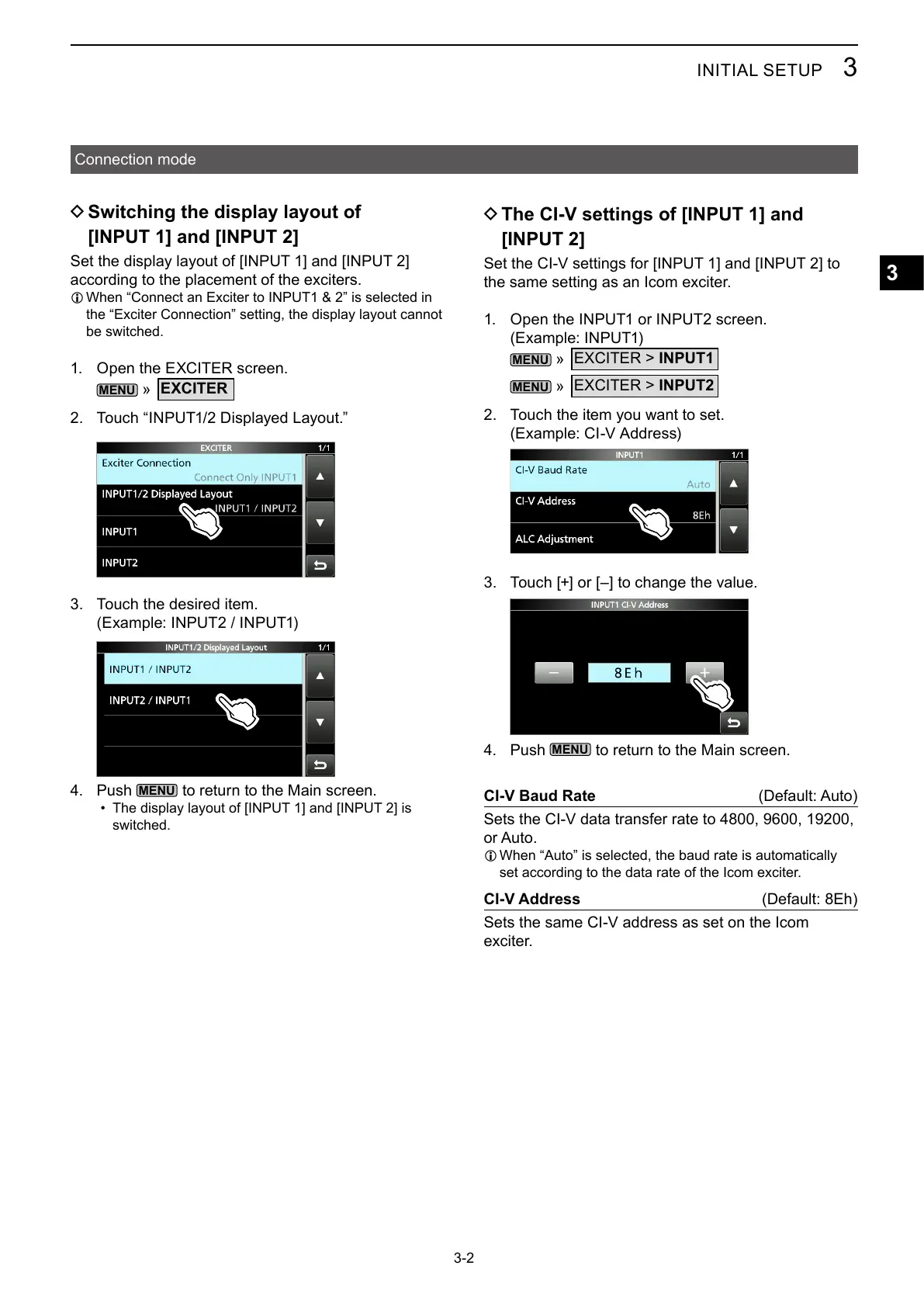
Icom IC-PW2 - D Switching the Display Layout of [INPUT 1] and [INPUT 2]; D the CI-V Settings of [INPUT 1] and [INPUT 2]

Icom IC-PW2
68 pages
Print Icon
To Next Page IconTo Next Page
To Previous Page IconTo Previous Page
Loading...

3
3


D The CI-V settings of [INPUT 1] and
[INPUT 2]


 

MENU
»
INPUT1
MENU
»
INPUT2
 

 
 
MENU

CI-V Baud Rate 


L 

CI-V Address 


D Switching the display layout of
[INPUT 1] and [INPUT 2]


L 


 
MENU
»
EXCITER
 
 

 
MENU




Table of Contents

Related product manuals