BASIC OPERATION
4
4
4-5
RX-I/O setting
You can set whether or not to output the signal
from the receiving antenna to an external device
connected to [RX-ANT IN] and [RX-ANT OUT].
1. Push
of (Lights green: RX side).
• The ANTENNA SELECT screen is displayed.
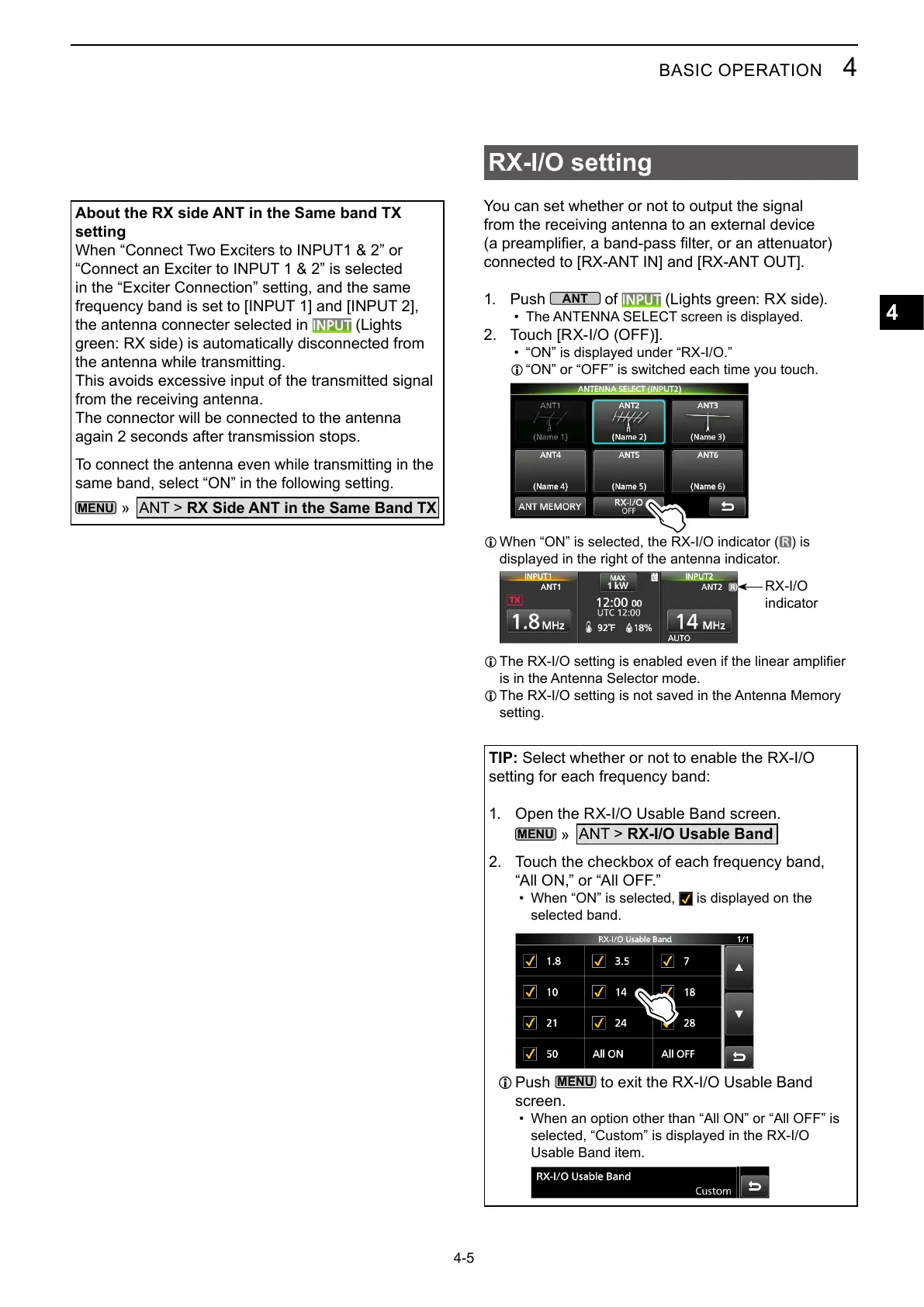
2. Touch [RX-I/O (OFF)].
• “ON” is displayed under “RX-I/O.”
L “ON” or “OFF” is switched each time you touch.
L When “ON” is selected, the RX-I/O indicator ( ) is
displayed in the right of the antenna indicator.
RX-I/O
indicator
L
is in the Antenna Selector mode.
L
setting.
TIP: Select whether or not to enable the RX-I/O
1. Open the RX-I/O Usable Band screen.
»
ANT > RX-I/O Usable Band
2.
“All ON,” or “All OFF.”
• When “ON” is selected, is displayed on the
selected band.
L Push
to exit the RX-I/O Usable Band
screen.
• When an option other than “All ON” or “All OFF” is
selected, “Custom” is displayed in the RX-I/O
Usable Band item.
About the RX side ANT in the Same band TX
setting
When “Connect Two Exciters to INPUT1 & 2” or
“Connect an Exciter to INPUT 1 & 2” is selected
in the “Exciter Connection” setting, and the same
the antenna connecter selected in (Lights
green: RX side) is automatically disconnected from
the antenna while transmitting.
This avoids excessive input of the transmitted signal
from the receiving antenna.
The connector will be connected to the antenna
again 2 seconds after transmission stops.
To connect the antenna even while transmitting in the
same band, select “ON” in the following setting.
»
ANT > RX Side ANT in the Same Band TX



 To Next Page