6
7
7-1
7
SET MODE
Set mode description
You can use the Set mode to set infrequently changed
values or function settings.
TIP: The Set mode is constructed in a tree structure.
You may go to the next tree level or go back to the
previous level, depending on the selected item.
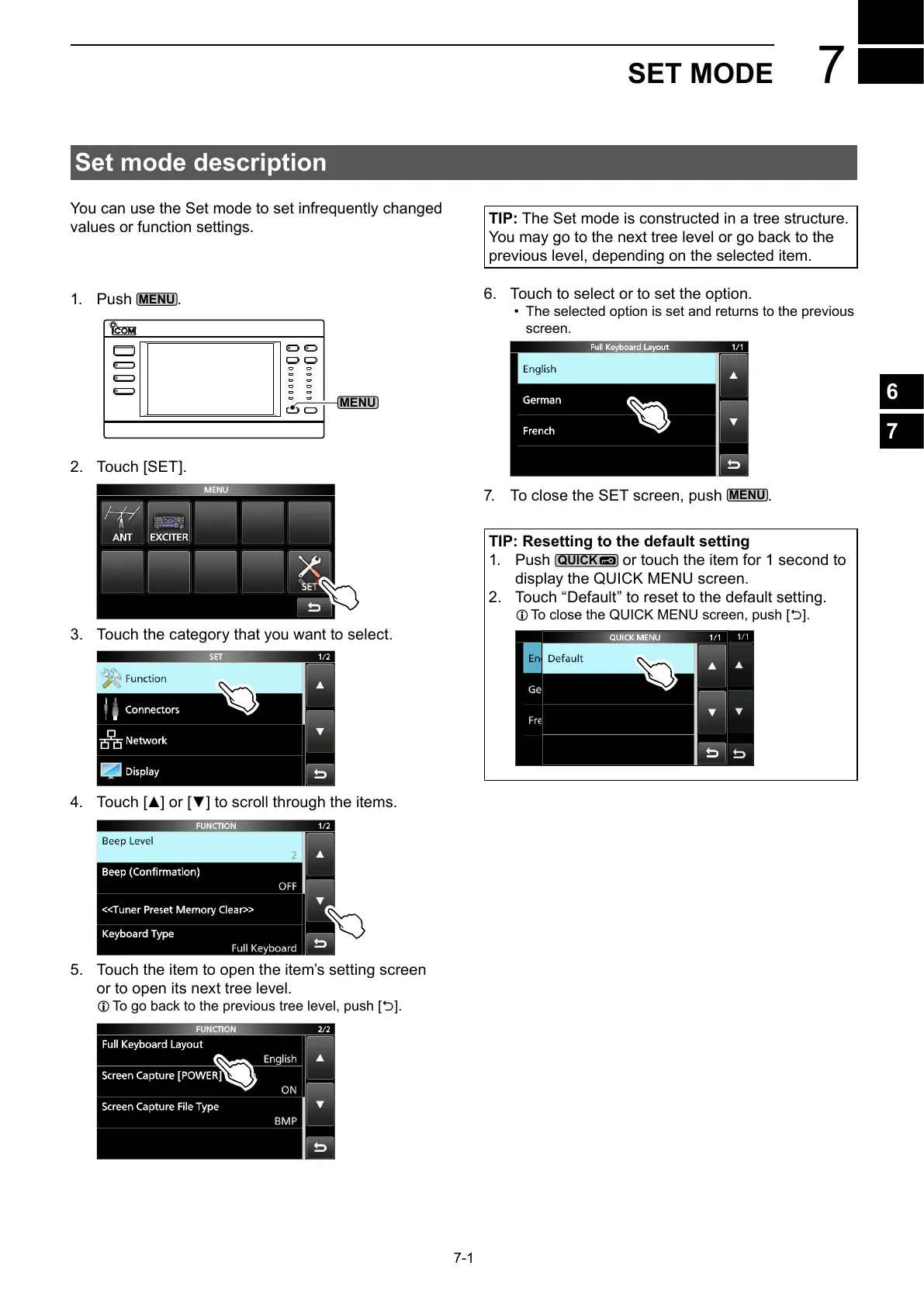
1. Push
.
2. Touch [SET].
3. Touch the category that you want to select.
4.
5. Touch the item to open the item’s setting screen
or to open its next tree level.
L To go back to the previous tree level, push [].
6. Touch to select or to set the option.
• The selected option is set and returns to the previous
screen.
7. To close the SET screen, push
.
TIP: Resetting to the default setting
1. Push
or touch the item for 1 second to
display the QUICK MENU screen.
2. Touch “Default” to reset to the default setting.
L To close the QUICK MENU screen, push [].



 To Next Page