EasyManua.ls Logo

Icom IC-PW2 - Loading the Saved Data

Icom IC-PW2
68 pages
Print Icon
To Next Page IconTo Next Page
To Previous Page IconTo Previous Page
Loading...
6

6-3
Loading the saved data


L 
TIP:

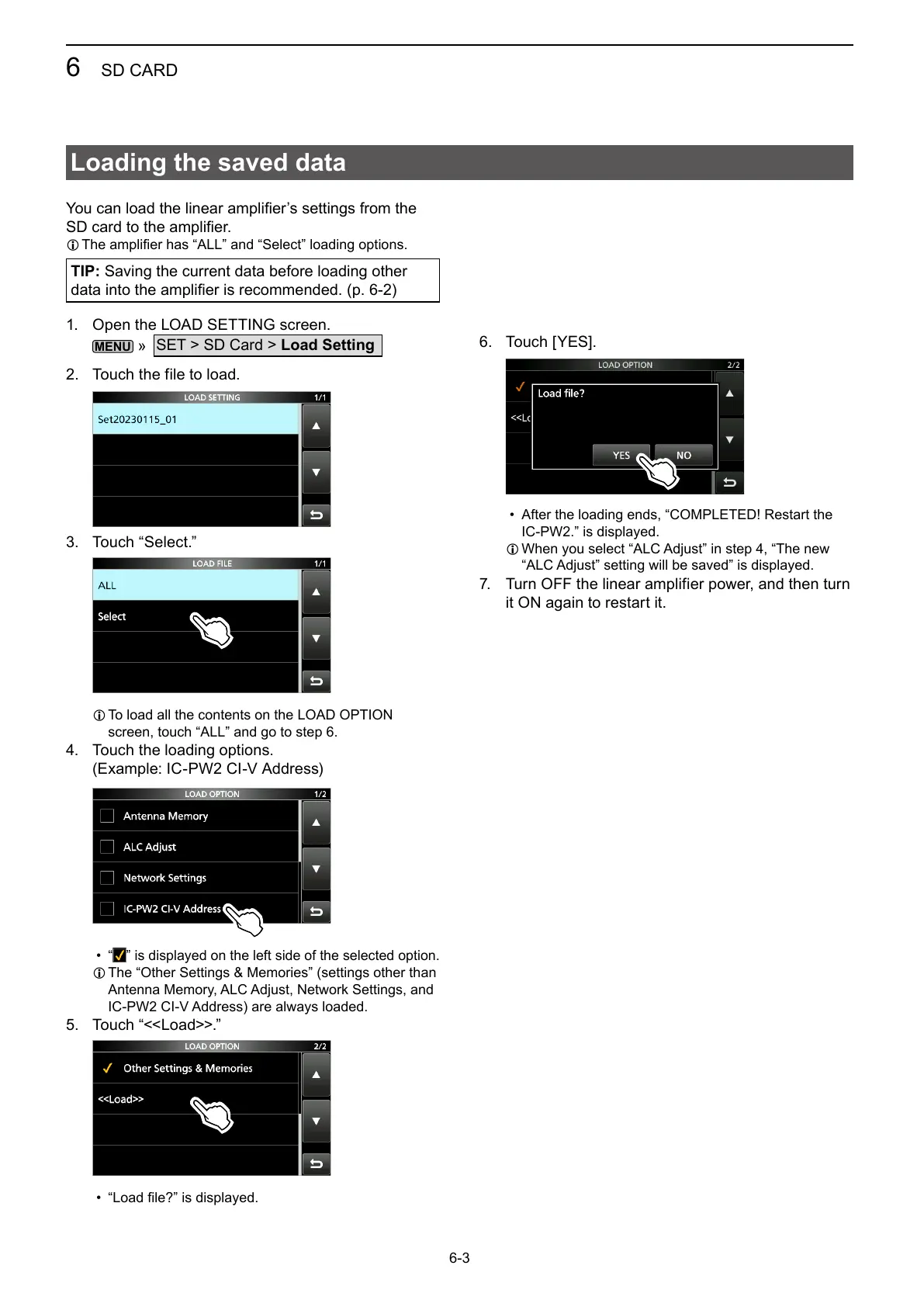
1. 
MENU
»
SET > SD Card > Load Setting
2. Touch the file to load.
3. TouchSelect.
L 

4. 

” is displayed on the left side of the selected option.
L 


5. 

6. Touch [YES].


L 

7. 


Table of Contents

Related product manuals