EasyManua.ls Logo

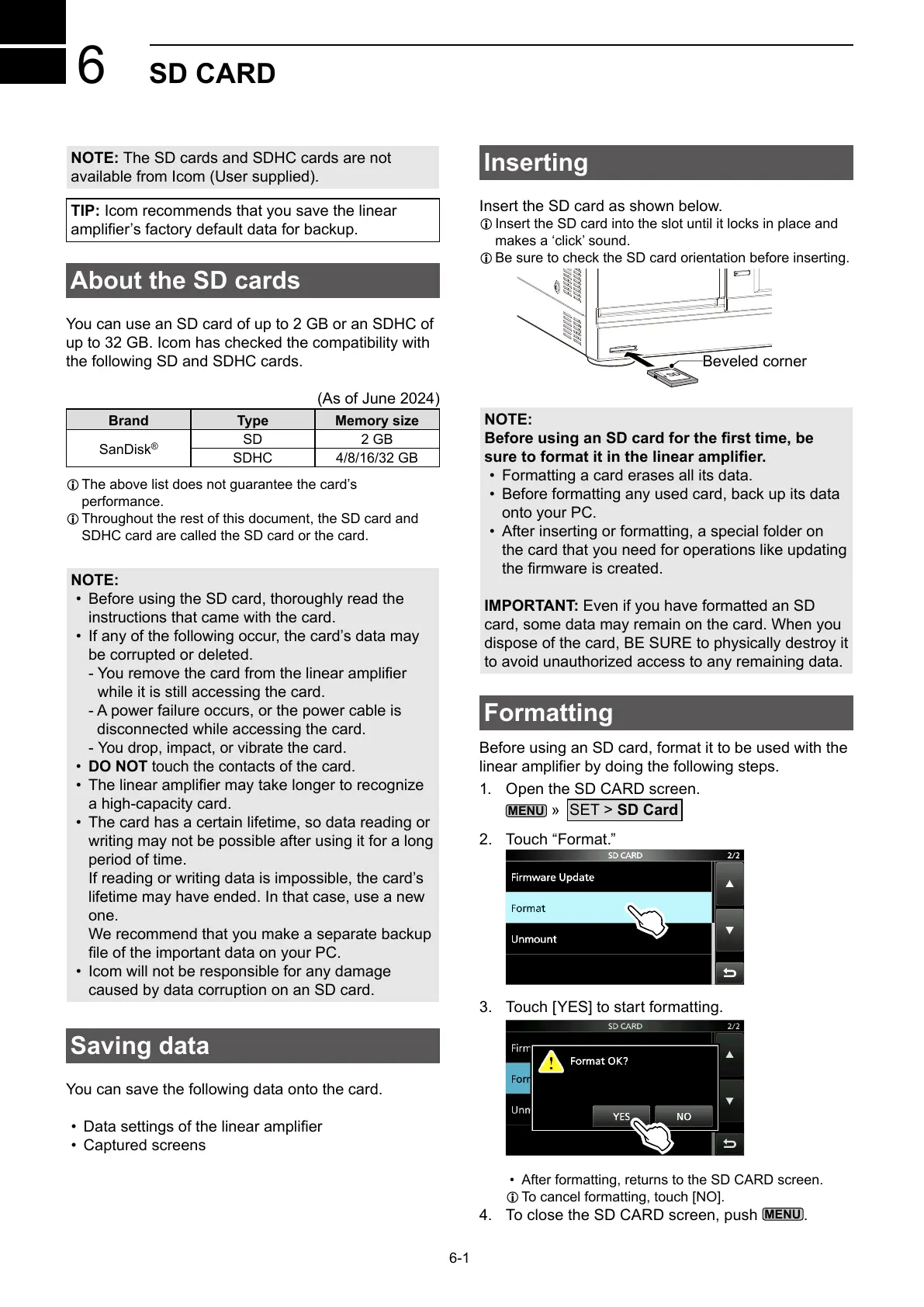
Icom IC-PW2 - Sd Card; About the SD Cards; Saving Data; Inserting

Icom IC-PW2
68 pages
Print Icon
To Next Page IconTo Next Page
To Previous Page IconTo Previous Page
Loading...
6-1
6
SD CARD
NOTE: The SD cards and SDHC cards are not
available from Icom (User supplied).
TIP: Icom recommends that you save the linear

About the SD cards
You can use an SD card of up to 2 GB or an SDHC of


(As of June 2024)
Brand Type Memory size

®
SD 2 GB
SDHC 4/8/16/32 GB
L 
performance.
L 
SDHC card are called the SD card or the card.
NOTE:
• 

• 
be corrupted or deleted.




-

• DO NOT touch the contacts of the card.
• 

• 

period of time.


one.


• 
caused by data corruption on an SD card.
Saving data

• 
• Captured screens
Inserting

L 

L 
LOCK
SD
Beveled corner
NOTE:
Before using an SD card for the rst time, be
sure to format it in the linear amplier.
• 
• 

• 


IMPORTANT: Even if you have formatted an SD



Formatting


1. 
MENU
»
SET > SD Card
2. Touch “Format.”
3. 
• 
L 
4. 
MENU
.

Table of Contents