EasyManua.ls Logo

Icom IC-PW2 - Unmounting; Saving the Setting Data

Icom IC-PW2
68 pages
Print Icon
To Next Page IconTo Next Page
To Previous Page IconTo Previous Page
Loading...

6
6
6-2
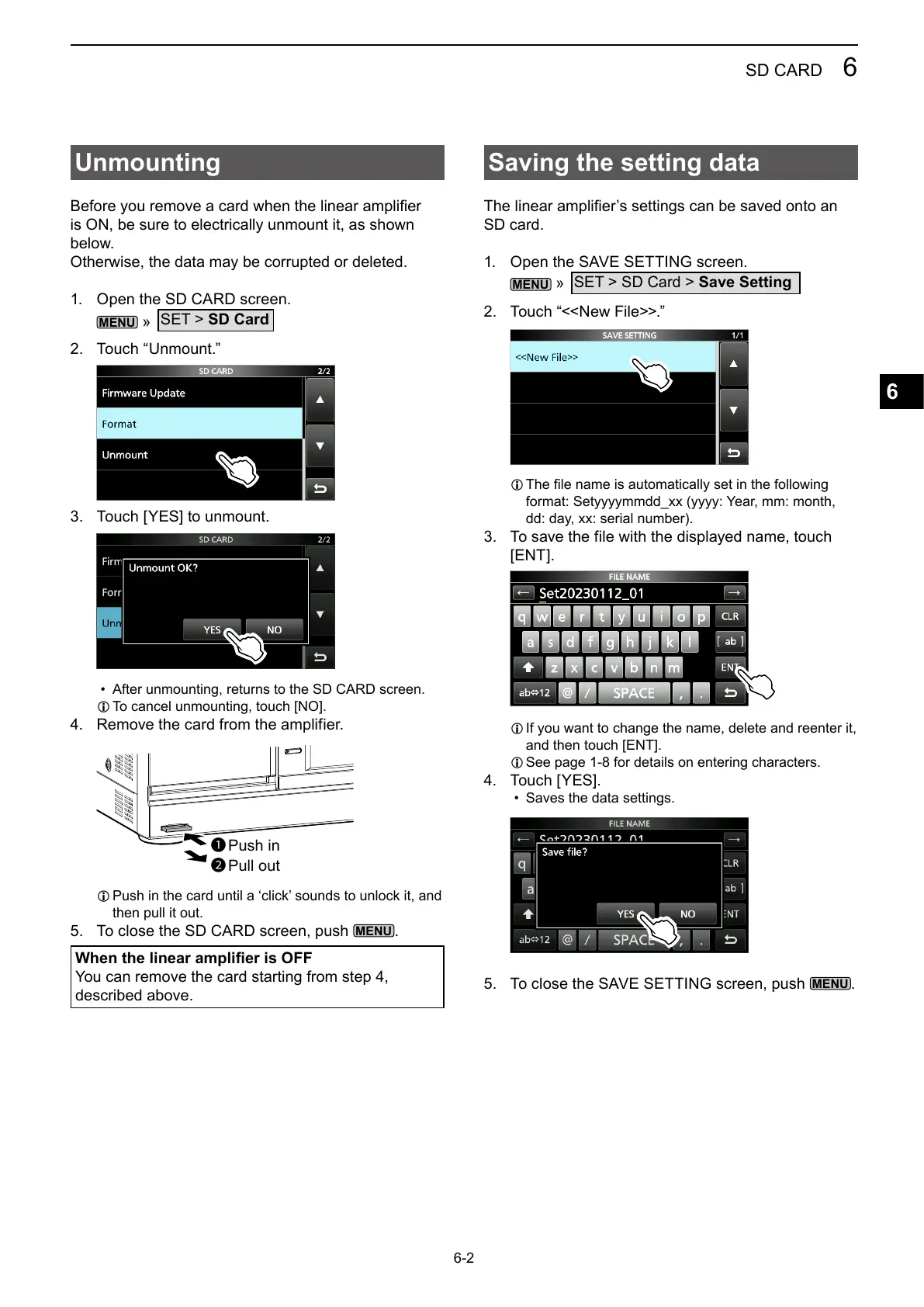
Unmounting




1. 
MENU
»
SET > SD Card
2. Touch “Unmount.
3. Touch [YES] to unmount.

L 
4. 
L 
then pull it out.
5. 
MENU
.
When the linear amplier is OFF

described above.
Saving the setting data

SD card.
1. 
MENU
»
SET > SD Card > Save Setting
2. 
L 


3. 

L 

L 
4. Touch [YES].

5. 
MENU
.
1
2

Table of Contents

Related product manuals