OTHER FUNCTIONS
8
8
8-4
Displaying my call sign
You can set to display your own call sign at power ON.
(Example: displaying the call sign JA3YUA)
1. Display the MY CALL screen.
»
SET > Display > My Call
2. Enter “JA3YUA.”
L You can enter up to 10 characters.
L See page 1-8 for details on entering characters.
3. Touch [ENT] to set the call sign.
• Returns to the previous screen.
4. To close the DISPLAY screen, push
.
Digital Pre-Distortion (DPD)
function
A digital circuit compensating for distortion, including
distortion in radio waves transmitted by an Icom
exciter that supports the Digital Pre-Distortion (DPD)
function.
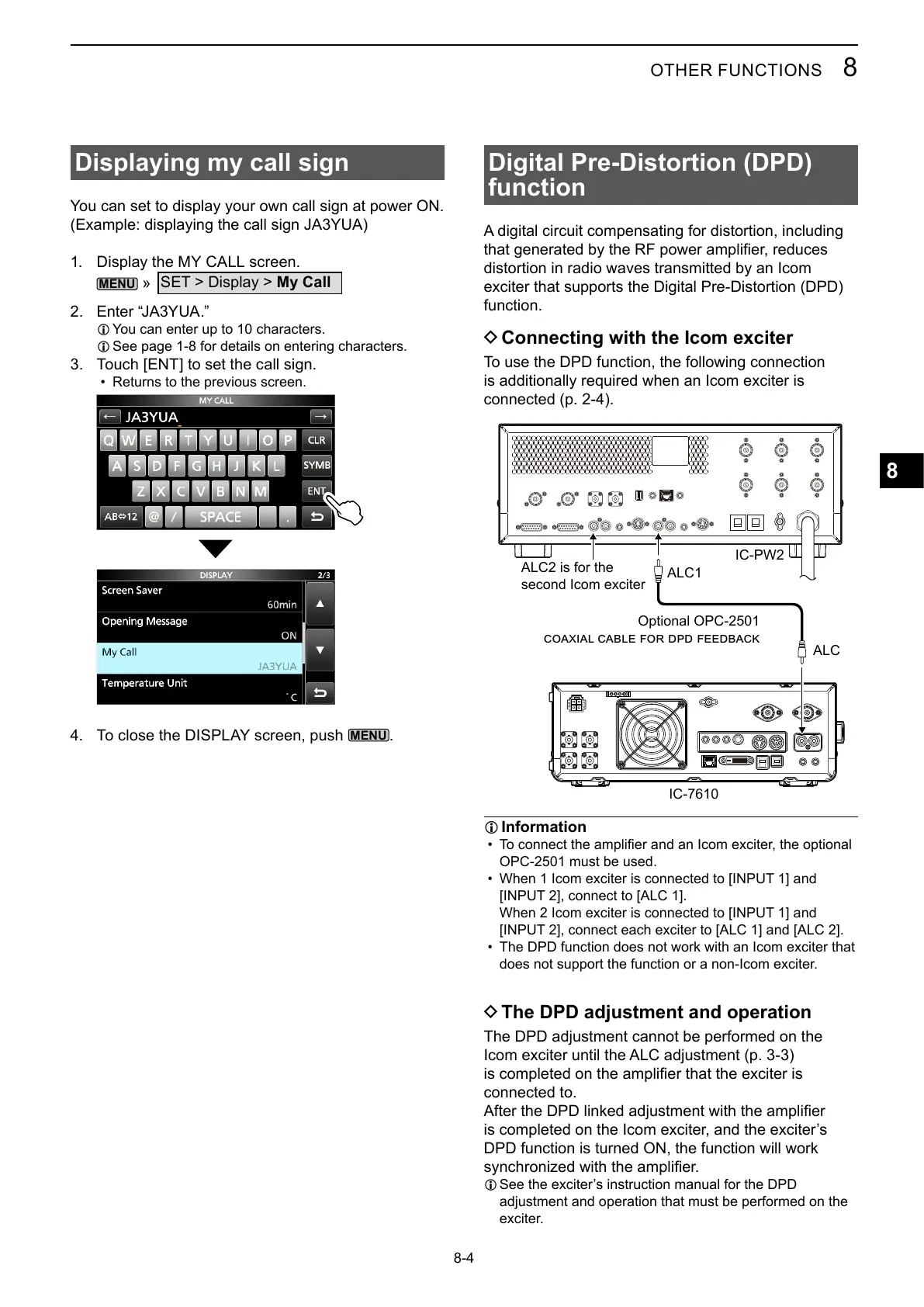
D Connecting with the Icom exciter
To use the DPD function, the following connection
is additionally required when an Icom exciter is
connected (p. 2-4).
IC-PW2
ALC1
ALC
Optional OPC-2501
ALC2 is for the
second Icom exciter
L Information
•
OPC-2501 must be used.
• When 1 Icom exciter is connected to [INPUT 1] and
[INPUT 2], connect to [ALC 1].
When 2 Icom exciter is connected to [INPUT 1] and
[INPUT 2], connect each exciter to [ALC 1] and [ALC 2].
• The DPD function does not work with an Icom exciter that
does not support the function or a non-Icom exciter.
D The DPD adjustment and operation
The DPD adjustment cannot be performed on the
Icom exciter until the ALC adjustment (p. 3-3)
connected to.
DPD function is turned ON, the function will work
L
adjustment and operation that must be performed on the
exciter.



 To Next Page