To Next PageTo Next Page
 Need help?
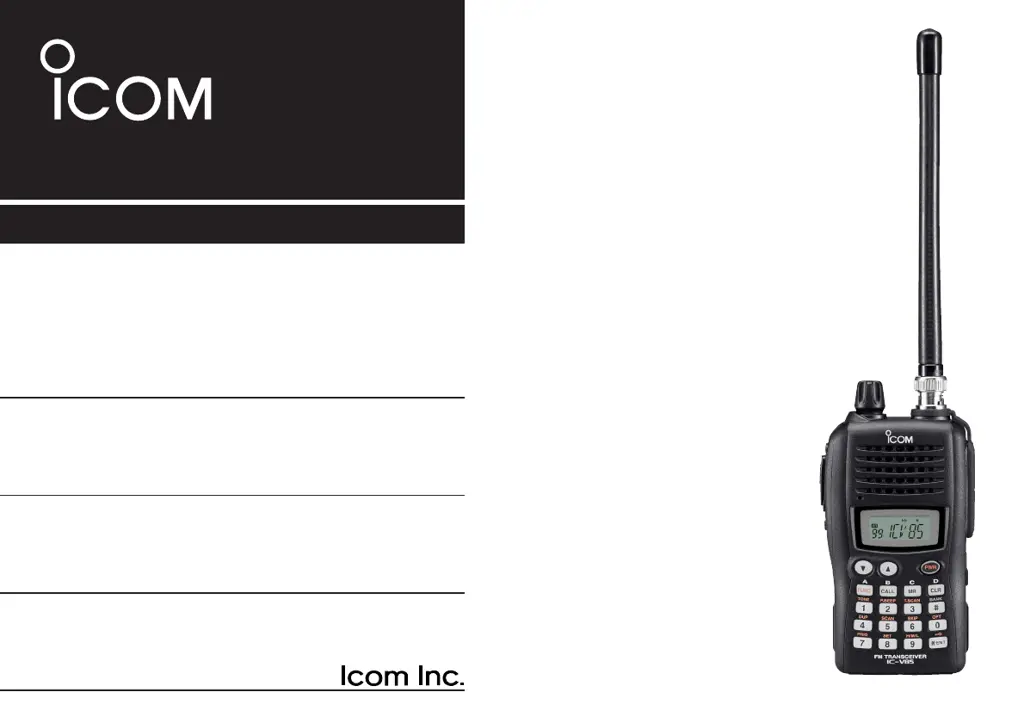
Do you have a question about the Icom IC-V85 and is the answer not in the manual?
Crucial instructions and definition of terms like WARNING, CAUTION, NOTE.
Highlights transmit power and standard/optional features.
Lists essential safety warnings for operating the transceiver.
Covers operation in extreme conditions, cleaning, and FCC rules.
Lists all accessories included with the transceiver.
Lists optional accessories available for the IC-V85 transceiver.
How to attach the antenna and SP/MIC cap.
Identification of all external parts of the transceiver.
Explains the icons and readouts on the transceiver's display.
Instructions for attaching antenna and belt clip.
Steps for attaching and detaching the battery pack.
Instructions for installing batteries into the optional BP-226 case.
Guide to charging the BP-227 battery pack.
Basic operational steps for initial use.
How to enter frequencies and basic repeater setup.
Steps to store frequencies and settings into memory.
How to attach the antenna and SP/MIC cap.
How to attach belt clip and hand strap for carrying.
Identification of all external parts of the transceiver.
Details on essential control buttons.
Details on other external components and ports.
Detailed functions of keypad buttons 1-5 and FUNC, CALL, MR, CLR.
Details functions for remaining keypad buttons SKIP to *ENT.
Explains BUSY, SIGNAL, TRANSMIT, PAGER CALL, DUPLEX indicators.
Explains TONE, OUTPUT POWER, KEY LOCK, etc. indicators.
Procedure for replacement and details of battery packs.
Instructions for installing batteries into the optional BP-226 case.
Critical safety warnings regarding Lithium-Ion battery misuse.
Warnings for battery temperature, charging, and handling.
Detailed steps for regular battery charging.
How to install the AD-100 adapter into chargers.
Using the BC-119N for rapid charging.
Using the BC-121N for multi-unit rapid charging.
How to operate the transceiver using external DC power.
Steps to turn the transceiver on and select VFO mode.
Methods for entering operating frequencies using the keypad.
Using arrow keys to adjust frequency.
How to change the frequency tuning step.
Configuring the VOL knob for volume or tuning.
Adjusting audio volume and squelch sensitivity.
Steps for receiving signals and transmitting.
Using the monitor function to listen to weak signals.
Choosing between frequency, channel, or name display.
How to enable/disable the key lock.
How to select and use weather channels and alerts.
Setting receive frequency and duplex modes for repeaters.
Adjusting repeater offset and setting subaudible tones.
Details on DTMF tones, tone scan, and repeater lockout.
Automatic repeater setting activation.
Memory channel capacity, selection, and call channel access.
Steps to store frequencies into memory/call channels.
Assigning names and transferring memory contents.
Copying channel data and deleting memories.
Organizing channels into banks and assigning them.
Clearing or moving contents between banks.
Storing DTMF codes for phone numbers or control codes.
Displaying DTMF data and sending stored codes.
Transmitting DTMF codes directly and adjusting speed.
Overview of scanning methods and programmed scan configuration.
Scanning memory channels and specific banks.
Marking channels to skip and setting scan resume behavior.
Monitoring priority and memory channels during VFO operation.
Using tone squelch and recommended tone frequencies.
How to set CTCSS/DTCS tones for squelch operation.
Using pocket beep for specific station alerts.
Detecting necessary tone frequencies for repeaters.
Using pagers and programming ID/group codes.
Programming transmit codes and setting accept/inhibit modes.
Initiating and responding to pager calls.
Understanding pager displays and using code squelch.
How to access and use the SET MODE menu.
Settings for repeater tones, squelch, DTCS, tuning, offset, and reverse.
Settings for scan pause, function key display, backlight, and transmission.
Configuring memory banks and the weather alert feature.
Customizing beep levels and transmission timeout.
Settings for automatic functions and lockout types.
Adjusting squelch, DTMF speed, dial functions, and display modes.
Adjusting LCD contrast and power saving duty cycles.
Configuring monitor key, tuning speed, and microphone modes.
Managing the Li-Ion battery protection feature.
Visual guide to navigating SET MODE options.
Visual guide to navigating INITIAL SET MODE options.
Transferring data between two transceivers.
Transferring data to/from a PC using cloning software.
Resetting operating conditions without clearing memory.
Resetting the transceiver to factory defaults, clearing memory.
Guide to diagnosing and resolving transceiver issues.
Steps to install the UT-108 unit.
Key technical details like frequency range and power.
Technical details of transmitter and receiver performance.
 General
| Brand | Icom |
|---|---|
| Model | IC-V85 |
| Category | Transceiver |
| Language | English |