35
4
BASIC OPERATION
New2001 New2001
■ Monitorfunction
This function is used to listen to weak signals without disturb-
ing the squelch setting, or having to open the squelch manu-
ally, even when mute functions such as the tone squelch are
in use.
While holding down [SQL], the transceiver monitors the ➥
operating frequency.
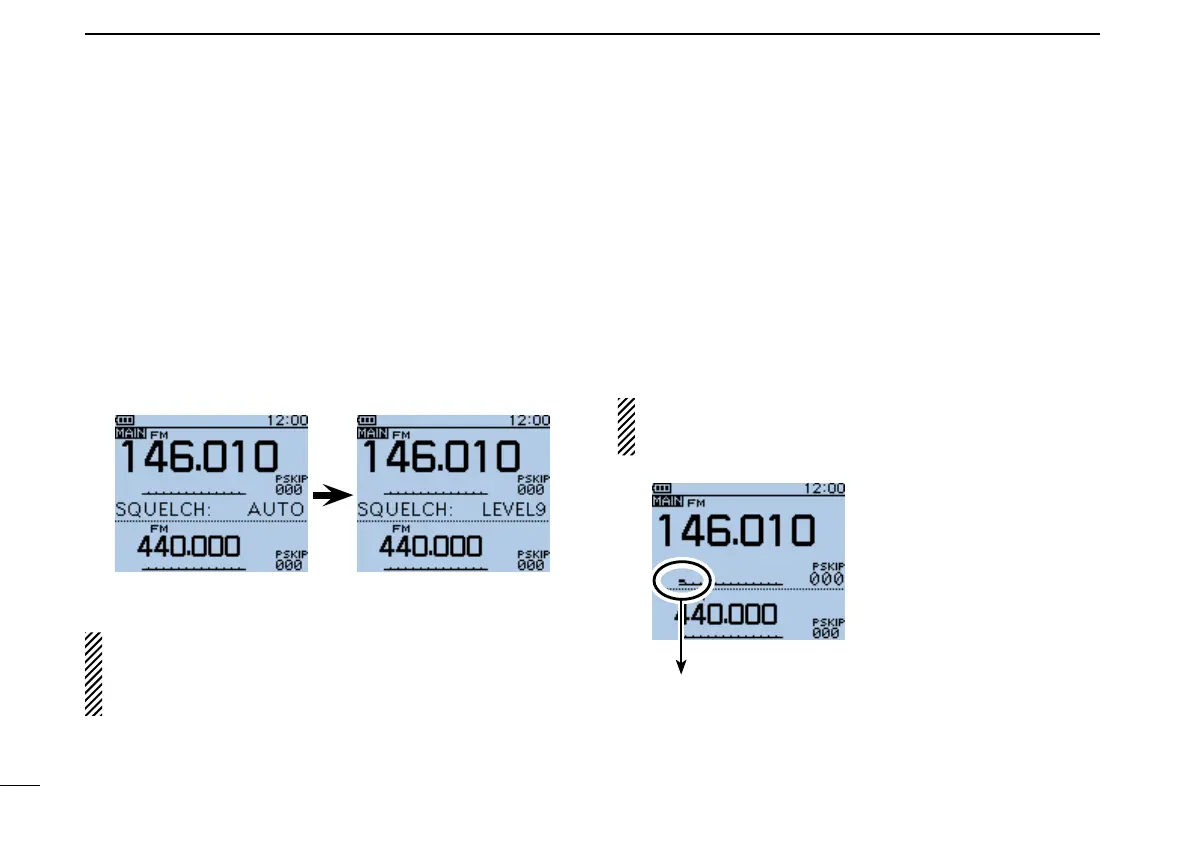
•The1stsegmentoftheS-meterblinks.
•ThisfunctionisdisabledintheDVmode.
The[SQL]keycanbesetto‘sticky’operationinFunction
menu.
MENU > Function > Monitor (p. 26)
The first segment blinks.
■ Settingthesquelchlevel
Whileholdingdown[SQL],rotate[DIAL]oneclicktodis- q
play the current squelch level.
While holding down [SQL], rotate [DIAL] to select the w
squelch level.
•“LEVEL1”isloosesquelch(forweaksignals)and“LEVEL9” is
tight squelch (for strong signals).
•“AUTO” shows automatic level adjustment by a noise pulse
counting system.
•“OPEN”showsacontinuouslyopensetting.(Thisoptionisnot
selectable in the DV mode.)
Automatic squelch Maximum level
NOTE: The independent squelch level can be set to the A
band and B band.
The squelch level setting can be done only for the MAIN
band.


 To Next Page
 Loading...













